 Back to Docusign.com



Question
Docusign C# SDK , Update "Sender Field Data" created them from a template that was also created MS Word DocuSign Add-on
Following this instruction : https://support.docusign.com/s/document-item?language=en_US&bundleId=als1679428547895&topicId=kyy1679958874136.html&_LANG=enus
I was able to create a word document using DocuSign Add-on , and then uploaded to Docusign as template.
In MS Word it looks like this :
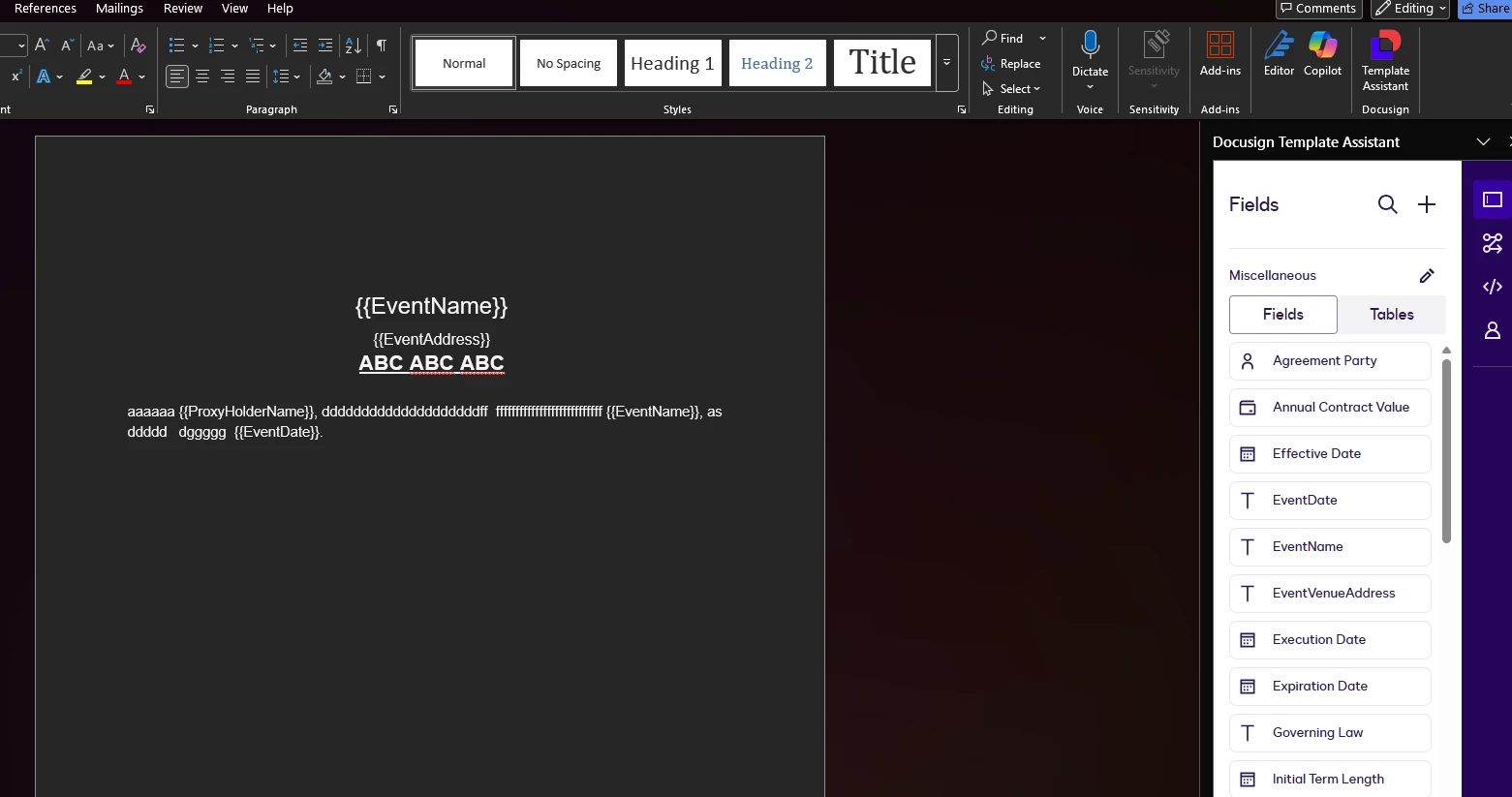
I created an app in C# that uses DocuSign.eSign.dll 8.0.2 version and cannot set values to those "sender field data".
Any idea how to do it ?
These is what I tried so far :
- Tried upgrading the library to 8.6.0 to use :
envelopeDefinition.PrefillTabs (failed)
- using TextCustomField like this (failed) :
envelopeDefinition.CustomFields = new CustomFields
{
    TextCustomFields = new List<TextCustomField>
    {
        new TextCustomField
        {
            Name = "EventName", // Field name WITHOUT braces
            Required = "false",
            Show = "true",
            Value = "PARTY"
        }
    }
}; - using CompositeTemplates (Failed) :
-
envelopeDefinition.CompositeTemplates = new List<CompositeTemplate>
{
	new CompositeTemplate
	{
		ServerTemplates = new List<ServerTemplate>
		{
			new ServerTemplate
			{
				Sequence = "1",
				TemplateId = templateId // Your existing template
			}
		},
		Document = new Document
		{
			DocumentId = "1",
			Name = "Document Form",
			DocumentBase64 = null, // Don't need to upload - using template doc
			DocGenFormFields = new List<DocGenFormField>
			{
				new DocGenFormField { Name = "EventName", Value = "BIG TITLE HEADER 2026" },
				new DocGenFormField { Name = "EventVenueAddress", Value = "ABC DE EF****" },
				new DocGenFormField { Name = "ProxyHolderName", Value = "123 45 EF****" },
				new DocGenFormField { Name = "EventDate", Value = "February 1 2026" }
			}
		}
	}
};
Any idea ? I cannot find any good solution so far !!