 Back to Docusign.com



Solved
INVALID_EMAIL_ADDRESS_FOR_RECIPIENT when sending a template envelope from Power Automate
I have a docusign template where the first signer role is left empty because it need to be dynamic.
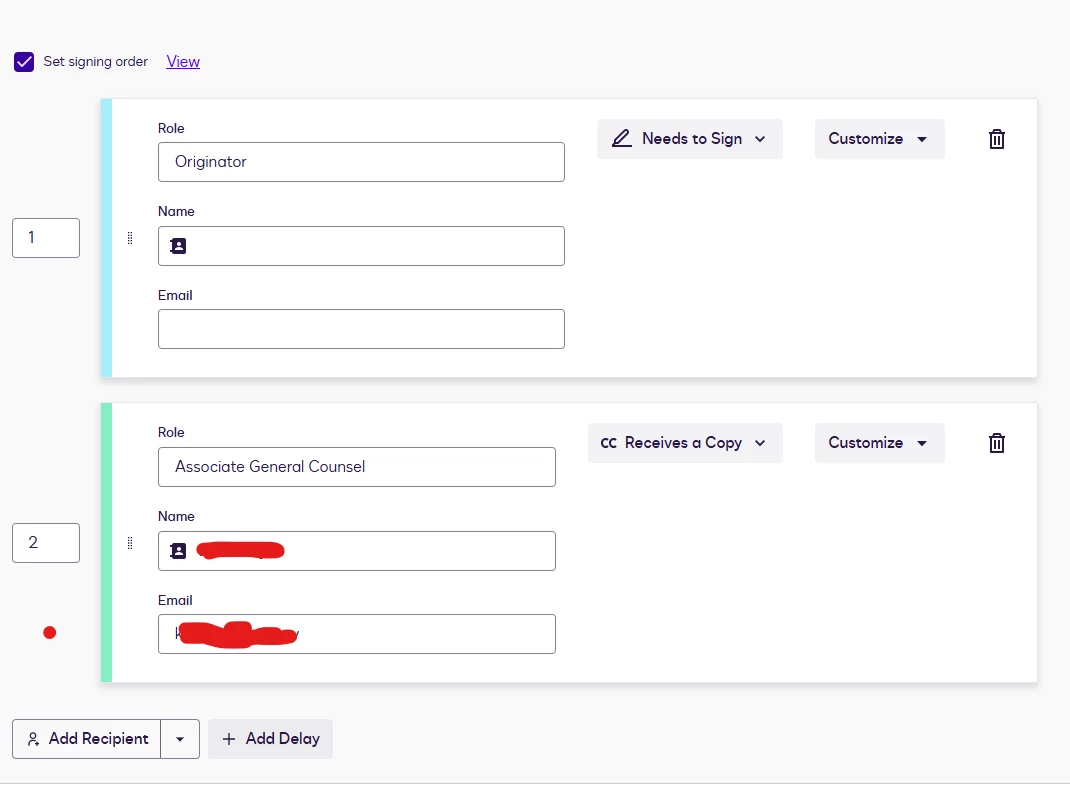
I am using Power automate to send the Originator detail and invoke the template. Here is my power automate
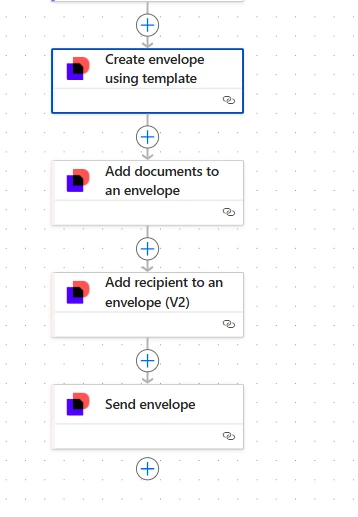
Step 1. Created the envelope using the template → No Issues
Step 2. Added the document as Base64 to the envelope → No issues
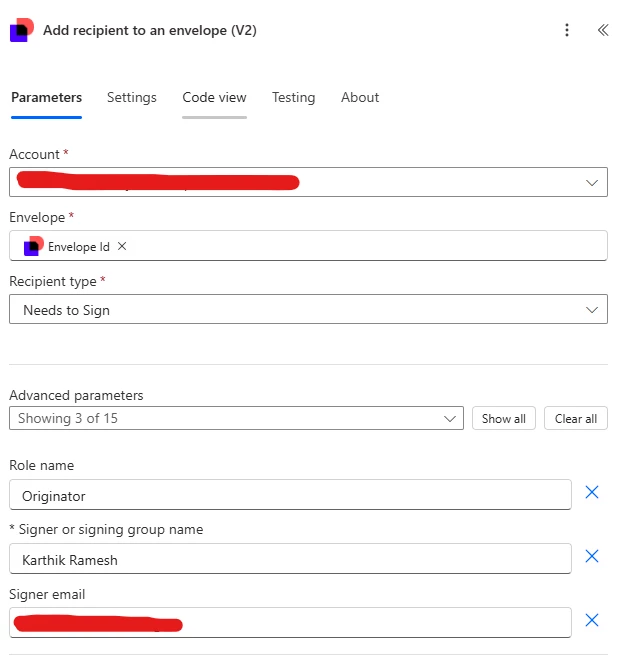
Step 3. Added the recipient. In this step I provided the role name, Signer name and the signer email
Step 4. When I send the envelope, this step fails with the error code INVALID_EMAIL_ADDRESS_FOR_RECIPIENT.
Am i following the right steps to populate the recipient for the first sign? Can someone help here?