Question

How to quickly add multiple signature boxes?

  • December 19, 2025
  • 5 replies
  • 99 views

Forum|alt.badge.img

I have a contract that requires over 100 signature boxes.  Is there a way that the selected field choice stays active so that I can just click multiple locations on a page instead of having to go back to the menu item each time I need to add a field?
5 replies

Forum|alt.badge.img+1
  • New Voice
  • December 22, 2025

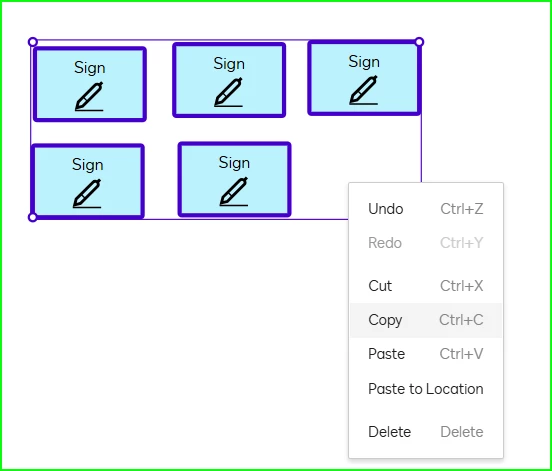
After you put the first tag on the document you can use copy and paste method without having to go back to the menu. Either right click or the keyboard short cut works. 


derval.lynes
Docusign Employee
Forum|alt.badge.img+3
  • Docusign Employee
  • December 23, 2025

For adding multiple signature boxes or ‘fields’, you could also try leveraging the Auto-place feature in a Docusign eSignature envelope or template. 
Ideally, you ‘anchor’ your field beside a key term which repeats throughout the contract: you may have to do a little editing on your original agreement to ensure the term is present in the right locations for the signature boxes. 

This video below, recorded by my Docusign University Trainer colleague Vini Rodrigues, should also be a great help. 
All the best with setting those multiple signature fields up! 


Forum|alt.badge.img+14
  • Community Moderator
  • December 30, 2025

Hello ​@SDCNYNJ,

I hope you're doing well. I'm following up on the above solution provided. Could you please confirm whether it addresses your question? If it did, can you please mark it as Best Answer ✅" to assist other users with similar inquiries and improve its visibility. Let us know if we can help with anything else. Wishing you a smooth rest of your day!


Regards,

Jenny | Docusign Community Moderator


Forum|alt.badge.img

What happened with the quick copying and pasting of resized fields using the shift key? The new interface is very poor and makes the document initial and signing process take MUCH longer, and significantly more tedious than it used to. Can the Docusign admins please publish a new shortcut key table somewhere that is obvious and not buried somewhere?


Forum|alt.badge.img+14
  • Community Moderator
  • January 21, 2026

Hello ​@Teko Properties,

Thanks for your feedback! We know changes in the interface can feel disruptive, and we want your sending experience to stay smooth and efficient.

If you prefer the previous layout, you can switch back by going to: Admin > Sending Settings > uncheck “Enable new sending experience.”

You can also check the shortcut keys here: 👉 Keyboard Shortcuts List

Let us know if you have any questions.


Regards,

Jenny | Docusign Community Moderator

