Newcomer
January 21, 2025
Solved

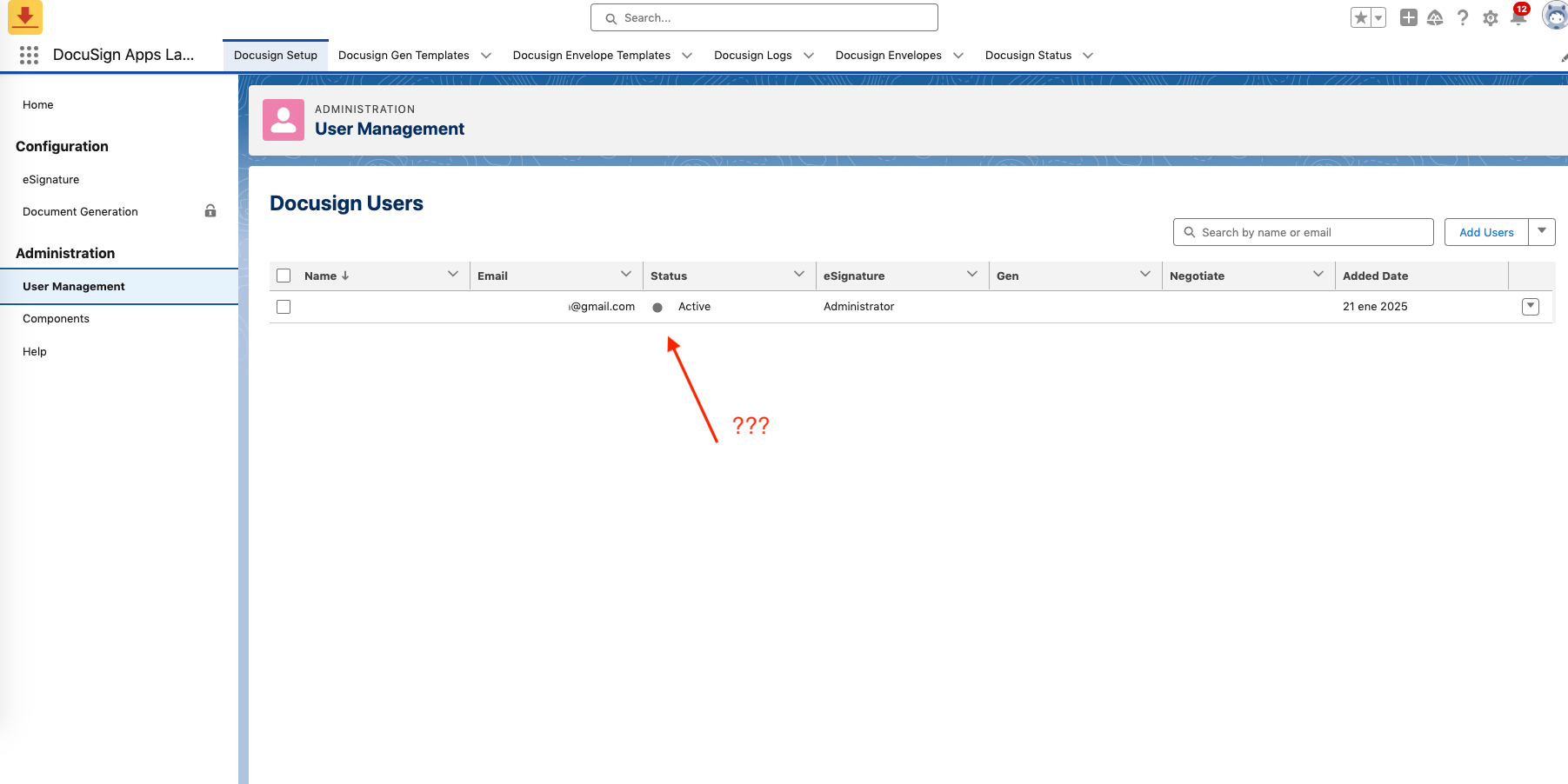
User (admin) Status is active but radio button isn't set to green

  • January 21, 2025
  • 2 replies
  • 89 views

I’ve just installed Docusign eSignature for Salesforce: The trusted eSignature solution from the App Exchange. The account appears as properly connected to Docusign; however...when checking User Management, the only user (the admin) is set to an active status, but based on a Youtube tutorial, the radio button next to “Active” is not set to green. I wonder if this will affect me ? If so… how can solve this problem ?


Best answer by Jesse.Morgan

Hi ​@ecastro - 

This is a bug our product engineering team is aware of and that should be fixed in a future release. It’s merely a cosmetic user interface issue, but should not impact your or other users ability to use the application.

Thanks!

2 replies

JohnSantos
Guru
Guru
January 21, 2025

@ecastro 

First, it’s important to know that the Docusign User Management interface has gone through a few UI changes over the years—so what you see in a recent YouTube tutorial may not exactly match the interface in your own instance. In some layouts, “Active” may not always appear with a green radio button (or the button may appear differently), especially if the user is already confirmed and has a valid seat/license assigned.

If DocuSign’s direct Admin page shows your user as Active/Confirmed and properly licensed, that user will be able to send envelopes, regardless of whether you see a green radio button in the Salesforce-embedded interface.

Welcome to the DocuSign Community! Your feedback is highly valued. If you find my response helpful, please give it a "Like" and consider marking it as the "Best Answer" to assist others with similar issues.
Jesse.Morgan
Docusign Employee
Docusign Employee
January 22, 2025

Hi ​@ecastro - 

This is a bug our product engineering team is aware of and that should be fixed in a future release. It’s merely a cosmetic user interface issue, but should not impact your or other users ability to use the application.

Thanks!

Jesse Morgan | Principal Solution Architect, Docusign. Please click "Select as Best" if you find the answer a valid solution to your issue.

