 Back to Docusign.com



Hi everyone,
I’m creating and sending envelopes from an Azure Function using the DocuSign eSignature REST API on the demo environment. The envelope is created successfully and looks correct in DocuSign, but recipients never get the signing email.
What happens
- My API creates a draft envelope, adds a document, adds 2 signers, adds tabs, then updates the envelope status to
sent. - DocuSign returns an envelope ID with no error.
- In DocuSign Manage:
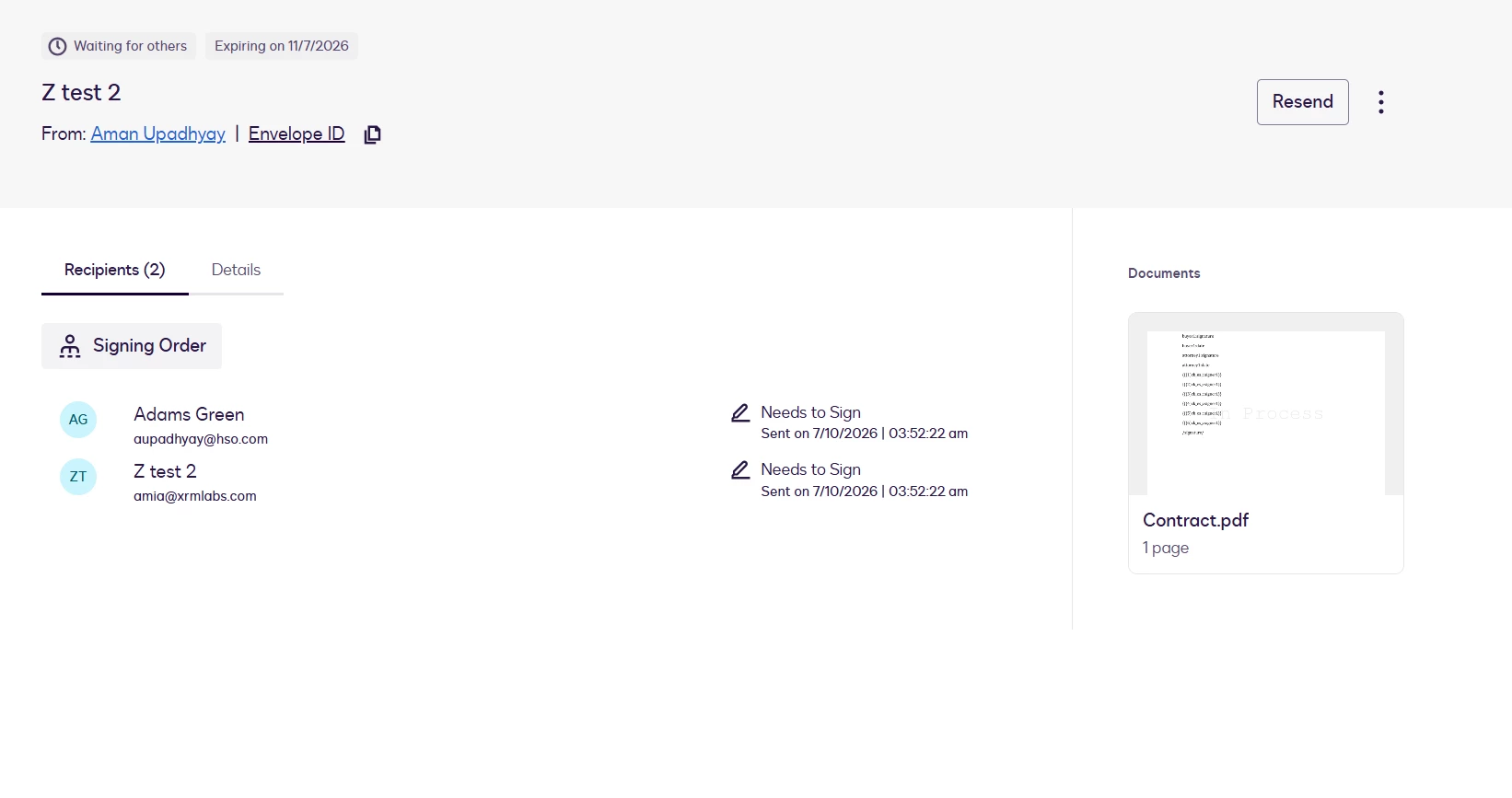
- Envelope status is Sent
- Both recipients show Needs to Sign
- Both show Sent on the same time
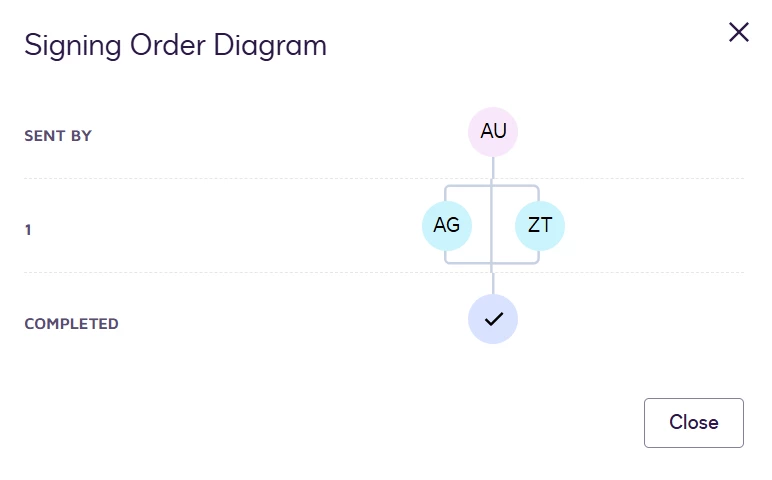
- Signing order is 1 for both (they should get the email at the same time)
- Email addresses on the recipients are correct
- Neither recipient receives the DocuSign email.
- If I click Resend in DocuSign, still no email is received.
So from the UI it looks like the envelope was sent, but no notification email is actually delivered.
Setup
- Environment: DocuSign demo (
account-d.docusign.com/demo.docusign.net) - Auth: JWT (
signature+impersonation) - 2 signers, both remote (no embedded signing / no
clientUserId) - Both set to email delivery (not SMS)
- Both at routing order
1
API flow
POST /v2.1/accounts/{accountId}/envelopeswithstatus: "created"PUT /envelopes/{envelopeId}/documentsPOST /envelopes/{envelopeId}/recipientsPOST /envelopes/{envelopeId}/recipients/{recipientId}/tabsPUT /envelopes/{envelopeId}with{ "status": "sent" }
Example recipient payload (simplified):
{
"signers": [
{
"name": "Adams Green",
"email": "aupadhyay@hso.com",
"recipientId": "1",
"routingOrder": "1",
"deliveryMethod": "email",
"emailNotification": {
"emailSubject": "Signature Requested...",
"emailBody": "..."
}
}
]
}
What I’ve already checked
- Envelope is not stuck in Draft
- Recipients are not waiting on an earlier signer
- Email addresses are correct in the envelope
- Recipients are not embedded signers
- This is not an SMS-only send


