New Voice
March 19, 2025
Solved

Unable to cancel subscription, open new case, or get refund

  • March 19, 2025
  • 21 replies
  • 341 views

I have been trying since last April to get subscription canceled, get refund and thought it was taken care of until I got renewal notice in email tonight. It won’t let me open a new case to have them call me or respond to this request. So this forum will hopefully get the attention it needs to respond to the attached emails last year…. SEE ATTACHED


The attached files have been removed. Please see DocuSign Community Guidelines and Code of Conduct.
Best answer by marco.tanglao

Hello ​@deroit 

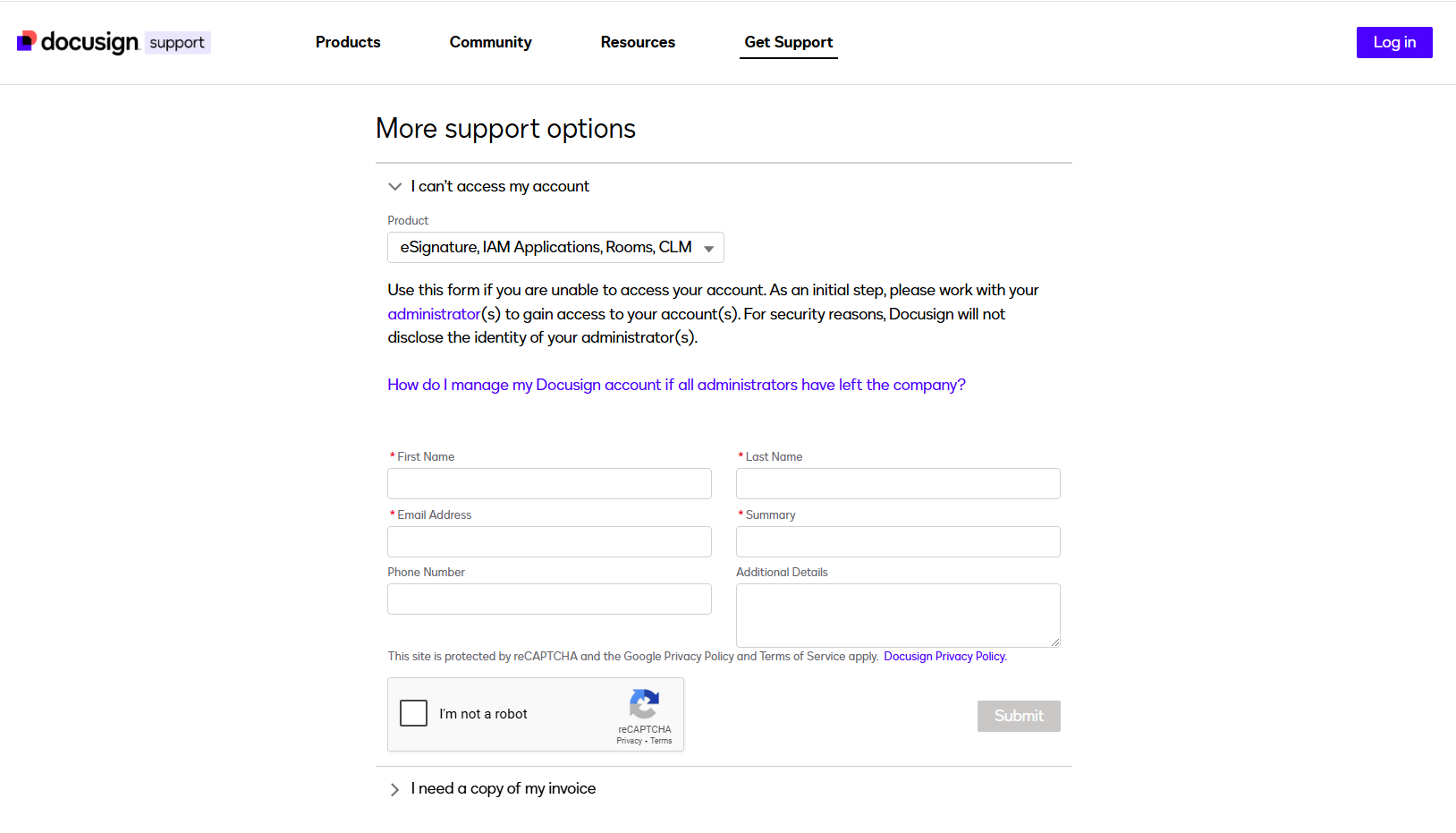
Please use the bottom part of the page, which allows you to open a case without logging into your account.

Please log out on your account and open the link below to access the same page I shared.

https://support.docusign.com/s/contactSupport?language=en_US

If you found the response to be a useful solution to your question, please mark it as the best answer by clicking “Select as Best” to make it easier for other users to find.

Best regards,
Marco Paulo | Docusign Community Moderator

21 replies

Docusign Employee
October 14, 2025

Hi ​@Mo A Nasr thanks for reaching out to the Docusign Community.

We’re sorry to hear you're thinking of cancelling your subscription, but we’re here to help make the process as smooth as possible.

Could you please let us know if you are experiencing any issues with the cancellation? Here's the guide 👉 Cancel or downgrade your Docusign account

If you encounter any problems, please send me a private message with your details:

  • Name
  • Account Number
  • Email Address associated with the account.

Here if you need us!


Sincerely,

Melanie | Docusign Community Moderator
If this helped, feel free to Like
👍and click "Best Answer"

Docusign Employee
October 21, 2025

Hi ​@Mo A Nasr,

How are you? Just checking to see if you are able to provide the information that I previously requested? Let us know if you still need further assistance. We’re here for you!


Sincerely,

Melanie | Docusign Community Moderator
If this helped, feel free to Like
👍and click "Best Answer"

New Voice
December 9, 2025

I’m trying to cancel my subscription and switch back to the free account after the paid monthly cycle ends, but I keep getting an error message. I’ve already followed all the steps above, but none of them seem to work. This simple change is really frustrating me. Can someone from DocuSign support help me out?


Docusign Employee
December 9, 2025

Hi ​@fcamineiro,

Thanks for reaching out—and I’m really sorry you’re running into this. It's completely understandable that encountering technical difficulties can be frustrating, especially after carefully following instructions. We're here to help you navigate this.

Have you tried clearing your cache, using a different browser, or switching to a different device? Please refer to this guide 👉 Basic troubleshooting steps for common Docusign issues

If these general suggestions don't resolve the issue, a more in-depth investigation and support intervention will be necessary, which would involve creating a support case to address the matter and facilitate subscription cancellation from the backend. Here are ways to contact Support: Live chat, Open a support case and communicate via Email or Request a callback 👉 How do I contact Docusign Customer Support?

Should you encounter any challenges in reaching support, please send me a direct message of your name, account number and email address linked to your account.

Let us know if you have questions— we're here for you!


Sincerely,

Melanie | Docusign Community Moderator
If this helped, feel free to Like
👍and click "Best Answer"

New Voice
December 9, 2025

Hi ​@Melanie.Panguito, yes, I have tried the steps you mentioned. Every button on your website works, except the one to cancel my subscription. 

Docusign Employee
December 9, 2025

Thanks for bringing this to our attention ​@fcamineiro. As previously mentioned, this would need a support intervention. Here are ways to contact Support: Live chat, Open a support case, and communicate via Email or Request a callback . 👉 How do I contact Docusign Customer Support?

If you encountered issues in reaching support, please send me a direct message of your name, account number and email address linked to your account. Thank you!


Sincerely,

Melanie | Docusign Community Moderator

New Voice
December 9, 2025

I also tried those options. Chat link is disabled. Email and call back are also greyed out because I can’t login on my account. Again, all the alternatives to contact support are unavailable on my account. That’s why I ended here. Everything else works. 

Docusign Employee
December 9, 2025

Got it, we're sorry for the hassle ​@fcamineiro. Please send me a direct message of your name, account number and email address linked to your account. Thank you!


Sincerely,

Melanie | Docusign Community Moderator

Docusign Employee
December 9, 2025

Thank you for providing the requested information, ​@fcamineiro. Docusign support team will contact you via email, providing a case number. Please monitor your email and respond as needed. Thank you!


Sincerely,

Melanie | Docusign Community Moderator

New Voice
December 9, 2025

@Melanie.Panguito after your troubleshooting, I was able to cancel my subscription. Thank you for your support.


