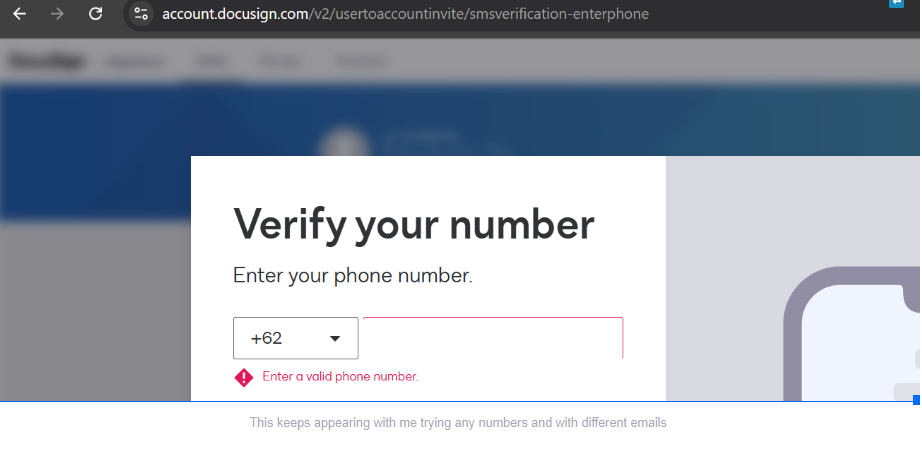
Thank you for the update. You did everything you could. As none of the troubleshooting worked, your next best step is to open a Support case so our Technical team can take a closer look.
If you do not have a paid account, you can still open a case at the Get support page at the bottom, where it says More support options > I can’t access my account. This does not require you to log in to an account or to upgrade.
Link: Get Support. Please view the screenshot below:
I hope this will be resolved soon. Let us know if you need further assistance. Thank you!
Melanie | Docusign Community Moderator Helpful? Mark it as "Best Answer" to help others too!
How are you? I'm checking in to see if you still need assistance. If you run into any issues, we're happy to help with those here. Wishing you a smooth rest of your day!
Regards,
Melanie | Docusign Community Moderator Helpful? Mark it as "Best Answer" to help others too!
My problem was resolved. For future reference for anyone else with this issue I believe my problem stemmed from our use of Google Voice VoIP numbers for our office (we are a remote/distributed team so that’s the only phones we have). The problem was resolved by DocuSign support staff manually entering my phone number into my account from the backend.
Wow! Thank you for the update! I am glad you're issue is resolved. Thank you for your tips! Please consider marking your response as Best Answer ✅ so others with similar issues can find it too. Have a great day ahead!
You can login or register as either a Docusign customer or developer. If you don’t already have a Docusign customer or developer account, you can create one for free when registering.
You can login or register as either a Docusign customer or developer. If you don’t already have a Docusign customer or developer account, you can create one for free when registering.
 Back to Docusign.com