Question

Reordering Line Items in Reports

  • September 22, 2025
  • 2 replies
  • 28 views

Forum|alt.badge.img+1

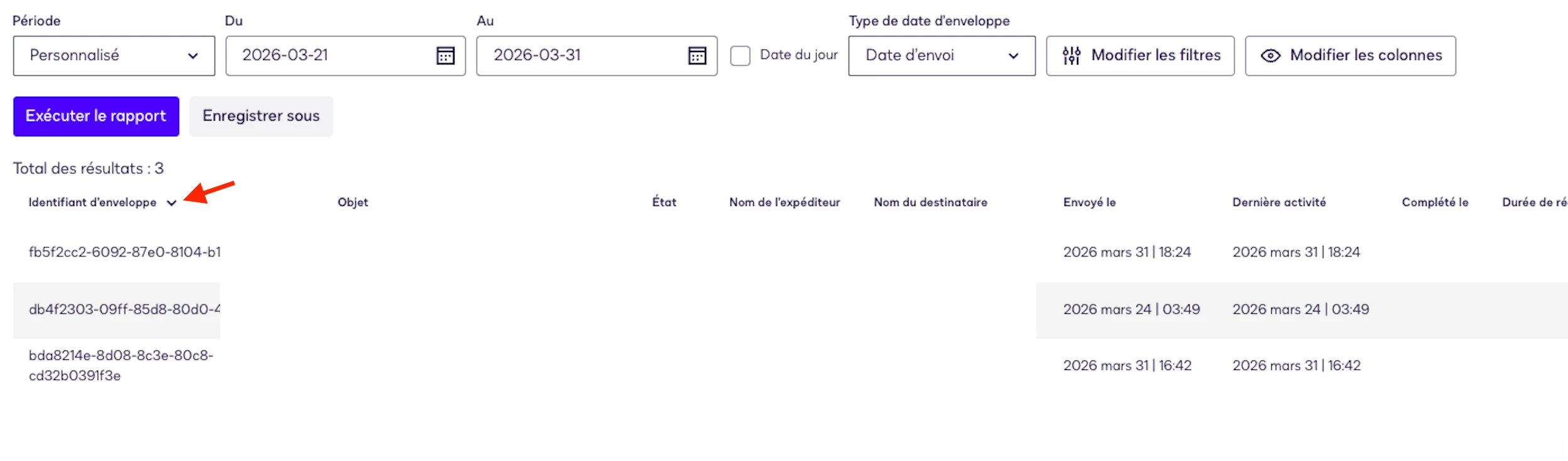
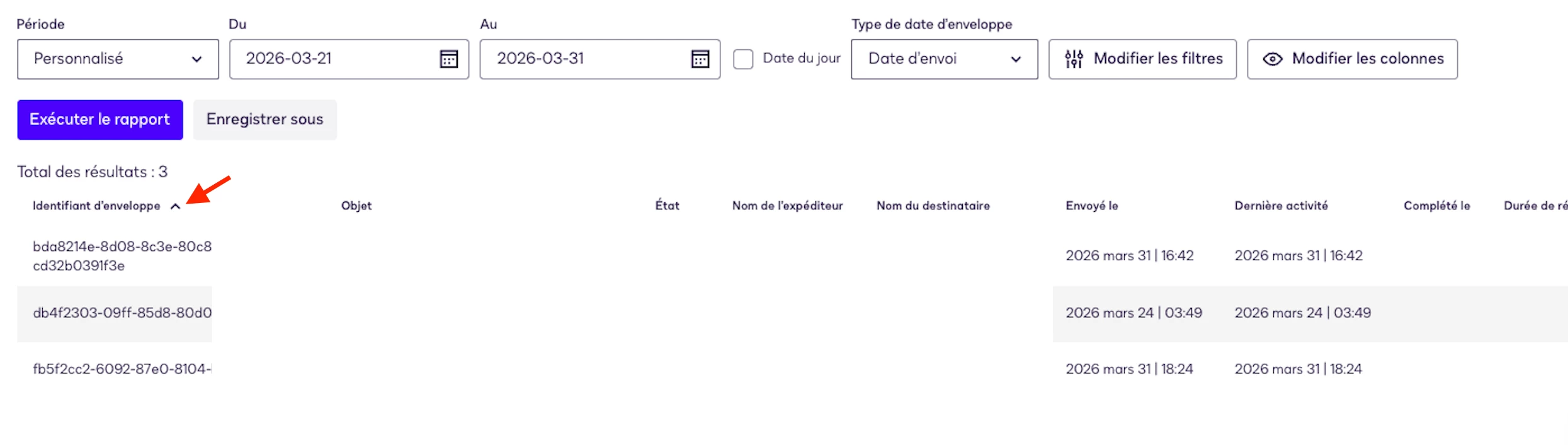
Currently, when reordering items in a column, we need to re-run the report in order to reorganize the items listed in the column. The request enhancement aim at removing the need to re-run the report.

When you click on the column, sorting starts automatically. It's not at all intuitive to have to click somewhere else (Run report). At the very least, the end user should be informed with a pop-up or a small message that appears.


2 replies

Forum|alt.badge.img+14
  • Community Moderator
  • April 1, 2026

Hello ​@Marc.Kabongo,

Thank you for sharing your idea. Upon test, I observed that the Status column button shown in the screenshot cannot be used for sorting; clicking it does not trigger any action. Additionally, when running reports, the data is automatically sorted by Sent Date (from oldest to newest).

This current behavior does not align with the enhancement you proposed, as it does not allow interactive sorting directly from the column header.

With that, I’ll be converting this idea into a question. Should you require additional assistance or have further details to share, please let me know.


Regards,

Jenny | Docusign Community Moderator


Forum|alt.badge.img+1
  • Author
  • Docusign Employee
  • April 1, 2026

Hello ​@Jenny.Martin, thanks for looking into this.


Providing more screen capture and context. The customer did not like the fact the we can re-order results (lines) in a column (any) but we must hit Run Report again. Ok, he was able to understand this, but he had to reach out to support thinking that there was a glitch. His point was that when a user clicks on any of the column header, the line should reordering should happen immediately or a pop-up should let the end user know that they need to press Run Report again to see the effect of the previous action.


Hope this helps :)