New Voice
November 17, 2025
Solved

I have a paid acoount. Now I cannot access it, and I cannot login in support page - Need help

  • November 17, 2025
  • 5 replies
  • 115 views

I paid a monthly subscription to get some documents signed. I did it with an e-mail account that was invited to a team.

Today, I couldn’t access that account. I couldn’t reset the password because it says there’s no account associated to my e-mail. So I created a new account with the same e-mail of the one I had the paid version.


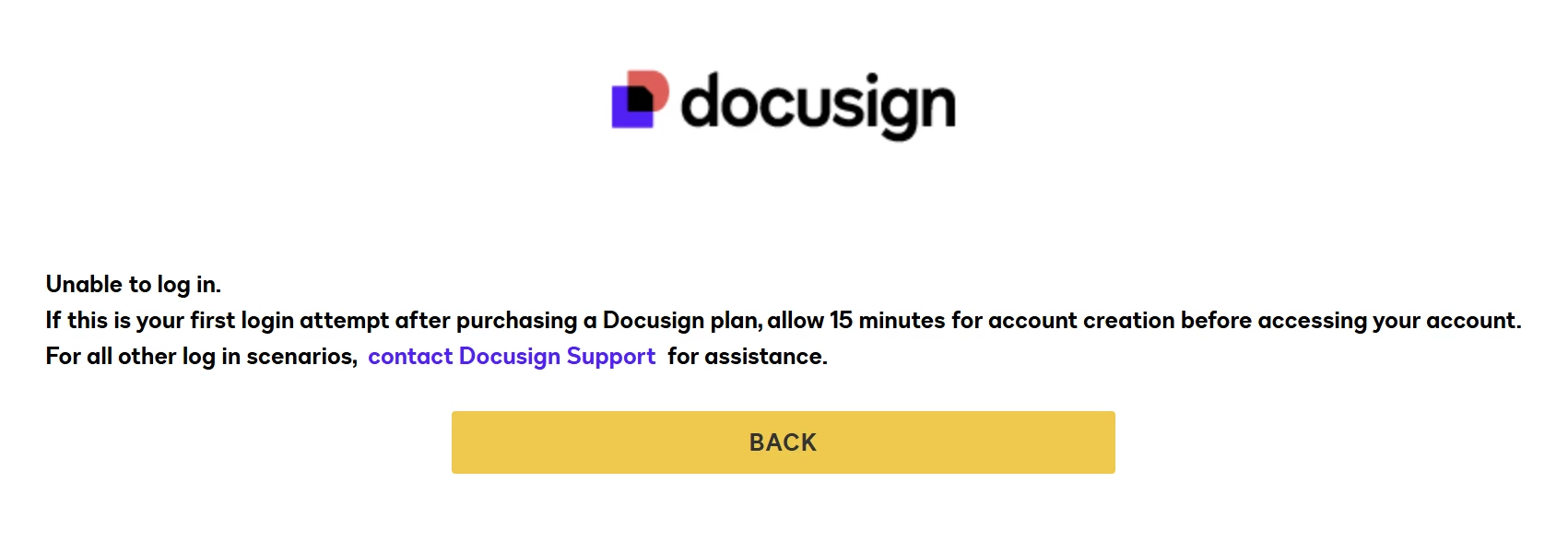
Now this new account does not show as paid, and my document is nowhere to be seen. I cannot log in in the support center webpage because I get the error from the attached image, so there is technically no way to contact support for me. I tried a different browser, and I also tried incognito mode. I keep getting the same error.


It is urgent that i need my document. How can it be that a paying costumer can get no access to support?


Best answer by Ma.Cubio

Hello ​@JuanCab 
Thank you for reaching out, and welcome to the Docusign Community! I understand how urgent and frustrating this situation is, especially when you have an active subscription and an important document that you need to access. Rest assured, I’m here to help!

To help me look into this further, please send me a private message with the following details:

  • Account name
  •  Account number in question 
  • Email address associated with your account
  • Case number (if one has already been created)

Once I have this information, I’ll follow up to address your concern appropriately.
 

Sincerely,

Ma. Cassandra | Docusign Community Moderator

If this helped, feel free to Like and click "Best Answer"

5 replies

Ma.CubioCommunity ModeratorAnswer
Community Moderator
November 17, 2025

Hello ​@JuanCab 
Thank you for reaching out, and welcome to the Docusign Community! I understand how urgent and frustrating this situation is, especially when you have an active subscription and an important document that you need to access. Rest assured, I’m here to help!

To help me look into this further, please send me a private message with the following details:

  • Account name
  •  Account number in question 
  • Email address associated with your account
  • Case number (if one has already been created)

Once I have this information, I’ll follow up to address your concern appropriately.
 

Sincerely,

Ma. Cassandra | Docusign Community Moderator

If this helped, feel free to Like and click "Best Answer"

Community Moderator
November 19, 2025

Hello ​@JuanCab 
Thank you for providing the necessary details. Please check your email and respond to the email from docusign to process your request.
 

Sincerely,

Ma. Cassandra | Docusign Community Moderator

If this helped, feel free to Like and click "Best Answer"

New Voice
March 23, 2026

OMG SAME AND IT IS INFURIATING

Newcomer
September 14, 2026

I have the same issue, please help

Community Moderator
September 14, 2026


​​​​​​Hello@cecilececilececile 
Thank you for reaching out, and welcome to the Docusign Community! I’m sorry to hear that you’re having the same issue. Rest assured, I’m here to help!
Please let me know if you tried the Basic troubleshooting steps for common Docusign issues below and got the same result.

Following the basic troubleshooting steps below can resolve many technical issues with Docusign. We recommend trying all of these steps to ensure your issue is not related to your internet connection, web browser, device, or network. 

Log out of your Docusign account and log back in:

  1. Select your profile image in the upper-right corner.

  2. Select Log Out from the drop-down menu.

  3. Close your browser window and open a new window.

  4. Visit https://account.docusign.com/ to log back into your account.


Clear Cache and Cookies:

Follow the steps in this article to learn how to clear your internet browser's cache and cookies. After clearing your cache and cookies, go back to your Docusign account to confirm if your issue is resolved. 


Use a new incognito (private) browser window:

Most internet browsers include a settings menu in the upper-right corner, which allows you to open a new private or incognito browser window. Navigating Docusign within this new window may resolve your issue.


Try a different browser:

Switching to a different browser may resolve your issue. For example, if you are using Microsoft Edge to browse the internet, close that browser and open a new window in Google Chrome. Other popular browsers include Firefox, Opera, and Safari. 


Try a different device:

For example, if you are attempting to use Docusign from a Windows computer, try again from your mobile device. 


Use a different network:

For example, if you are connected to the internet from your home wifi, try connecting to your phone’s mobile hotspot instead. 


Turn off your Virtual Private Network (VPN):

If you are using VPN to connect to the internet, try turning this off temporarily to confirm if this resolves your issue. 
 

Sincerely,

Ma. Cassandra | Docusign Community Moderator

If this helped, feel free to Like and click "Best Answer"


