Thanks for reaching out here in the Docusign Community—great to have you here!
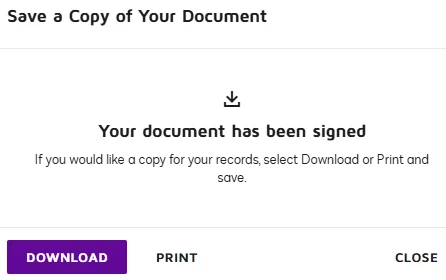
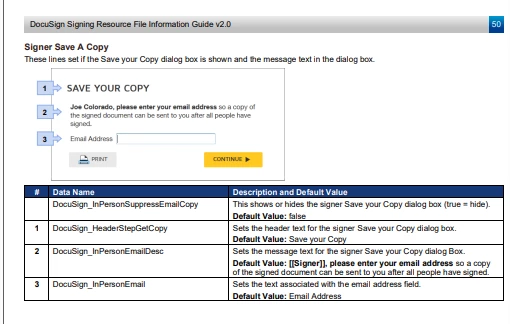
One potential solution is to use DocuSign’s Signing Resource File, which allows you to customize the text that appears in the confirmation message and the signing experience.
Important: Customizing resource files is an advanced branding configuration option that can significantly impact your account. It should only be done by someone with expertise in XML and HTML.
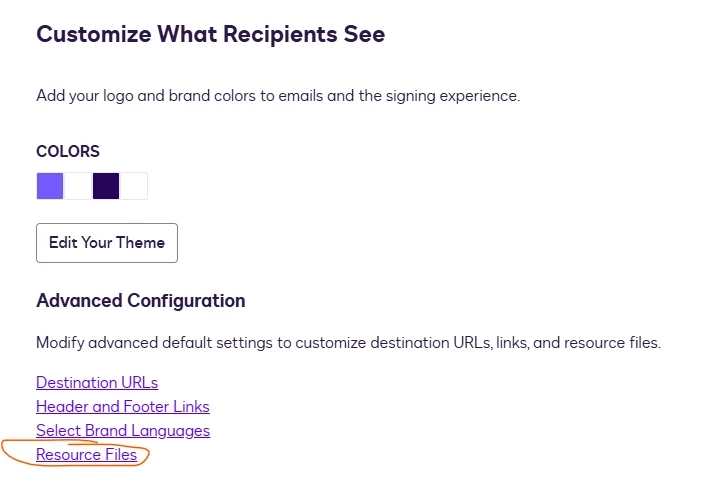
This feature is available on select DocuSign plans and may require enablement by DocuSign Support. In order to check if you have resource files enabled, go to Admin→ Brands → Select Brand → Edit→ Resource Files will be shown like in the image below.
I hope you find this helpful. If you believe this response effectively addresses your question, please click “Select as Best” to help other users with similar questions, locate it more easily.
Should you require any additional assistance, feel free to reach out. Thank you!
Thanks for reaching out here in the Docusign Community—great to have you here!
One potential solution is to use DocuSign’s Signing Resource File, which allows you to customize the text that appears in the confirmation message and the signing experience.
Important: Customizing resource files is an advanced branding configuration option that can significantly impact your account. It should only be done by someone with expertise in XML and HTML.
This feature is available on select DocuSign plans and may require enablement by DocuSign Support. In order to check if you have resource files enabled, go to Admin→ Brands → Select Brand → Edit→ Resource Files will be shown like in the image below.
I hope you find this helpful. If you believe this response effectively addresses your question, please click “Select as Best” to help other users with similar questions, locate it more easily.
Should you require any additional assistance, feel free to reach out. Thank you!
I hope you're doing well. I'm following up on the above solution provided. Could you please confirm whether it addresses your question? If it did, can you please mark it as Best Answer ✅" to assist other users with similar inquiries and improve its visibility. Let us know if we can help with anything else. Wishing you a smooth rest of your day!
You can login or register as either a Docusign customer or developer. If you don’t already have a Docusign customer or developer account, you can create one for free when registering.
You can login or register as either a Docusign customer or developer. If you don’t already have a Docusign customer or developer account, you can create one for free when registering.
 Back to Docusign.com