Question

Unable to Correct recipient email after sending envelope

  • June 29, 2026
  • 2 replies
  • 0 views

Forum|alt.badge.img+1

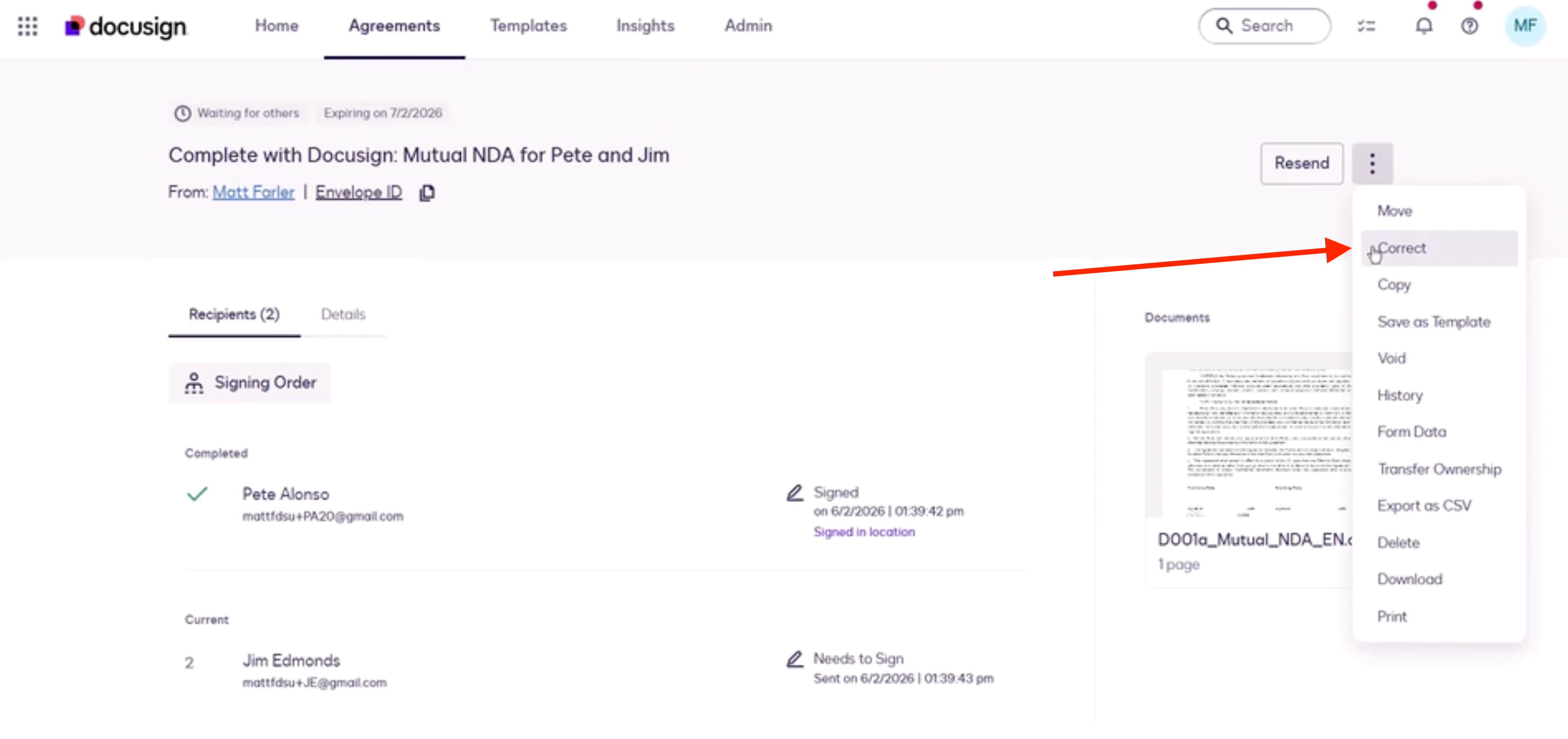
I have sent an envelope to multiple recipients, and 3 of the 4 have signed. However, the email address assigned to the last recipient is incorrect, but I am not seeing any way to correct this at this time -- There is no ‘Correct’ button visible or any way I can see to update this recipients email without recreating the entire envelope. Need assistance to get this resolved without having to re-create and re-send this contract to all clients.

Envelope ID *********************************

2 replies

emily.cook
Community Admin
Forum|alt.badge.img+3
  • Community Admin
  • June 29, 2026

Hi ​@SteveTarga

The “Correct” button is in the actions menu here, are you able to see it? There is a video at the bottom of this page that also walks you through the steps. 


If you still don’t see it, there could be a few things going on:

  1. “Correct” is not available on Free or Trial plans, so if you’re on one of those plans then unfortunately Correct is not an option.
  2. If you’re on a paid Personal plan but have used up your monthly envelope allowance, sometimes the Correct button is blocked. This is a known bug that is being worked on. If this is the case for you, you should contact Docusign Support and they should be able to help resolve it.
  3. Your account admin may not have enabled correction permissions for your role. In that case, ask your Docusign admin to check your permission profile.

Let me know if that works or if you have any more questions! 


Forum|alt.badge.img+1
  • Author
  • Newcomer
  • June 29, 2026

I am on a paid personal plan, and have envelopes still available. But the option to Correct is not there