 Back to Docusign.com




Hello,
We are using DocuSign integrated with Salesforce.
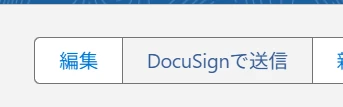
Our users send documents to recipients by clicking the “Send with DocuSign” button in Salesforce.
Previously, documents were sent under User A’s name. However, User A has left the company, so we updated that DocuSign/Salesforce account information to show User B’s name instead.
Even after changing the account information to User B, when we send documents from Salesforce using the “Send with DocuSign” button, the recipient still sees User A’s name as the sender.
Could you please advise which settings we should check?
For example, should we check any of the following settings?
- DocuSign user profile or signature settings
- Salesforce DocuSign integration settings
- System Sender settings
- Send on Behalf of settings
- Named Credentials
- Salesforce button/action settings
- DocuSign templates or email notification settings
We would like to understand where the sender name displayed to recipients is controlled when sending documents from Salesforce through DocuSign.
Thank you.