Question

Issue to configure Workday Integration

  • July 15, 2026
  • 5 replies
  • 66 views

Forum|alt.badge.img+1

After doing all the needed configurations in Production tenant, we keep getting an error message:

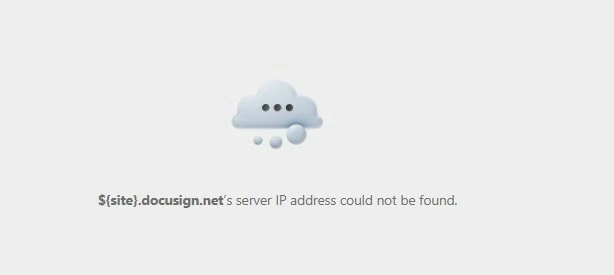
${site}.docusign.net’s server IP address could not be found

Workday Support last comment is:

The core issue seems to be a failed request to the URL

https://%24{site}/Signing/?ti=%24%7Bti%7D&bailout=auth_middleware

The Referer header indicates that request is coming from something running on https://apps.docusign.com/


Does anyone know why? and how to fix this?
 

5 replies

JohnSantos
Guru
Forum|alt.badge.img+21
  • Guru
  • July 15, 2026

@OManzur 

As you might already know, the failure appears to be occurring during the handoff from Workday into the DocuSign signing ceremony, specifically in or around DocuSign’s authentication middleware.  So we need to eliminate the browser session first.

Sign out of Workday and DocuSign completely, then:

  1. Open an Incognito or InPrivate browser window.
  2. Disable browser extensions temporarily.
  3. Allow pop-ups and third-party cookies for Workday and DocuSign.
  4. Test in a second supported browser.
  5. Clear site data for docusign.com, docusign.net, and the Workday tenant.

DocuSign recommends clearing cookies/cache and using a private browser window for signing and authentication issues. If it works in Incognito, the production configuration is probably valid and the problem is cached authentication or browser policy.


Forum|alt.badge.img+1
  • Author
  • New Voice
  • July 15, 2026

Hi John Santos, Thanks for the comment, although that does not resolves the issue.

The problem is somewhere in the configuration inside Docusign. I was checking with copilot and found that docusign has to assign a specific signing domain when the tenant is in NA, EU, or APAC region.

The failure is occurring after envelope creation, when Workday is attempting to launch the signing ceremony.
DocuSign is returning a URL template instead of a fully resolved signing URL.
Normally it should look something like:
https://na4.docusign.net/Signing/?ti=...
OR
https://apps.docusign.com/signing/?...

Instead, the variables were never substituted:
${site}
${ti}


JohnSantos
Guru
Forum|alt.badge.img+21
  • Guru
  • July 15, 2026

@OManzur 

Do you know how to create a HAR file?


Forum|alt.badge.img+1
  • Author
  • New Voice
  • July 16, 2026

Hi ​@JohnSantos , Yes, I created one for Workday and sent it to them. Thats how they cameup with the last comment:

Here is what our developers shared verbatim:

'the core issue seems to be a failed request to the URL

https://%24{site}/Signing/?ti=%24%7Bti%7D&bailout=auth_middleware
The Referer header indicates that request is coming from something running on https://apps.docusign.com/

The customer may need to ask DocuSign about why their app is making the invalid request there.'


Forum|alt.badge.img+1
  • Author
  • New Voice
  • July 20, 2026

Hi ​@JohnSantos , by any chance do you know if this is something I can configure from my admin tenant?

Docusign support responded only:

an environment for the endpoint is required, in your case, it would be like:
https://eu.docusign


