Hey community, apologies for the stupid questions in advance here! I am just beginning my journey into web forms and have some basic questions that I just cant seem to find answers for (yet!), so thought I’d ask the community who has served me so well in the past !:
>Can web forms be configured to validate a recipients identity (so recipient would have to provide a value to identify themselves before accessing URL) ?
>Once web form is completed - is the envelope sent instantaneously to recipient (containing details entered in web form ?)...or is there an opportunity for sender to validate before envelope is sent to recipient for signing ?
>Can I correct information provided by a recipient on a web-form?...whilst in-flight / in progress?
>Can recipients partially complete a web form then SAVE and return at a later date?
>Is there a timeout period for web-forms...i.e. a limitation for recipient to complete?
>Can the URL be copied and forwarded by the recipient ? - will it continue to work if sent onwards ?
>Can recipients attach documents to web-forms?
>To utilise formulas (to calculate values entered in different sections of web-forms) - would that require these formulas being incorporated into the underlying template?...I would assume I cant insert formulas directly into a web-form?
Again sorry for all the questions !...any help much appreciated! Tks again, Mike
Thank you for engaging with the Docusign Community. We are pleased to have you here.
We understand your concern about web forms and their features. We apologize for the inconvenience this has caused you. Let me help you with this and provide the necessary information.
Let’s tackle a few of the issues you raised:
> Can web forms be configured to validate a recipients identity (so recipient would have to provide a value to identify themselves before accessing URL) ?
For web forms, the recipient can access the URL but cannot complete the signing process unless they have passed authentication. Or you let the sender access the URL first and enter the necessary information, including the signer’s name and email address. Once done, the signer will then receive an email notification to review and sign the document. The signer will be asked to enter an access code or complete identity verification to authenticate before proceeding with the signing process.
> Once web form is completed - is the envelope sent instantaneously to recipient (containing details entered in web form ?)...or is there an opportunity for sender to validate before envelope is sent to recipient for signing ?
You may let the sender be the first to access the web form, ensuring the information entered is correct before the signer signs. The sender can be the first recipient who can view the document, and the signer will be the second recipient.
> Can I correct information provided by a recipient on a web-form?...whilst in-flight / in progress?
If the envelope is still in progress, the sender cannot view the information the signer entered. The information will only be visible once completed. Completed envelopes cannot be edited.
> Can recipients partially complete a web form, then SAVE and return at a later date?
> Is there a timeout period for web-forms...i.e. a limitation for recipient to complete?
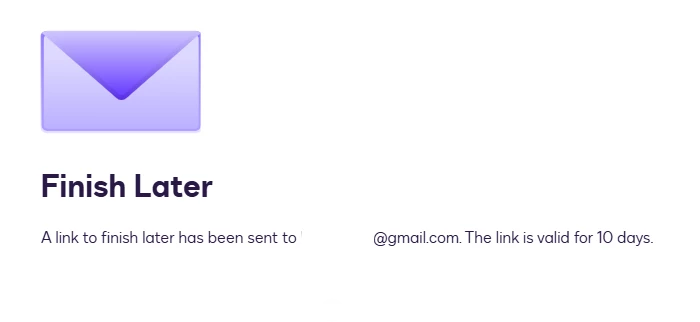
The recipient can click the “Finish Later” button, and a link will be sent to their email if they need to access it later. And it includes the days until it will be valid for access. If the link has expired, the signer might need to re-access the URL or request that the sender resend it and start over.
> Can the URL be copied and forwarded by the recipient ? - will it continue to work if sent onwards ?
The recipient can copy and forward the URL; however, once accessed, it is considered a new one.
> Can recipients attach documents to web-forms?
Yes, you can add an attachment field for the recipient to attach a document if required.
> To utilise formulas (to calculate values entered in different sections of web-forms) - would that require these formulas being incorporated into the underlying template?...I would assume I cant insert formulas directly into a web-form?
Formula fields are not currently supported in Web Forms, but they are supported during signing.
If the information provided addresses your concern, could you click the “Best Answer ✅” button below the post? That helps others in the Community find trusted answers faster.
Thank you for engaging with the Docusign Community. We are pleased to have you here.
We understand your concern about web forms and their features. We apologize for the inconvenience this has caused you. Let me help you with this and provide the necessary information.
Let’s tackle a few of the issues you raised:
> Can web forms be configured to validate a recipients identity (so recipient would have to provide a value to identify themselves before accessing URL) ?
For web forms, the recipient can access the URL but cannot complete the signing process unless they have passed authentication. Or you let the sender access the URL first and enter the necessary information, including the signer’s name and email address. Once done, the signer will then receive an email notification to review and sign the document. The signer will be asked to enter an access code or complete identity verification to authenticate before proceeding with the signing process.
> Once web form is completed - is the envelope sent instantaneously to recipient (containing details entered in web form ?)...or is there an opportunity for sender to validate before envelope is sent to recipient for signing ?
You may let the sender be the first to access the web form, ensuring the information entered is correct before the signer signs. The sender can be the first recipient who can view the document, and the signer will be the second recipient.
> Can I correct information provided by a recipient on a web-form?...whilst in-flight / in progress?
If the envelope is still in progress, the sender cannot view the information the signer entered. The information will only be visible once completed. Completed envelopes cannot be edited.
> Can recipients partially complete a web form, then SAVE and return at a later date?
> Is there a timeout period for web-forms...i.e. a limitation for recipient to complete?
The recipient can click the “Finish Later” button, and a link will be sent to their email if they need to access it later. And it includes the days until it will be valid for access. If the link has expired, the signer might need to re-access the URL or request that the sender resend it and start over.
> Can the URL be copied and forwarded by the recipient ? - will it continue to work if sent onwards ?
The recipient can copy and forward the URL; however, once accessed, it is considered a new one.
> Can recipients attach documents to web-forms?
Yes, you can add an attachment field for the recipient to attach a document if required.
> To utilise formulas (to calculate values entered in different sections of web-forms) - would that require these formulas being incorporated into the underlying template?...I would assume I cant insert formulas directly into a web-form?
Formula fields are not currently supported in Web Forms, but they are supported during signing.
If the information provided addresses your concern, could you click the “Best Answer ✅” button below the post? That helps others in the Community find trusted answers faster.
You can login or register as either a Docusign customer or developer. If you don’t already have a Docusign customer or developer account, you can create one for free when registering.
You can login or register as either a Docusign customer or developer. If you don’t already have a Docusign customer or developer account, you can create one for free when registering.
 Back to Docusign.com