Active Voice
June 21, 2026
Solved

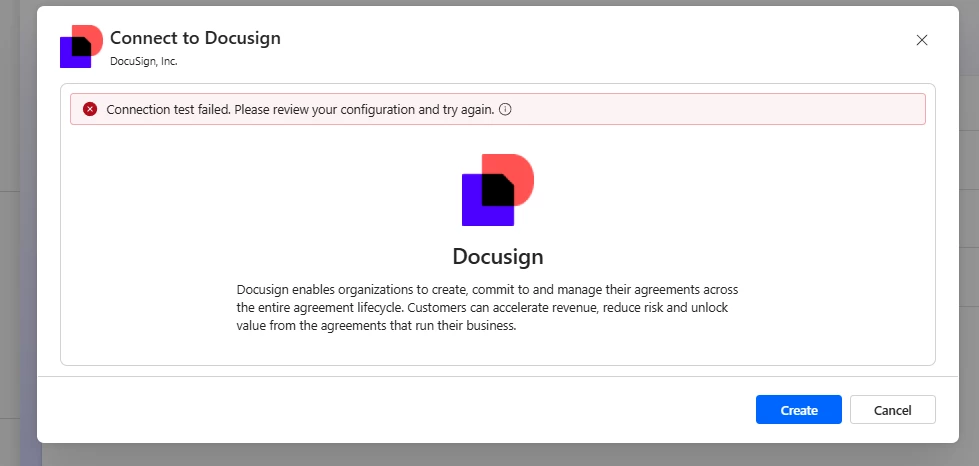
DocuSign Connector - Test Connection Failed

  • June 21, 2026
  • 16 replies
  • 259 views

Hi,

I’m new to using Docusign connector in one of my flows in Power Automate. I cannot create the connection, it says Connection Test Failed. Please review your configuration and try again., but through the Portal I can login our account.


Is anyone having the same issues? Thanks in advance
 

Best answer by Noralynn.Niduaza

Hello Everyone!


A similar post here in Community has an update from one of the affected users. They have mentioned that it is already working on their end, and it seems like the issue is with the Microsoft system itself and not with Docusign. It is currently being worked on and might take a week to be fully resolved across all regions.

Kindly take a look at this post for more information. https://community.docusign.com/microsoft-32/not-able-to-create-connection-on-power-automate-for-docusign-27201


Best regards,

Noralynn | Docusign Community Moderator

If this helped. Feel free to Like👍and click "Best Answer."


16 replies

Community Moderator
June 25, 2026

HI ​@Many Rivers,


Thank you for your response and for the update.

I reviewed the case ID you provided and confirmed that one of our support specialist has already shared additional details regarding the progress of the investigation.

We sincerely apologize for the inconvenience this issue has caused. Please rest assured that the matter is actively being worked on and is currently treated with high priority.

We appreciate your patience and understanding while our team continues to address this issue. 


Best regards,

Noralynn | Docusign Community Moderator

Community Moderator
June 25, 2026

Hello Everyone!


Thank you for the update and for letting us know that the issue is still occurring.

We sincerely apologize for the inconvenience this has caused. I checked internally and can confirm that the bug investigation is still in progress.

To help us provide you with the latest information, could you please send the case ID via private message? This will allow me to review the case and check for any updates or responses from our Microsoft team. If no case ID yet, we recommend submitting a Support Case and including details such as the affected flow information, screenshots of the error, and any troubleshooting steps already performed. 👉 Open a support case

Thank you for your patience and understanding. I look forward to hearing from you.


Best regards,

Noralynn | Docusign Community Moderator

Community Moderator
June 25, 2026

Hello Everyone!


A similar post here in Community has an update from one of the affected users. They have mentioned that it is already working on their end, and it seems like the issue is with the Microsoft system itself and not with Docusign. It is currently being worked on and might take a week to be fully resolved across all regions.

Kindly take a look at this post for more information. https://community.docusign.com/microsoft-32/not-able-to-create-connection-on-power-automate-for-docusign-27201


Best regards,

Noralynn | Docusign Community Moderator

If this helped. Feel free to Like👍and click "Best Answer."


TERENAActive VoiceAuthor
Active Voice
June 25, 2026

Hi ​@Noralynn.Niduaza  ​@Many Rivers 

This is now working on my side. I just created a connection now. My tenant location is in Australia. 🙂

Thanks.

Active Voice
June 25, 2026

Hi ​@Noralynn.Niduaza  ​@Many Rivers 

This is now working on my side. I just created a connection now. My tenant location is in Australia. 🙂

Thanks.

Hi ​@TERENA ​@Noralynn.Niduaza 

Thanks for sharing this info. Yes, I have just now checked that the connection is fixed. I am also in Australia. There is a little change on the trigger, although the former trigger still works fine 🤞🏻

Community Moderator
June 26, 2026

Hello Everyone!


Thank you for the update, and I’m glad everything is working as expected now! 😊

If anything else comes up or you hit another roadblock, don’t hesitate to reach out here in the Community.

Wishing you a smooth rest of your day! 😍


Best regards,

Noralynn | Docusign Community Moderator


