Newcomer
April 25, 2025
Solved

Cannot find any templates in Demo Environment

  • April 25, 2025
  • 2 replies
  • 124 views

I am busy building a Power Automate flow with a demo connector and have fioudn that there are NO TEMPLATES in the demo environment to reference. I also have no abilty to create a template in the demo environment.


Here is a snipped of the flow I am building as a POC.
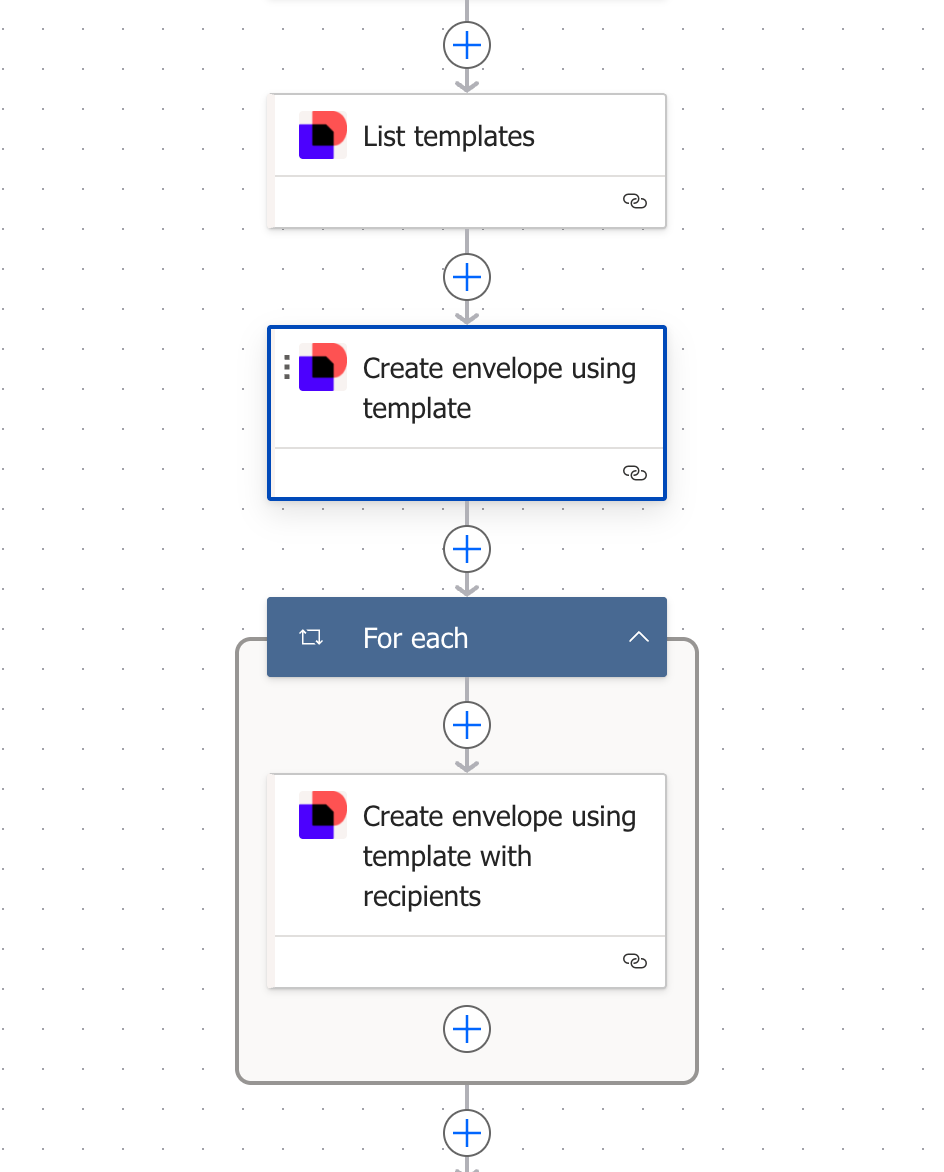


List Templates return ZERO templates in the Demo Environment which means Step 2. Create envelope using template then fails as the template Id which is required for the step to execute is NULL.


The quesiton is: How do I create/access templates in teh demo environmt?

Best answer by Alexandre.Augusto

Hello, ​@jffjck2 


To create templates in the Demo environment, your user must have permissions for that. Ask to the Admin of the Demo environment or if you are the Admin, what Permission Profile your user has. A DS Sender permission profile cannot create Templates. A DS Admin can create templates or a customized permission profile can be created for templates creation


I hope that helps, if so, I’d appreciate your Like here.


Best,

Alexandre. 

2 replies

Alexandre.Augusto
Docusign Employee
Docusign Employee
April 25, 2025

Hello, ​@jffjck2 


To create templates in the Demo environment, your user must have permissions for that. Ask to the Admin of the Demo environment or if you are the Admin, what Permission Profile your user has. A DS Sender permission profile cannot create Templates. A DS Admin can create templates or a customized permission profile can be created for templates creation


I hope that helps, if so, I’d appreciate your Like here.


Best,

Alexandre. 

Your feedback is very appreciated! You can give a Like and mark this answer as the "Best Answer" for your issue. DocuSign University http://dsucustomers.docusign.com
Docusign Employee
May 2, 2025

Hello ​@jffjck2,

How are you? I hope you are doing well. I want to confirm if you were able to solve your issue by utilizing the suggested solution or if the information provided was useful. If so, please mark it as the "Best Answer ✅" by clicking “Select as Best” to make it easier for other users to find. Otherwise, let me know and I will gladly help you address the situation as soon as possible.


Best regards,

Melanie | Docusign Community Moderator

"Select as Best" below if you find the answer a valid solution to your issue.

