Back to Docusign.com



Provide Void, Resend, Correct buttons on Docusign Status records in Salesforce like Legacy had.
Legacy provides Resend DocuSign Email, Correct in DocuSign, Void Envelope buttons on the DocuSign Status record. Our users use these features often.
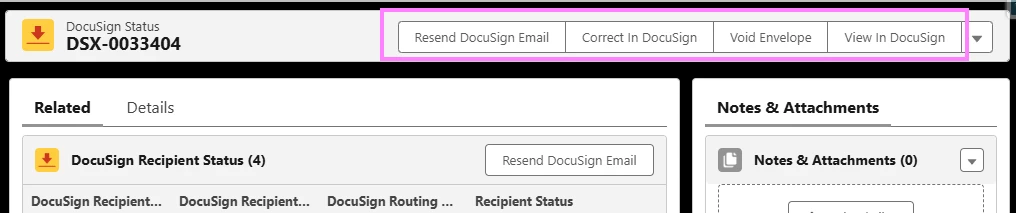
The new DAL Docusign Envelope Status component also provides these options; however, the component is limited to working with only 5 documents, and it does not provide the name of the email subject. Our users do not know which document they are working with when selecting the buttons.
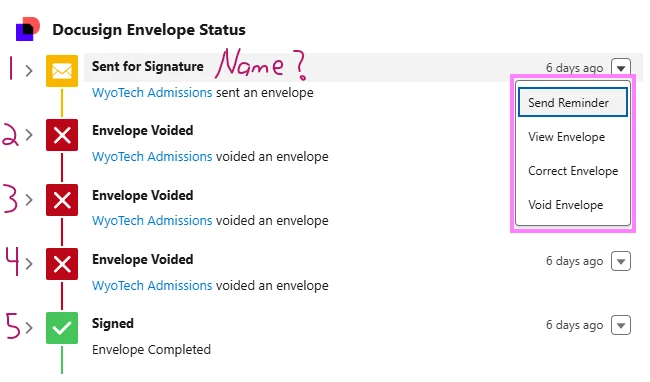
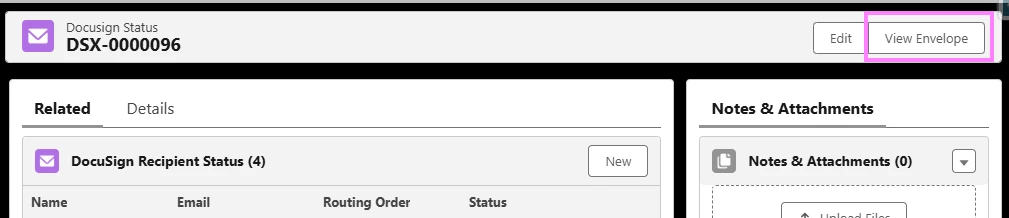
We often have 6-8 documents that we are waiting for signatures on that are related to one opportunity. If a user needs to Void or Resend the 6th, or 7th document, they cannot use the Docusign Envelope Status component. We have had to create another component on the opportunity record to list the related Docusign Statuses. The only way for users to Resend, Correct, or Void is to open the Docusign Status record from the related list and click the View Envelope button. They have to go into Docusign in order to access the features that used to be available directly in Salesforce. This is less user-friendly and more time consuming for our users.