Back to Docusign.com



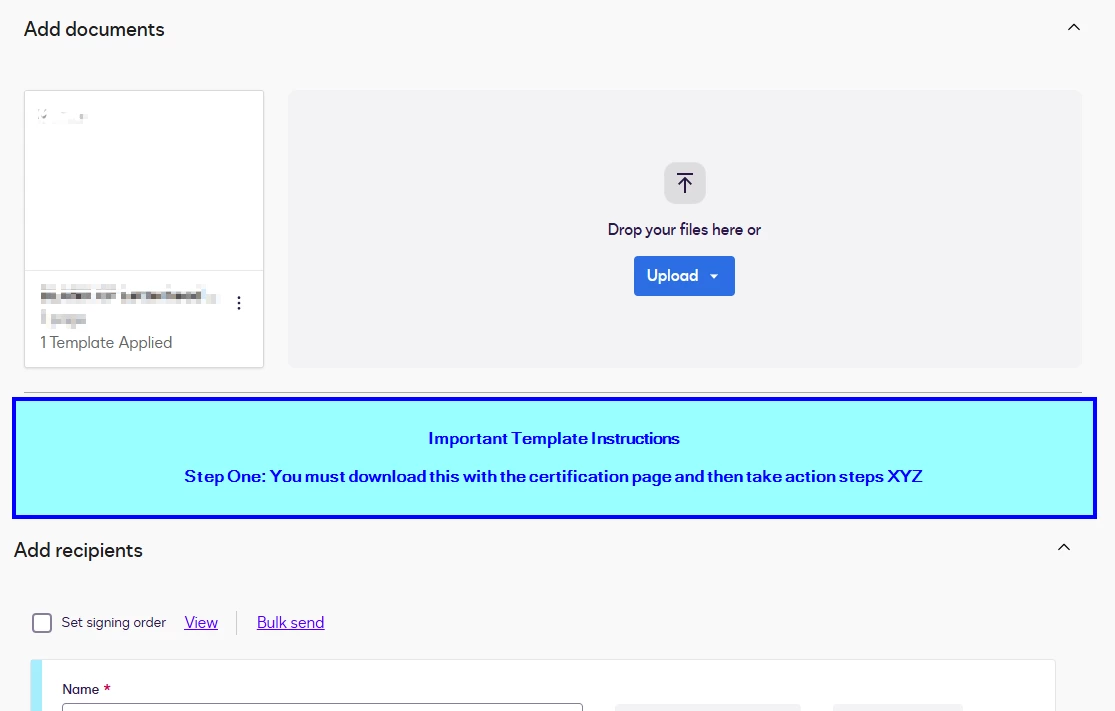
Add Important Notes / Instructions in a bold block on the template page
We are a large firm that uses DocuSign that goes both to the the client and then another partner/vendor. Each one works slightly differently.
We use Templates when we can, but it would be great to have an "Important Notes/Instructions" field directly within the template (not the PDF, but for the DocuSign user creating the envelope) that would include something like "Client Sign, but then you must download and upload to this site" or "All data submits directly to vendor, no manual steps needed" that would stand out to the user.
In an ideal scenario, I'd love a pop-up with important information when someone chooses to use a template, but just having a section before the signer details would be helpful. Thanks for your time.
Here is a simple mockup of my suggestion: