Newcomer
October 5, 2026
Question

Unable to create Custom tabs/fields while sending envelopes

Hi Team,

My company has the docusign IAM Standard plan. And I have the admin status. 
While sending envelopes, I am trying to create custom tabs to include in the envelope. But when I click on Save, I am seeing the following error - 

This Account lacks sufficient permissions to use custom tab (screenshot shared for reference).
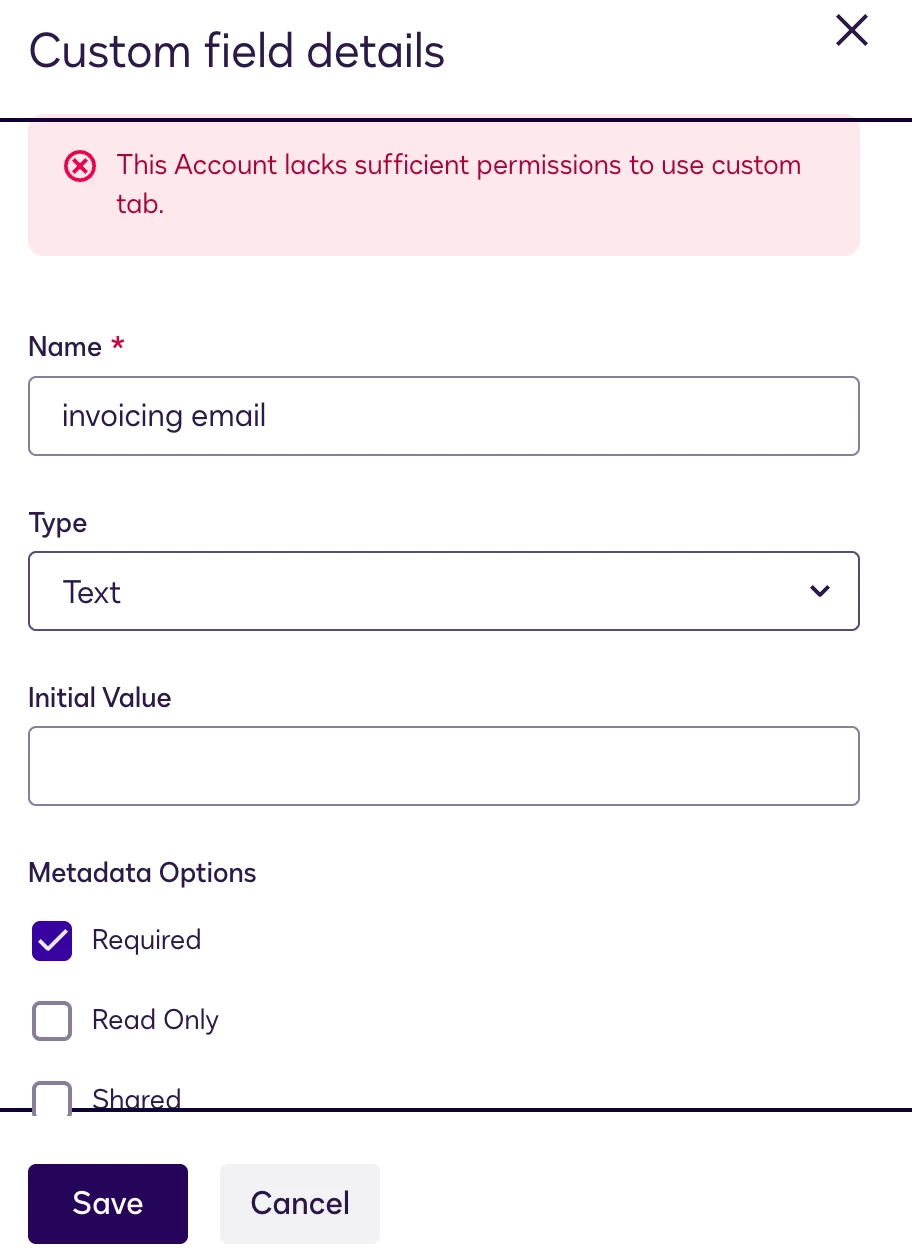


Docusign AI says that my current plan includes this feature.
In that case, can you kindly help me understand what this error means and how to resolve it?

Thanks!

Best Regards,

Pallavi

6 replies

Established Contributor
October 5, 2026

Sign in to eSignature, then go to your Admin section.  In the “Signing and Sending” section, in your “Sending” settings, do you have the box checked that allows Admins to share custom fields? 

Translate
Newcomer
October 5, 2026

I just checked and I see that that option isn’t enabled for me at all. Sharing screenshot for reference.


Does this mean this feature is not included in my current plan?

Translate
Established Contributor
October 5, 2026

Maybe?  There may be another option that has to be enabled first.  You’ll need to ask Docusign help/support for that.  I don’t work for Docusign, I just knew that was most likely what was tripping you up.

Translate
Community Moderator
October 9, 2026

Hi ​@Drewcifer 
Thank you for sharing your thoughts. You are indeed correct!

Translate
Community Moderator
October 9, 2026

Hello ​@Pallavi Singh 
Thank you for reaching out, and welcome to the Docusign Community! The message “This account lacks sufficient permissions to use custom tab” usually means that custom document fields are not enabled at the account level, even when the user is an account administrator.
IAM Standard includes Document Custom Fields and Shared Tags, but the account settings may still need to be enabled. Please ask a full account administrator to go to Admin → Settings → Signing and Sending and verify that Enable Saving Custom Tags is enabled. If the fields need to be shared with other users, also verify Enable Shared Custom Tags.
If these settings are unavailable or the error continues, please contact Docusign Support and provide your account ID, environment, screenshot, and the exact steps that produce the error. Support can verify the account entitlement and enable the required feature if appropriate. After any account update, sign out and back in before testing again.

For more information, see the Docusign troubleshooting article.

If you found the response to be a useful solution to your question, please “like” and mark it as the best answer by clicking “Select as Best” to make it easier for other users to find. Thank you!

Sincerely,

Ma. Cassandra | Docusign Community Moderator
If this helped, feel free to Like👍and click "Best Answer"

Translate
Community Moderator
October 26, 2026

Hello ​@Pallavi Singh 
How are you? We'd like to know if my previous response addressed your questions. If so, we hope you could consider selecting it as Best Answer ✅," so others can find it too.

Otherwise, if you still require further assistance, please don't hesitate to let us know. We are always happy to help!


Sincerely,

Ma. Cassandra | Docusign Community Moderator

Translate

