New Voice
July 20, 2026
Solved

Chatbot is not working

  • July 20, 2026
  • 4 replies
  • 67 views

Hi,


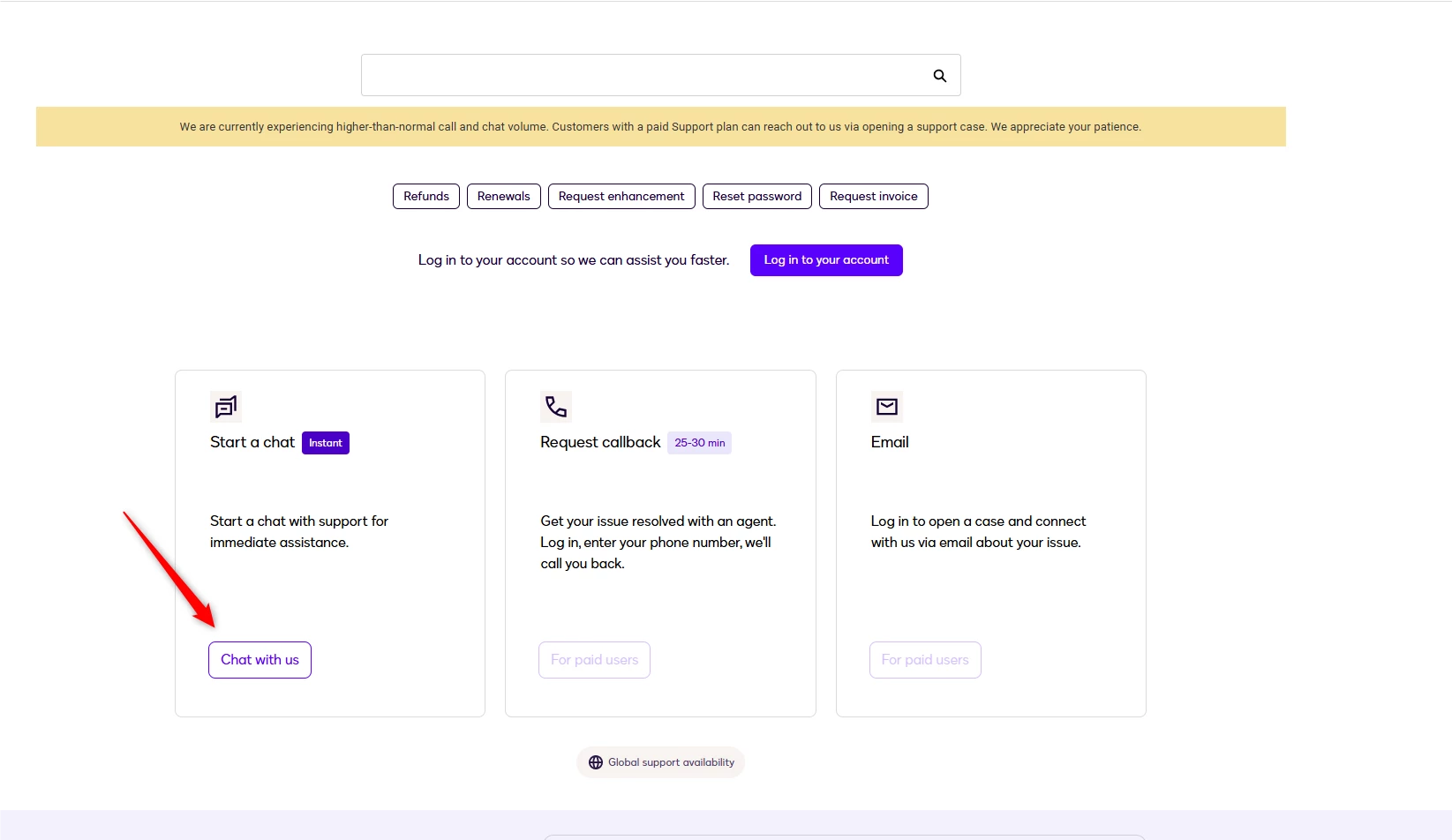
I wanted to reach out to the customer support from my developer account, but I was not able to start a conversation with a chat because the action simply does nothing. I tried other browsers, another device, incognito, still nothing. When I log in with my trial account, I am redirected to using the chat again, which is not working. I have no way of contacting support now.


Best answer by Luke.Cervantes

Hello ​@NaglisR,

Thank you for reaching out here in the Docusign Community. We understand how frustrating it is to get stuck in a loop when simply trying to contact support for help. We apologize for the hassle this is causing you.

Before we look at other options, please try to clear the cache and cookies. Clear your web browser's temporary cache, history, and cookies completely to remove any conflicting data, and then click directly on this Docusign Contact Support Link to see if you can successfully proceed. If this doesn’t work, please try in a private or incognito browser.

If those steps still do not help and you still can’t use the chat section, please do not worry. Just send us a private message containing your:

  • Name
  • Email Address
  • Docusign Account ID
  • Concern

We will do our best to address this directly for you. 

Thank you, and have a great day ahead! 

Best Regards, 
Luke | Docusign Community Moderator
If this helped, mark it as "Best Answer" so others can find it too!

4 replies

Community Moderator
July 21, 2026

Hello ​@NaglisR,

Thank you for reaching out here in the Docusign Community. We understand how frustrating it is to get stuck in a loop when simply trying to contact support for help. We apologize for the hassle this is causing you.

Before we look at other options, please try to clear the cache and cookies. Clear your web browser's temporary cache, history, and cookies completely to remove any conflicting data, and then click directly on this Docusign Contact Support Link to see if you can successfully proceed. If this doesn’t work, please try in a private or incognito browser.

If those steps still do not help and you still can’t use the chat section, please do not worry. Just send us a private message containing your:

  • Name
  • Email Address
  • Docusign Account ID
  • Concern

We will do our best to address this directly for you. 

Thank you, and have a great day ahead! 

Best Regards, 
Luke | Docusign Community Moderator
If this helped, mark it as "Best Answer" so others can find it too!

Community Moderator
July 29, 2026

Hello ​@NaglisR

I am following up to see if the troubleshooting steps I shared resolved your issue.

If the solution worked, please mark the response as the Best Answer ✅. This helps other community members with the same question find the resolution quickly.

If you are still experiencing trouble, please reply directly to this post. 
 

Thank you for your continued cooperation! Have a great day ahead. 
 

Best Regards, 

Luke | Docusign Community Moderator

If this helped, you can select “Best Answer” so other users can see it too!  


NaglisRNew VoiceAuthor
New Voice
July 29, 2026

Hi, we solved this issue with another user using opening a ticket after what we discussed in private messages, so we resolved the problem, thanks!

Community Moderator
July 29, 2026

Hello ​@NaglisR

Thank you for letting us know! In case you encounter any account-related issues in the future, don’t hesitate to post here in the Docusign Community.

We’re always happy to help!  


Best Regards, 
Luke | Docusign Community Moderator