 Back to Docusign.com



Prefilled field is covered by a textbox with the wrong value during signing (when sent via API call)
Hello,
I would really appreciate your help.
Using the API, our envelopes are created and sent with the correct prefilled values. However, when our customers open the document for signing, one of the fields (“Title”) is covered by an editable textbox with some unrelated value.
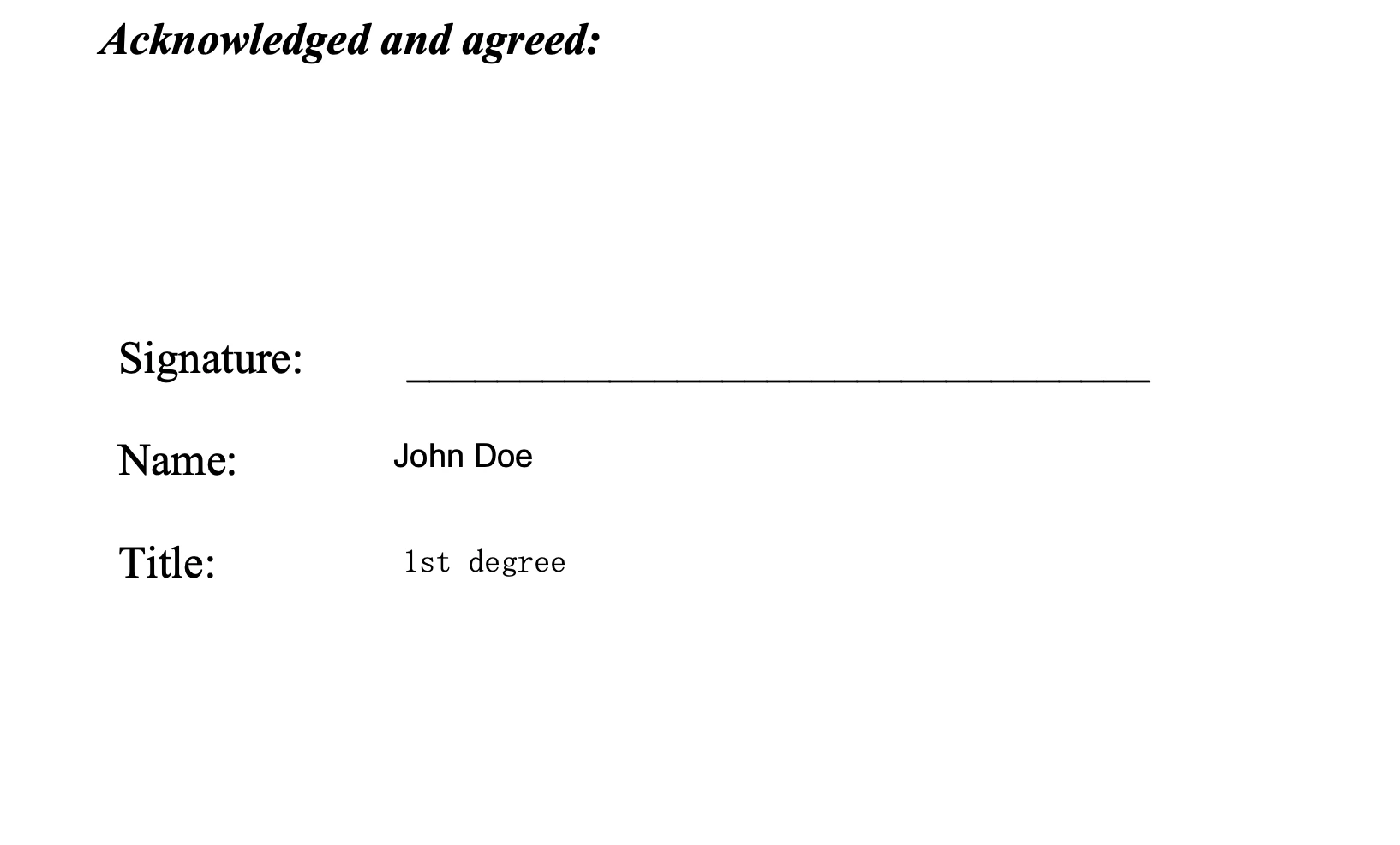
This is the document before signing (created with the correct prefilled valued, Name and Title):
And this is how customers see it when signing:
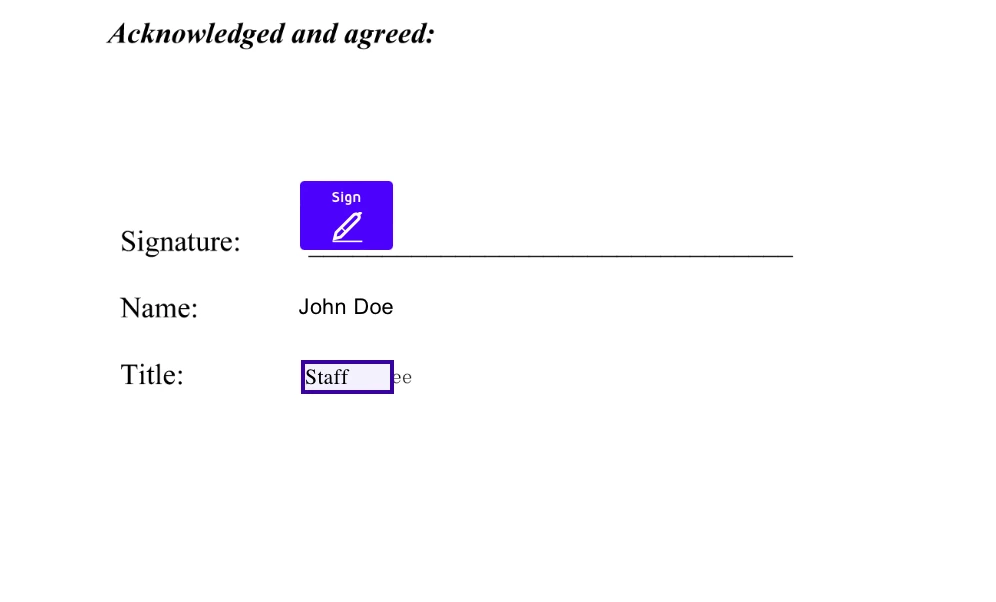
The correct value (“1st Degree”) is underneath a textbox with “Staff”.
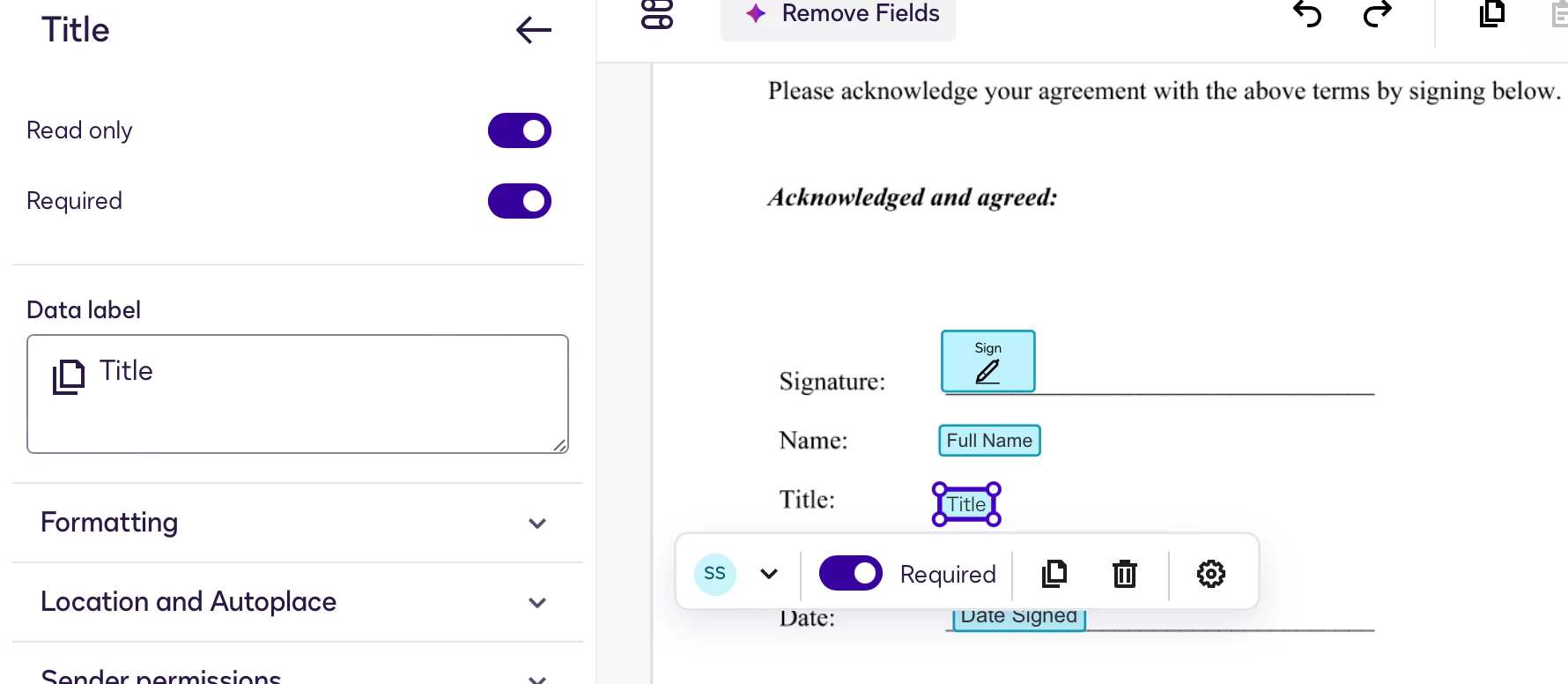
We have no clue where it gets this default value from or how to edit out the textbox. I’ve recreated this field several times in the template and the issue still persists. This is what the template looks like:
The backend is a simple POST request to DocuSign Base URL with this information:
request_data = {
        "templateId": config["Processes"][process]["Template"],
        "templateRoles": [
            {
                "email": signer_email,
                "name": signer_name,
                "roleName": "Signer",
                "tabs": {
                    "titleTabs": [
                        {
                            "tabLabel": "Title",
                            "value": user_type
                        }
                    ]
                }

            },

        ],
        "status": "sent",
        "eventNotification": {
            "url": f"{DOCUSIGN_API_CALLBACK_URL}",
            "loggingEnabled": True,
            "requireAcknowledgment": False,
            "includeTimeZone": True,
            "envelopeEvents": [
                {
                    "envelopeEventStatusCode": "completed",
                    "includeDocuments": False
                }
            ]
        }
    }
Any idea where I should start looking?
Thank you in advance!
Tal