New Voice
November 27, 2025
Solved

Problem changing admin email address for account with only one seat

  • November 27, 2025
  • 11 replies
  • 187 views

Hello,


I recently purchased a DocuSign plan “Standard” for our company.

I purchased it with my email address, but I won’t be the one signing in the future, hence I wanted to change the admin/login email from mine to the one of the user who will be the signee.


I logged into acount.docusign.com/me with my email address, started the process to change the email address, and received the confirmation code to the new email address.
Upon entering this code, I receive the following error message.
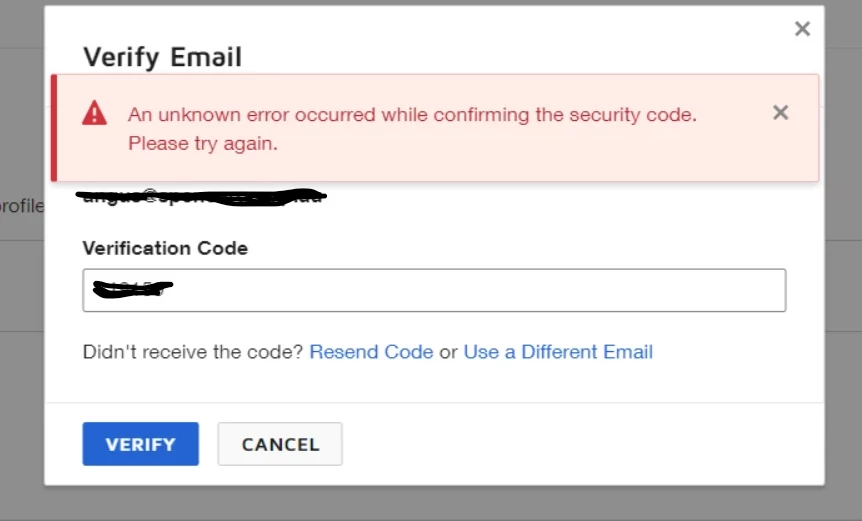
 

The same issue was already raised in this forum last year.

I tried all the troubleshooting suggestions mentioned in that thread but no luck.


Creating a new admin user is no option, as I would have to buy an additional seat but only require one for our organization.


Please support. Thanks.

Best answer by Ma.Cubio

Hello ​@DUT069 
It’s nice to know that you’re able to close the free account on your end. By the way, you don’t need to upgrade your plan to Business Pro to create a case; as long as you have a paid account, you can submit a case so an expert can help you further.
Simply log in to your paid account and click on support or click on 👉 Open a Support Case.

Relevant article:
Change Your Email Address
 

If you found the response to be a useful solution to your question, please “like” and mark it as the best answer by clicking “Select as Best” to make it easier for other users to find. Thank you!


Sincerely,

Ma. Cassandra | Docusign Community Moderator
If this helped, feel free to like 👍 and click "Best Answer."

11 replies

Community Moderator
December 9, 2025

Hi again, ​@DUT069 !

That’s great to hear—glad things are working now. If anything else comes up or you hit another roadblock, don’t hesitate to reach out here in the Community.

Wishing you a smooth rest of your day!


Ma. Cassandra | Docusign Community Moderator


