Active Voice
April 30, 2024
Solved

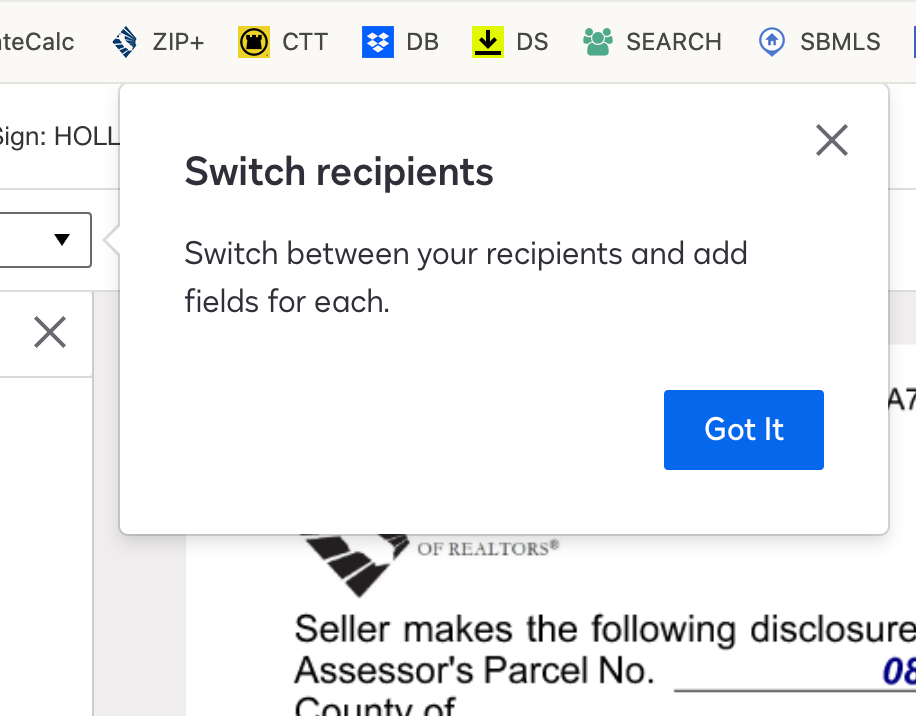
Is there an option to disable the "Switch recipients" pop up

  • April 30, 2024
  • 13 replies
  • 321 views

Long time user of DS and for the life of me, I cannot fathom WHY we are subjected to the same “Switch recipients” pop up for every single envelope, including ones saved to draft and returning to them later to complete. 

There should be an option to turn this notification OFF and I have dug everywhere within my preferences and settings and so far, I can’t find one. 

PLEASE FOR THE LOVE OF ALL THINGS LEFT OF MY SANITY - Tell me where this might be found OR make it an option! 


Best answer by Alejandro.Ramos

Hi @iKalai,


I appreciate you taking the time of reaching back.


I understand your position, and I am certain that our engineering team will look into your request. They will know exactly what will be required to implement a solution, and whether or not it is feasible.


From a DocuSign Support point of view, we will always be glad to help you escalate your feedback in the most efficient way.


Please don’t hesitate in using the communication channels previously mentioned to contact the concerned DocuSign team, and we will follow up as soon as possible.


Best regards,


Alejandro R. | Docusign Community Moderator  


Please click "Best Answer" below if you find my reply to be a valid solution to your issue!


13 replies

Community Moderator
May 7, 2026

Hello ​@iKalai

We sincerely apologize if the pop-up instruction features have been a nuisance to your sending experience and envelope workflow. 

Our engineers have noted that these in-product tutorials are designed to appear whenever a user logs in via a new browser, a different device, an incognito window, or after a browser cache has been cleared. 

However, our team is always looking for ways to innovate and improve. We truly listen to our users’ concerns as we want to make your signing experience as easy as possible. 

To help prioritize a change for this behavior, I recommend searching for an Idea Post related to this concern on this link: https://community.docusign.com/ideas. By voting on existing posts, you help our engineers gauge how many users are affected. They actively monitor these insights and will certainly consider them for future product enhancements. 

Thank you for helping us improve Docusign. 

Best Regards, 

— Luke | Docusign Community Moderator
If this helped, mark it as “Best Answer” so others can find it too!
  

iKalaiActive VoiceAuthor
Active Voice
May 7, 2026

@Luke.Cervantes 

Thanks for your reply, and to confirm, these annoying pop-ups (both of the original post from two years ago and this recent one  yesterday) happen ALL THE TIME. I am not in a new browser, a different browser or device, nor am I using an incognito window, and I only clear cache when I’m trying to fix other issues unrelated to Docusign issues. 

When I have time, I’ll go search the idea posts for this issue, as I know I’m not the only one who finds these pop-ups irritatingly redundant. 

Community Moderator
May 8, 2026

Hello ​@iKalai

Thank you for your response and for providing those additional details. We will surely note your experience regarding the frequency of these pop-ups.

 If you have time to look for an Idea with a similar concern, you may take a vote with other users, and we’ll ensure our engineering team reviews it thoroughly.

Thank you, and have a great day ahead. 

Best Regards, 

— Luke | Docusign Community Moderator
If this helped, mark it as “Best Answer” so others can find it too!


