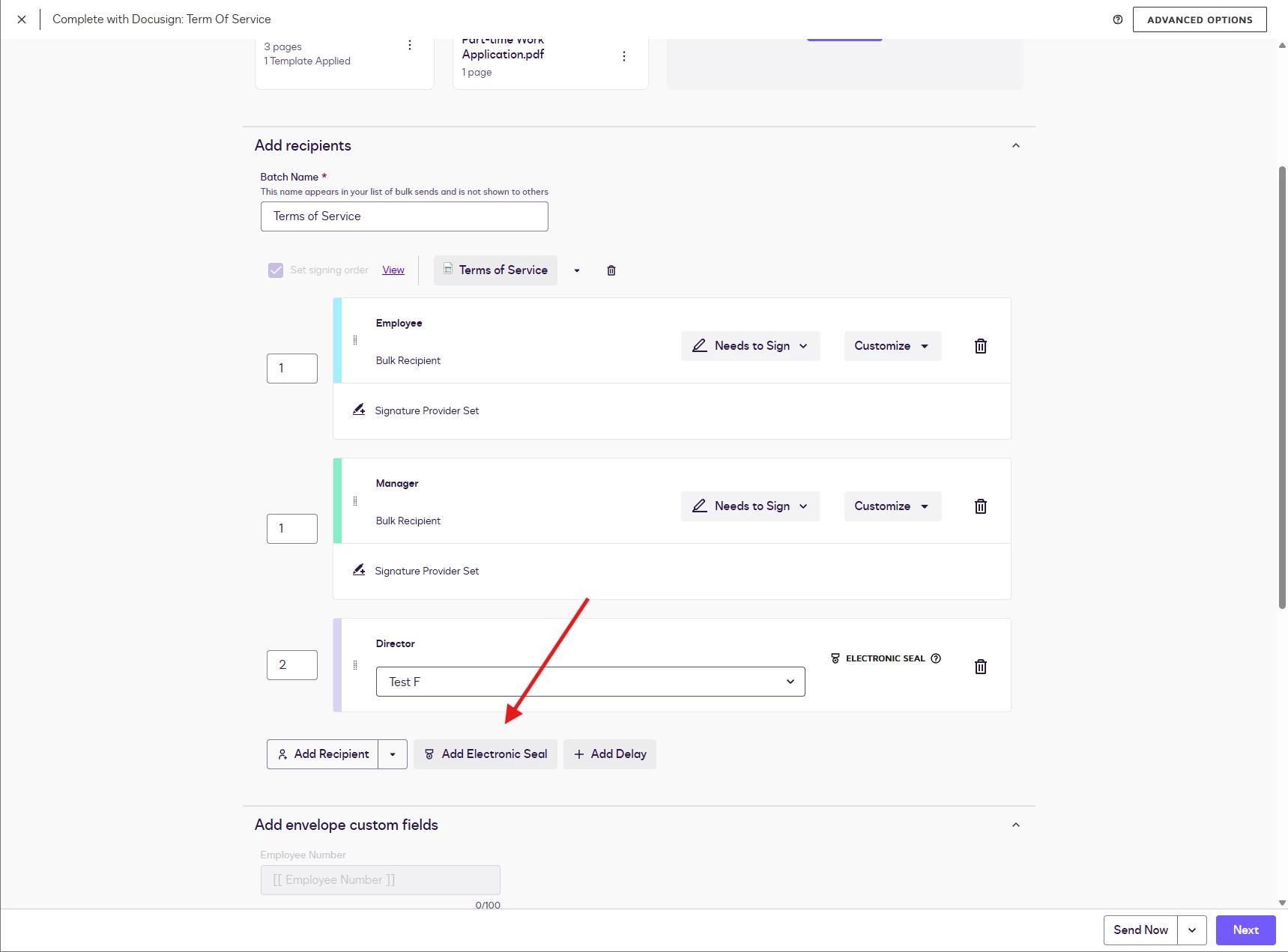
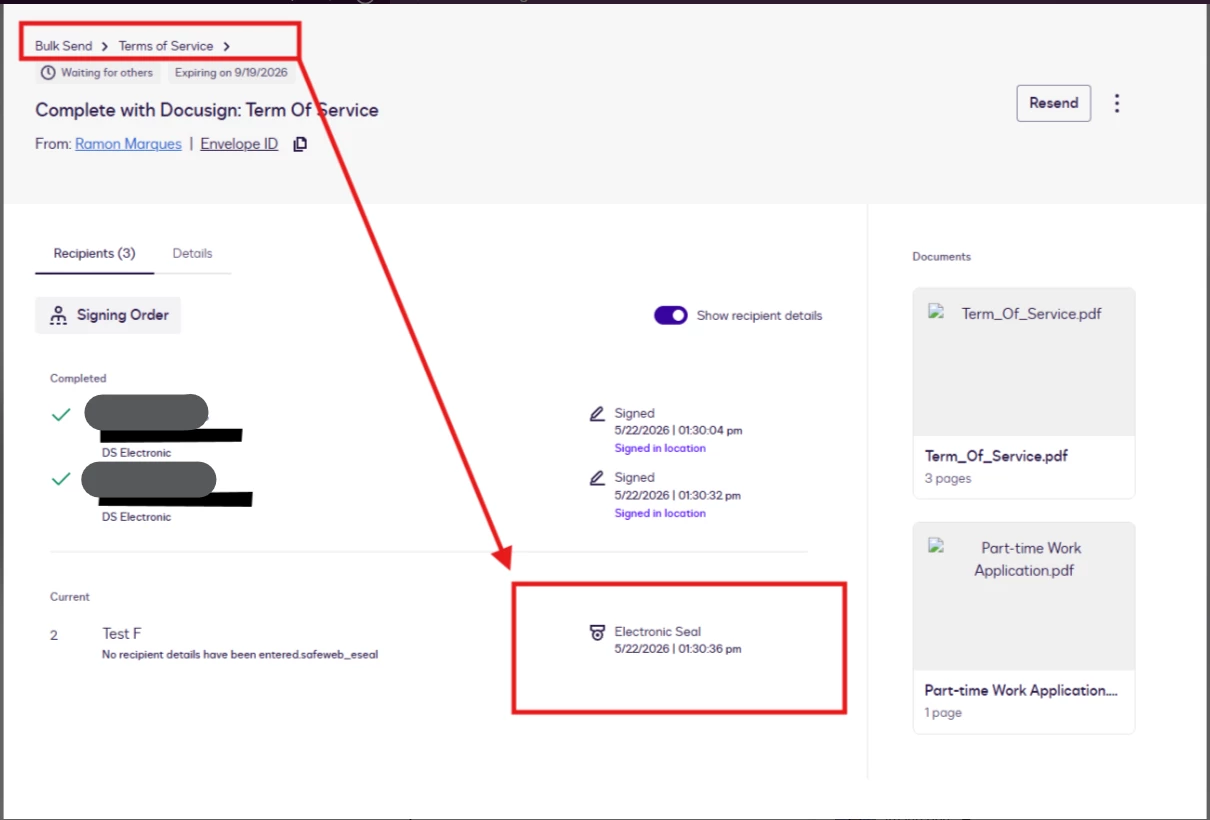
Thank you for reaching out here in the Docusign Community! It’s great to have you here. I understand you would like to know whether it is possible to apply Electronic Seals via a Bulk Send action.
The answer is yes: sending a normal envelope or using the Bulk Send feature will allow the electronic seal to be used. All the envelopes in bulk will have the seal. Please refer to this link for the steps on how to apply electronic seals: Add a Seal to a Document.
Thank you for reaching out here in the Docusign Community! It’s great to have you here. I understand you would like to know whether it is possible to apply Electronic Seals via a Bulk Send action.
The answer is yes: sending a normal envelope or using the Bulk Send feature will allow the electronic seal to be used. All the envelopes in bulk will have the seal. Please refer to this link for the steps on how to apply electronic seals: Add a Seal to a Document.
Thank you for your feedback and the very detailed explanation. I would also like to ask further: if during a Bulk Send I need to use two different seals separately—for example, 50 envelopes with Seal 1 and the other 50 with Seal 2—would that be possible to send together as other information are the same, if I can just input different seal name in CSV to do it? Thank you.
Thank you for getting back to me! I appreciate your continued attention to this post.
The best practice to do this is to create two templates for each of the seal. You can copy the original template (Go to the templates tab > locate the template with the seal > click on 3 dots > click on Copy). Once copied, click on Edit > Change the Seal.
The copy feature allows you to replicate the original template with the same documents and recipient list.
You can then use both of the templates and apply the bulk send feature. However, this practice will let you have two separate envelopes with two different CSV files.
Let me know if you have any questions. I’m here to help!
You can login or register as either a Docusign customer or developer. If you don’t already have a Docusign customer or developer account, you can create one for free when registering.
You can login or register as either a Docusign customer or developer. If you don’t already have a Docusign customer or developer account, you can create one for free when registering.
 Back to Docusign.com