Solved

How to modify the template style of sent emails?

  • December 1, 2025
  • 3 replies
  • 51 views

Forum|alt.badge.img+1

I'm new here. 
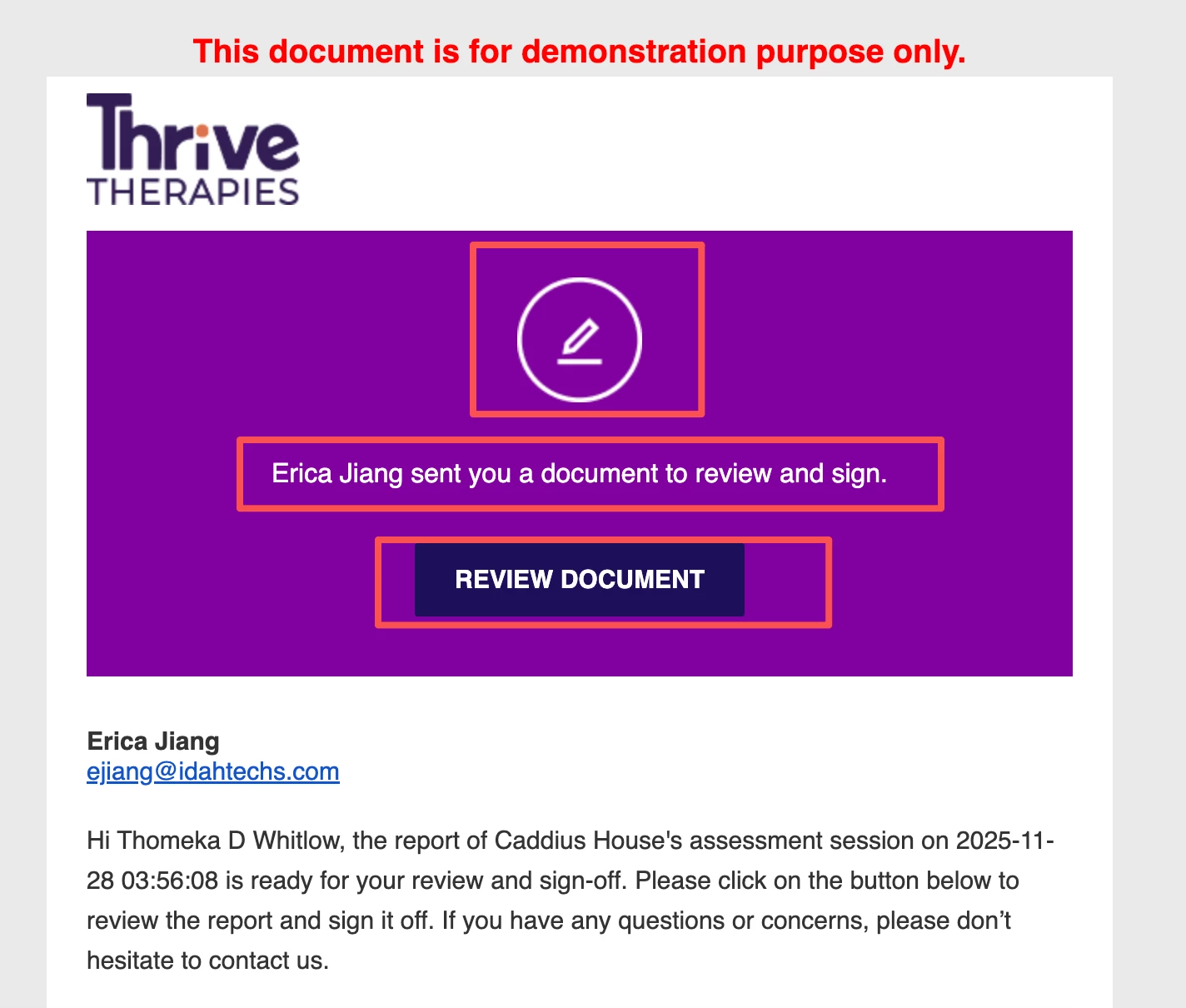
When I use email to send signature request emails, I want to modify the style of the emails that users see. I have only found how to modify the color, subject, and email description, but there are many things I can't seem to modify, such as the text on the button, the text description for requesting signatures, etc. Are those can be modified?


Best answer by marco.tanglao

Hello ​@Erica Jiang 

Thank you for reaching out here in Docusign Community.

Email Resource Files is not included on our default plans. 

You need to Contact our Sales Team and inquire with Enhanced Plans where you can request to include your desired feature.

If you found my response to be a useful solution to your question, please mark it as the best answer by clicking “Select as Best” to make it easier for other users to find.

Best regards,
Marco | Docusign Community Moderator
"Select as Best" below if you find the answer a valid solution to your issue!

3 replies

Forum|alt.badge.img+1
  • Author
  • New Voice
  • December 1, 2025

I noticed that maybe I can use the Email Resource Files:
Email Resource Files

Can this method solve my problem? Where do I need to download the master ERF and where do I re-upload this file?


Forum|alt.badge.img+11
  • Community Moderator
  • Answer
  • December 2, 2025

Hello ​@Erica Jiang 

Thank you for reaching out here in Docusign Community.

Email Resource Files is not included on our default plans. 

You need to Contact our Sales Team and inquire with Enhanced Plans where you can request to include your desired feature.

If you found my response to be a useful solution to your question, please mark it as the best answer by clicking “Select as Best” to make it easier for other users to find.

Best regards,
Marco | Docusign Community Moderator
"Select as Best" below if you find the answer a valid solution to your issue!


Forum|alt.badge.img+11
  • Community Moderator
  • December 8, 2025

Hello ​@Erica Jiang,

I hope you are doing well. 

I want to confirm if you were able to solve your issue by utilizing the solution I suggested or if the information provided was useful.

If so, please mark it as the "Best Answer ✅" by clicking “Select as Best” to make it easier for other users to find.

Otherwise, let me know and I will gladly help you address the situation as soon as possible.

Best regards,
Marco | Docusign Community Moderator


