Hello @Isbjorn Anderson,
Thank you for reaching out, and welcome to the Docusign Community! I appreciate you bringing your question to this Community. We are absolutely delighted to have you here and can't wait to share our knowledge with you.
Only the account holder can access their saved signature. When an envelope is sent to your email address, DocuSign will automatically show the saved signature associated with that account. It is not possible for another user to access or use another person's saved signature.
Since you are experiencing unexpected behavior, I recommend submitting a support case so the DocuSign Support team can take a closer look and ensure everything is functioning correctly.
Users on a paid account can open a support case in the Docusign Support Center. To begin:
- Log into the Docusign Support Center by clicking Continue beneath the product you need support for. If you can't log in, skip here.
- Select Manage Cases > New Case.
- Select a Case Subject.
Note: If you have multiple Docusign accounts, a pop up will appear. Select an account to continue. - Select any of the resources under Need Answers Fast? that address your issue. If that didn't answer your question, select the Add case details button.
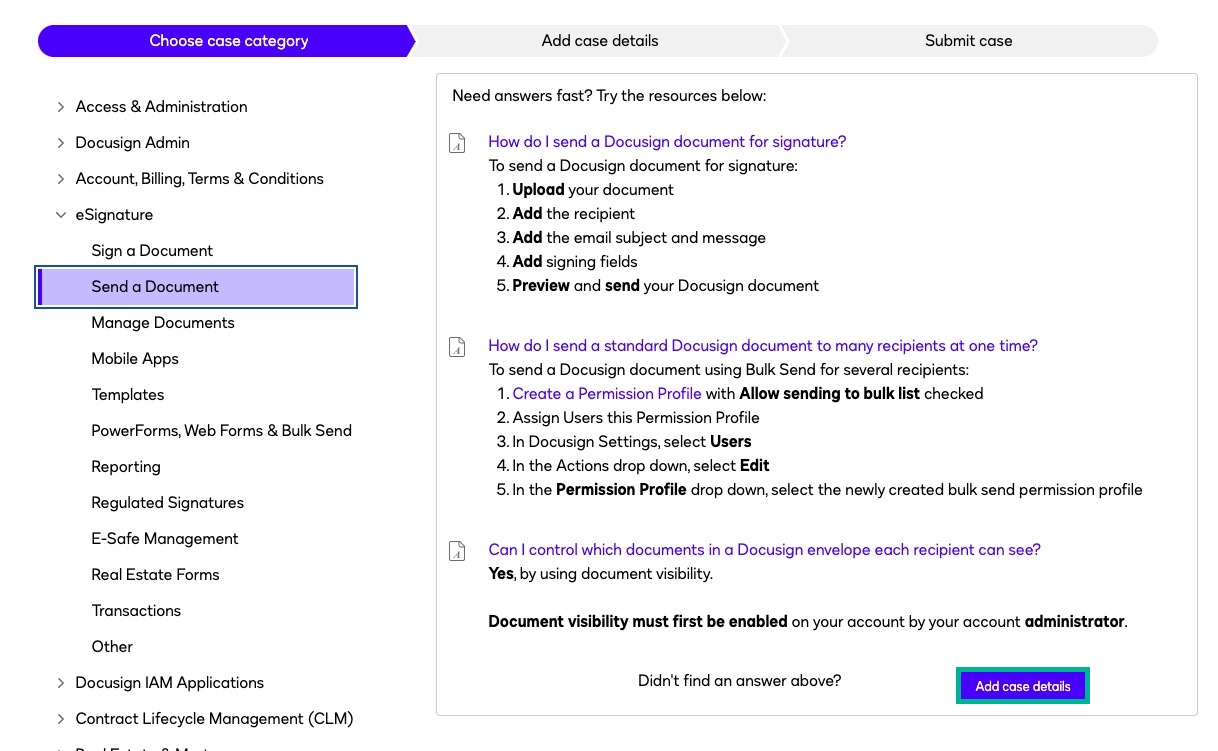
- Complete the case form:
- Select Submit Case.
I hope you find this helpful. If you believe this response effectively addresses your question, please click “Select as Best” to help other users with similar questions, locate it more easily. Should you require any additional assistance, feel free to reach out. Thank you!
Best regards,
Jenny | Docusign Community Moderator
"Select as Best" below if you find the answer a valid solution to your issue.
 Back to Docusign.com


