Question

esig-template field to cover fields on signing and pdf on completion

  • June 9, 2026
  • 5 replies
  • 8 views

mshealy
Established Contributor
Forum|alt.badge.img+11

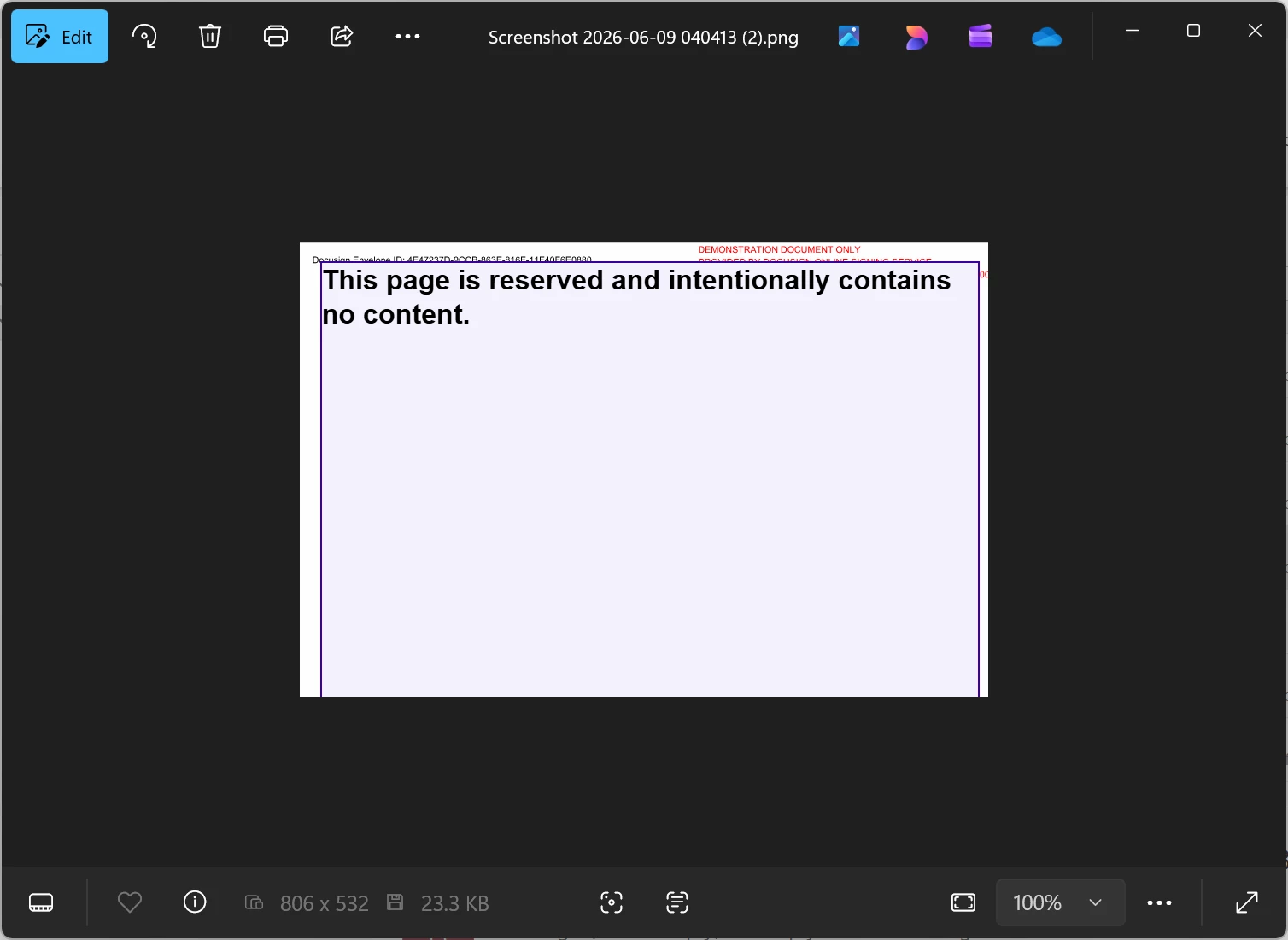
The fields containing "This page is reserved and intentionally contains no content" will not block the underlying area of the PDF once the envelope is completed.
From a signer's perspective, the field is working as expected.  see attached


**information removed due to PII**


5 replies

Forum|alt.badge.img+6

Hi ​@mshealy,

We appreciate you reaching out to the Docusign Community!

We understand your concern about the text format overlapping in the document. We apologize for the inconvenience this may have caused, and I’ll be glad to help you.

You may need to flatten the document before uploading. This process "flattens" and re-generates the file to fix common causes of upload issues. Kindly refer to the instructions below:

To flatten a document, follow these steps:

  1. Open the PDF in your preferred PDF viewer. Note: Your steps may vary depending on the PDF viewer you use.
  2. Click the File menu, then click Print.
    User-added image
  3. Select a PDF Writer from the Printer list, then click Print. Common PDF writers include Adobe PDF and Foxit Reader PDF Printer.
    User-added image
  4. When prompted, choose a name for the file, then click Save.
    User-added image
  5. Upload the new file to DocuSign.

 For additional assistance, see the following article: Issues Uploading Documents - Common Errors, Causes, and Solutions

If the issue persists, your next best step is to open a Support case so our tech team can take a closer look. 👉 Open a support case


Best regards,

Noralynn | Docusign Community Moderator

If this helped. Feel free to Like👍and click "Best Answer."


mshealy
Established Contributor
Forum|alt.badge.img+11
  • Author
  • Established Contributor
  • June 10, 2026

Hi ​@mshealy,

We appreciate you reaching out to the Docusign Community!

We understand your concern about the text format overlapping in the document. We apologize for the inconvenience this may have caused, and I’ll be glad to help you.

You may need to flatten the document before uploading. This process "flattens" and re-generates the file to fix common causes of upload issues. Kindly refer to the instructions below:

To flatten a document, follow these steps:

  1. Open the PDF in your preferred PDF viewer. Note: Your steps may vary depending on the PDF viewer you use.
  2. Click the File menu, then click Print.
    User-added image
  3. Select a PDF Writer from the Printer list, then click Print. Common PDF writers include Adobe PDF and Foxit Reader PDF Printer.
    User-added image
  4. When prompted, choose a name for the file, then click Save.
    User-added image
  5. Upload the new file to DocuSign.

 For additional assistance, see the following article: Issues Uploading Documents - Common Errors, Causes, and Solutions

If the issue persists, your next best step is to open a Support case so our tech team can take a closer look. 👉 Open a support case


Best regards,

Noralynn | Docusign Community Moderator

If this helped. Feel free to Like👍and click "Best Answer."


Hi Noralynn,

Please read the ticket that I put in.  The person said that it would not work like I wanted so that is why I put in a ticket.  I have attached a doc of the ticket.

Thanks


**attachment removed due to PII**


Forum|alt.badge.img+6

HI ​@mshealy,


I appreciate your response and update.

I have looked over the case, and you were told to submit the idea for future enhancement. Kindly refer to the instructions below:

How to use Ideas to request a feature

To submit your idea to the Docusign Community:

  1. Log in: Make sure you're logged into your account before submitting an idea. https://community.docusign.com/ideas
  2. Select Create an Idea to start your submission.
  3. Fill in the details, like Title and Description.
  4. Add visuals, like screenshots, examples, or use cases to help illustrate your idea.
  5. Choose the relevant product area and tags for your idea.
  6. Once you’ve completed writing your idea, select Submit. Note: Only Community moderators or administrators can edit your idea after it is submitted.


Link for reference: Ideas for Docusign product enhancements


Best regards,

Noralynn | Docusign Community Moderator

If this helped. Feel free to Like👍and click "Best Answer."


mshealy
Established Contributor
Forum|alt.badge.img+11
  • Author
  • Established Contributor
  • June 10, 2026

i have created an idea.  Sorry, thought I had already.


Forum|alt.badge.img+6

Hi ​@mshealy

That’s good to hear! If anything else comes up or you hit another roadblock, don’t hesitate to reach out here in the Community.

Wishing you a smooth rest of your day!


Best regards,

Noralynn | Docusign Community Moderator