Hi @arvindku,
Thanks for posting your question - we're glad you're here, and happy to share knowledge with you.
This service update applies to all production accounts in NA1, NA2, NA3, NA4, and EU1. This update also applies to all demo accounts across all sites. Accounts hosted on our AU, CA, and JP1 servers are already on Azure.
If you are currently allow-listing IP addresses or specific Docusign subdomains, you need to review your allowlist to ensure that you have the most up-to-date configuration.
If you require specific subdomains to allow-list, you will need to add the following sub-domains to the existing list (do not replace them):
No action is required if:
- You do not use IP or domain allow-listing, and you already allow-list the full IP ranges published on our Trust Center, or
- Your production account is in AU, CA, or JP1.
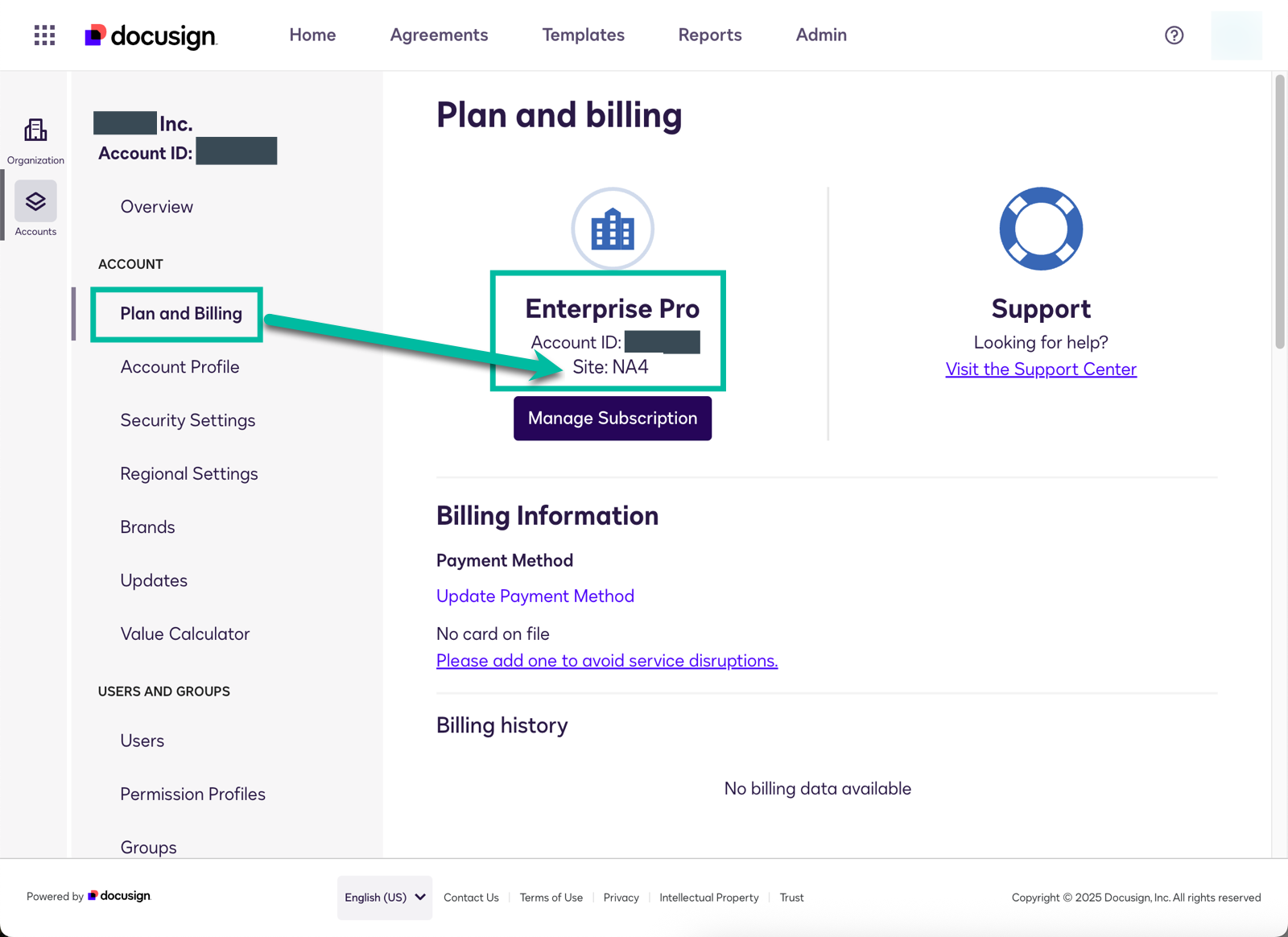
Here's how to check what site/server your account is hosted on:
There are a few ways to get this information:
- Docusign Admin: Organization Accounts list.
- eSignature Admin > Apps and Keys page: Account Base URL.
- eSignature Admin: Plan and Billing page.
Here's our FAQ's on this.
Hope I answered your question. Let us know if you need further assistance. Here for you!
Sincerely,
Melanie | Docusign Community Moderator
If this helped, feel free to Like👍and click "Best Answer"
 Back to Docusign.com


