Hi @knaymie—glad you checked back in!
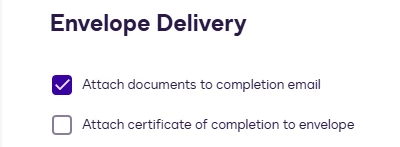
We understand that you have a specific template where you'd like the Certificate of Completion to be included in the email notification, while keeping the admin-level setting disabled for everyone else. This is a great question!
Currently, it's not possible to selectively enable the COC attachment in email notifications for just one template. The control is managed only at the admin or account level, with no options available on a per-template or per-envelope basis.
To work around this, you might consider sending the COC separately or encouraging recipients to download it directly from their Docusign accounts.
We understand the potential benefits of this feature and would like to encourage you to share more about how it would enhance your experience with our product. We have created a space for suggestions and feedback 👉 Submit a feature request. This is where ideas from Docusign users like you can submit ideas to improve DocuSign’s features.
I hope you find this helpful. If yes, we would greatly appreciate it if you could give it a like👍and mark it as "Best Answer" ✅, to help other community members find trusted answers and follow similar steps.😊
Let us know if you have questions— we're here for you!
Regards,
Melanie | Docusign Community Moderator
If this helped clarify things, feel free to Like👍and click "Best Answer"
 Back to Docusign.com