Back to Docusign.com



Solved
Are Docusign Fields Supposed to Have Solid White Backgrounds Obscuring Form During Signing?
Hi,
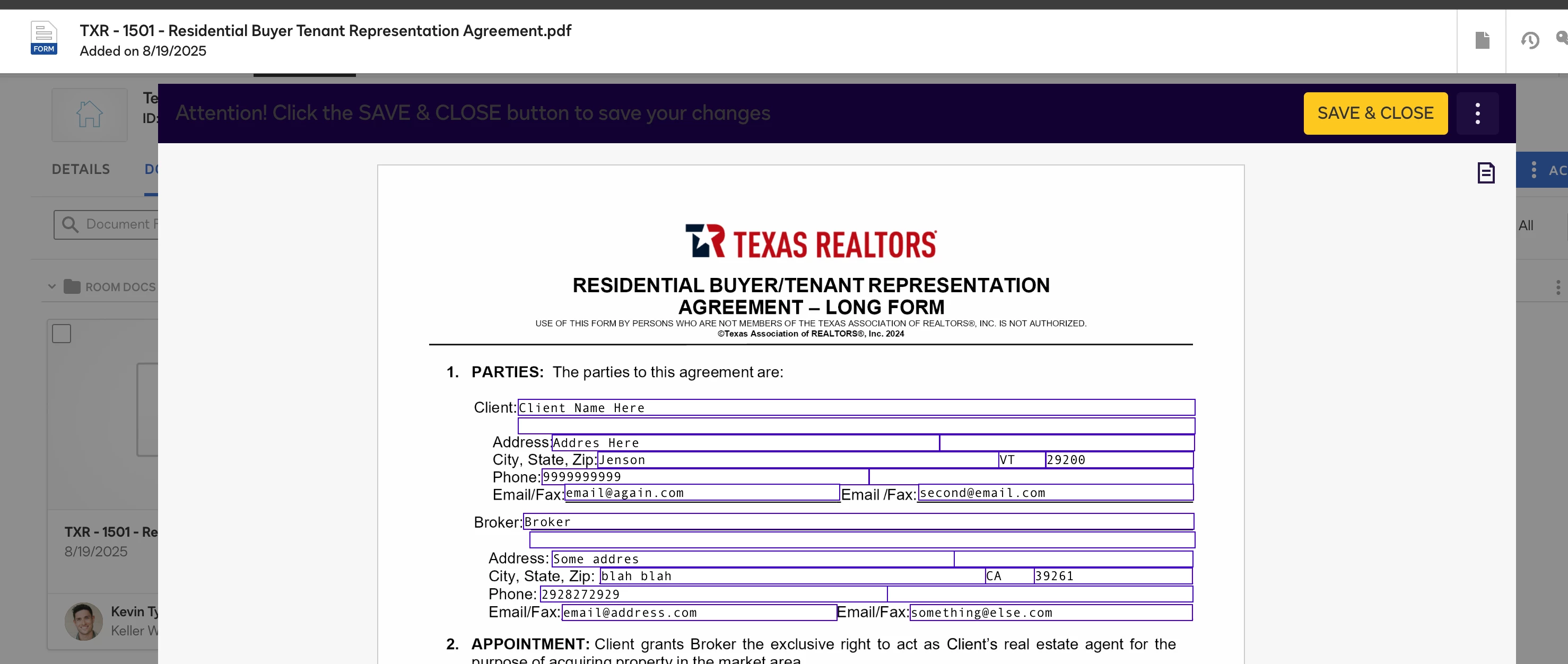
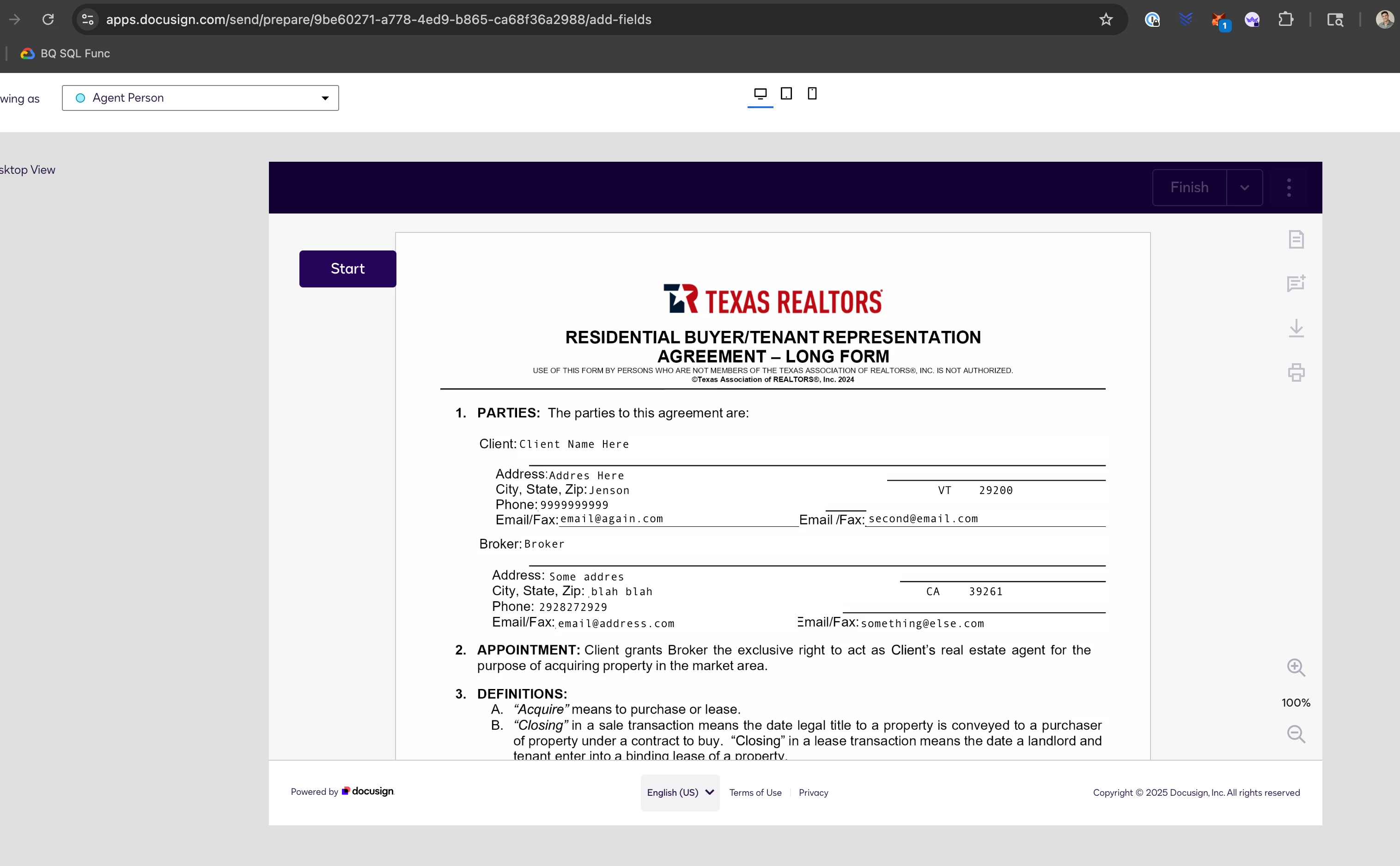
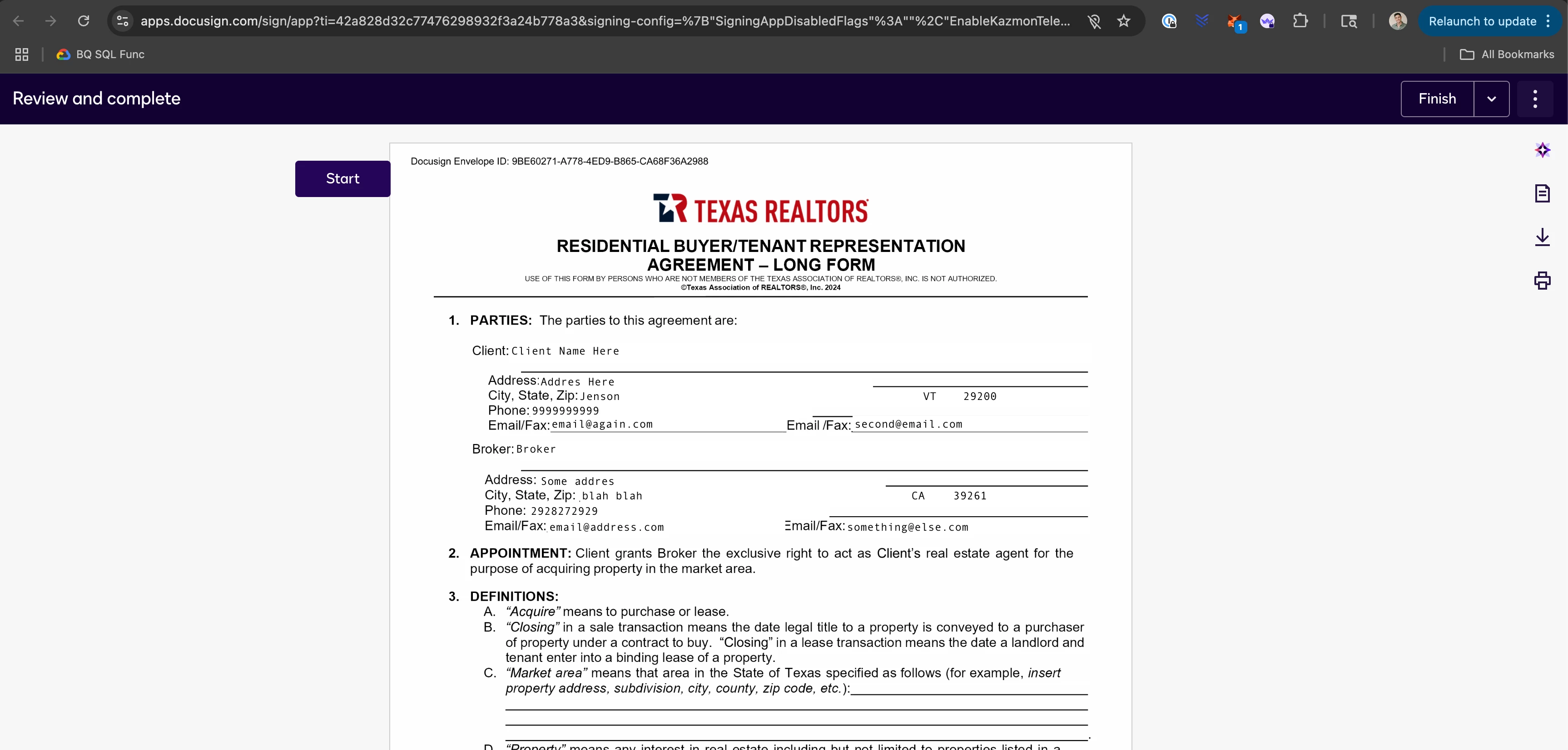
Are Docusign fields supposed to have solid white backgrounds during the signing phase? I expected them to be transparent and not cover up any of the form lines/text all the way through, but in my account as soon as I kick a doc out for signing all of the fields take on a solid white background which looks terrible and is concerning since they turn to the expected transparent upon full execution...when I sign something I want to look exactly like it did when I signed it.
Is this a bug or some setting I can change?
Screenshots below (read captions):