1 reply

Community Moderator
August 13, 2026

Hi ​@maggie.gallotti

Welcome to the Docusign Community! We're glad to have you here. I understand that you would like to know whether you are on the correct path for transferring envelopes.
 

Here is a detailed guide:

Transfer envelopes between users in the same account:

  • Sign in as an account administrator.
  • Go to Admin tab → click Users on the left panel.
  • Find the user who currently owns the envelopes.
  • Click the Actions dropdown for that user → Transfer Envelopes.
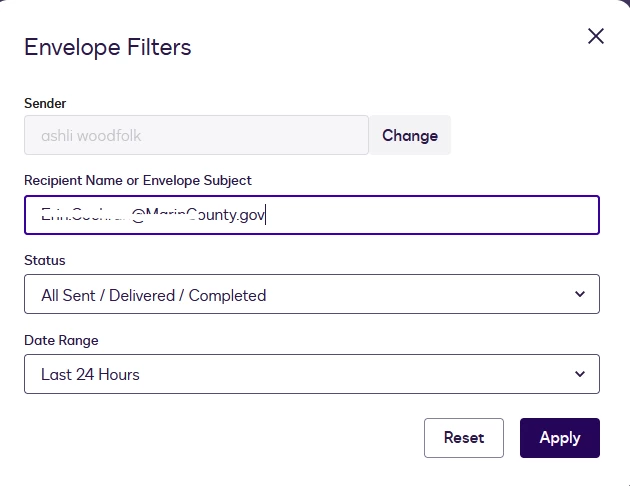
  • Select the envelopes to move, choose the target user (by name or full email), and click Enter, and choose Transfer Now. Transfer Envelopes and Templates Between Users
     
Transfer Envelopes

Please note: Clicking the Enter key on your keyboard is important so the users you're looking for appear as an option.
 

I hope this helps! Let me know if you have any questions.


Best Regards,

Luke | Docusign Community Moderator

Click “👍” and “Best Answer” so other users can see it too!