Hello @tkarczewski
Thank you for reaching out, and welcome to the Docusign Community! We appreciate your question and assure you that we are fully committed to providing you with the best service possible.
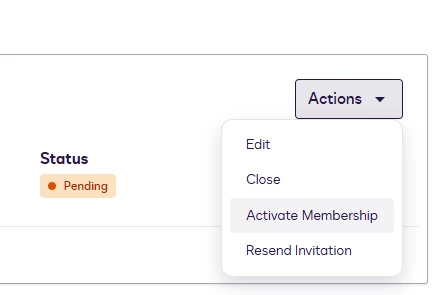
Pending users must accept their invitation to complete activation. There is no option to bulk activate users without their interaction. As the DocuSign Admin Console does not natively support bulk activation of pending users directly through the UI. Activation typically requires each user to accept their invitation individually. As a possible workaround, you can bulk-send invitations to pending users via the Admin Console, which may help prompt activation.
For future reference.
There are two separate Domain settings for silent/auto-activation. You will need to have a Docusign Organization:
For domain users with Auto-activate memberships enabled, new users can be automatically activated for domain accounts via SSO. This can be enabled in the Domain Settings. If enabled, new memberships are activated automatically. Memberships activated in this way will not receive an activation email.
The other option would be through the organization's SSO setup, where you can provision domain users with a DocuSign eSignature account the first time they log in. Just-in-time provisioning reduces the friction and administrative overhead for adding users to accounts in your organization.
When a user logs in with a reserved domain email address, the system checks whether the address exists in any of the organization's accounts. If the email is not found, then a new user account is created in the organization. Typically, the new account is added to the organization's default account.
Just-in-time provisioning is defined on your Identity Provider setup and can be implemented in two ways:
- Basic provisioning using the default account: All new users are added to the organization's default account and assigned the default permission profile.
- Advanced provisioning to specific accounts: Set up your identity provider to include provisioning details in SAML and add users to specific accounts and permission profiles.
JIT functions independently of these settings and, as you mentioned, is always silent. If the customer wants to prevent JIT, they need to prevent users who do not exist in DocuSign from being allowed access to the DocuSign app in their Identity Provider.
For more information, here’s a related article.
Enable or Disable Just-In-Time Provisioning for the Organization
Note: Some advanced features and options are supported only in certain DocuSign plans. Your account plan might not support some options discussed in this help topic. For more information about which options are available for your account, contact your account administrator. Or, visit our Plans and Pricing web page for more details on the features included with your plan.
Compare eSignature plans & pricing
If you found the response to be a useful solution to your question, please “like” and mark it as the best answer by clicking “Select as Best” to make it easier for other users to find. Thank you!
Sincerely,
Ma. Cassandra | Docusign Community Moderator
If this helped, feel free to Like👍and click "Best Answer"
 Back to Docusign.com