Active Voice
August 11, 2024
Solved

Python API with Template

  • August 11, 2024
  • 2 replies
  • 195 views

I’m trying to send an envelope via api with template in it. This is how it looks.
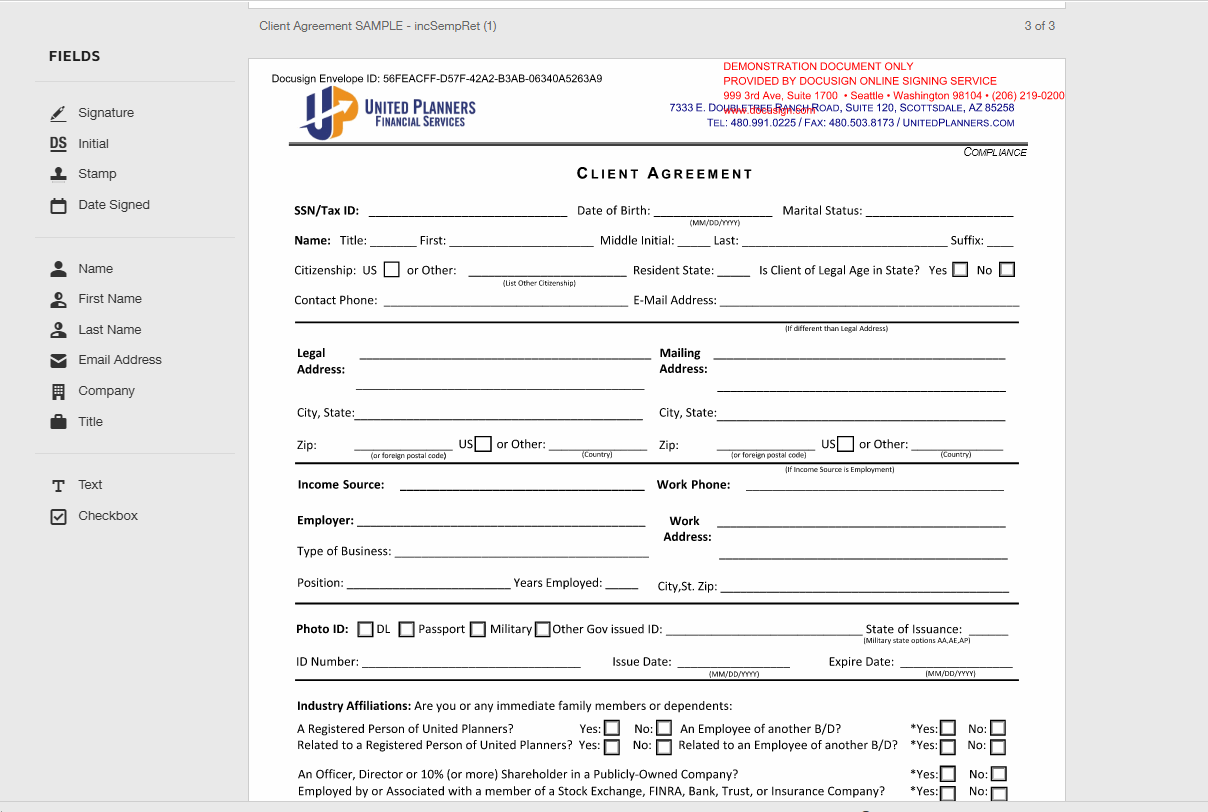
As you can see, there’s the “Fields” in the left side which is not expected and I’m not sure why it’s showing.


When I do this manually in Docusign, this is how it looks and what I’m expecting.
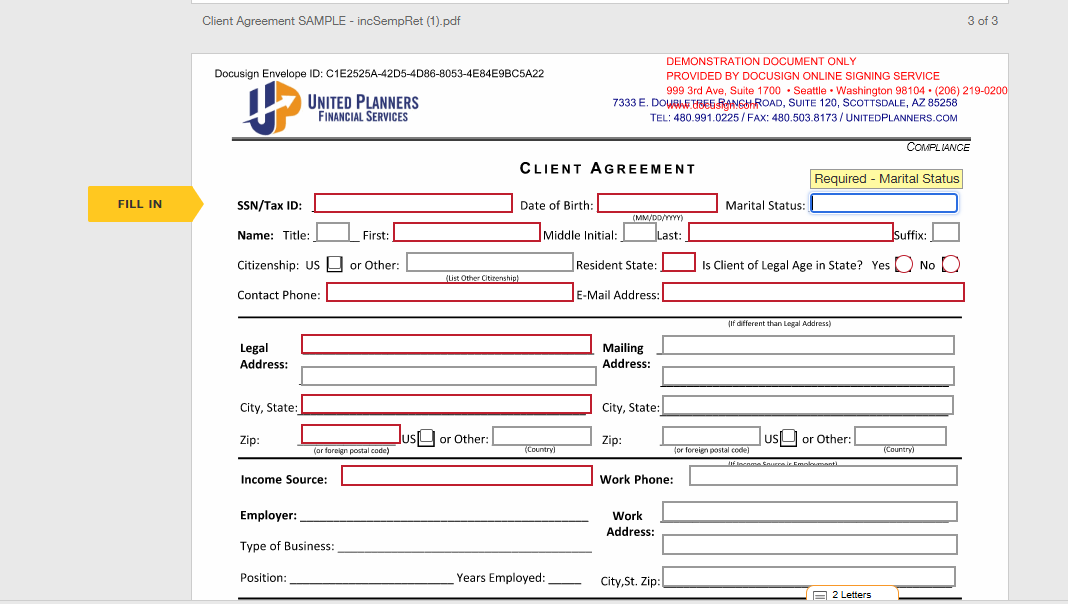
It’s asking to fill in the fields and there are no “Fields” in the left side.

Anyone knows what’s missing or the issue to my api?


Thanks.

Best answer by Ivan.Dinkov

Hi @kensev you need to make sure that the “Role” in the template matches the “role_name” supplied in your code

2 replies

Docusign Employee
August 13, 2024

Hello there

Are you trying to use the Create senderview API & Create Recipient View API?  If you need to send envelopes through API using templates I recommend https://developers.docusign.com/docs/esign-rest-api/how-to/request-signature-template-remote/ .  Also, please be noted that we don't have parameters that control field lists through API.


Thanks & Regards

Sai HariPriya Dandamudi | Developer Support Engineer | DocuSign

+61469363722


A picture containing clipartDescription automatically generated


Ivan.Dinkov
Docusign Employee
Docusign Employee
August 13, 2024

Hi @kensev you need to make sure that the “Role” in the template matches the “role_name” supplied in your code

Ivan D


