Newcomer
July 15, 2024
Solved

2 Questions: New Employee sharing access and getting envelopes from someone who has left

  • July 15, 2024
  • 3 replies
  • 101 views

Hi!

So I have 2 questions. 

We have 2 new employees on our team, and I am training them on the system. Because of the work we do, I need access to their envelopes and vice versa so we may help when someone is away/on vacation. I tried and was denied access. 


Also, how do migrate an old accounts envelopes to a new person’s account? 
Best answer by Pawan Gangwani

Hello @AmJackson 

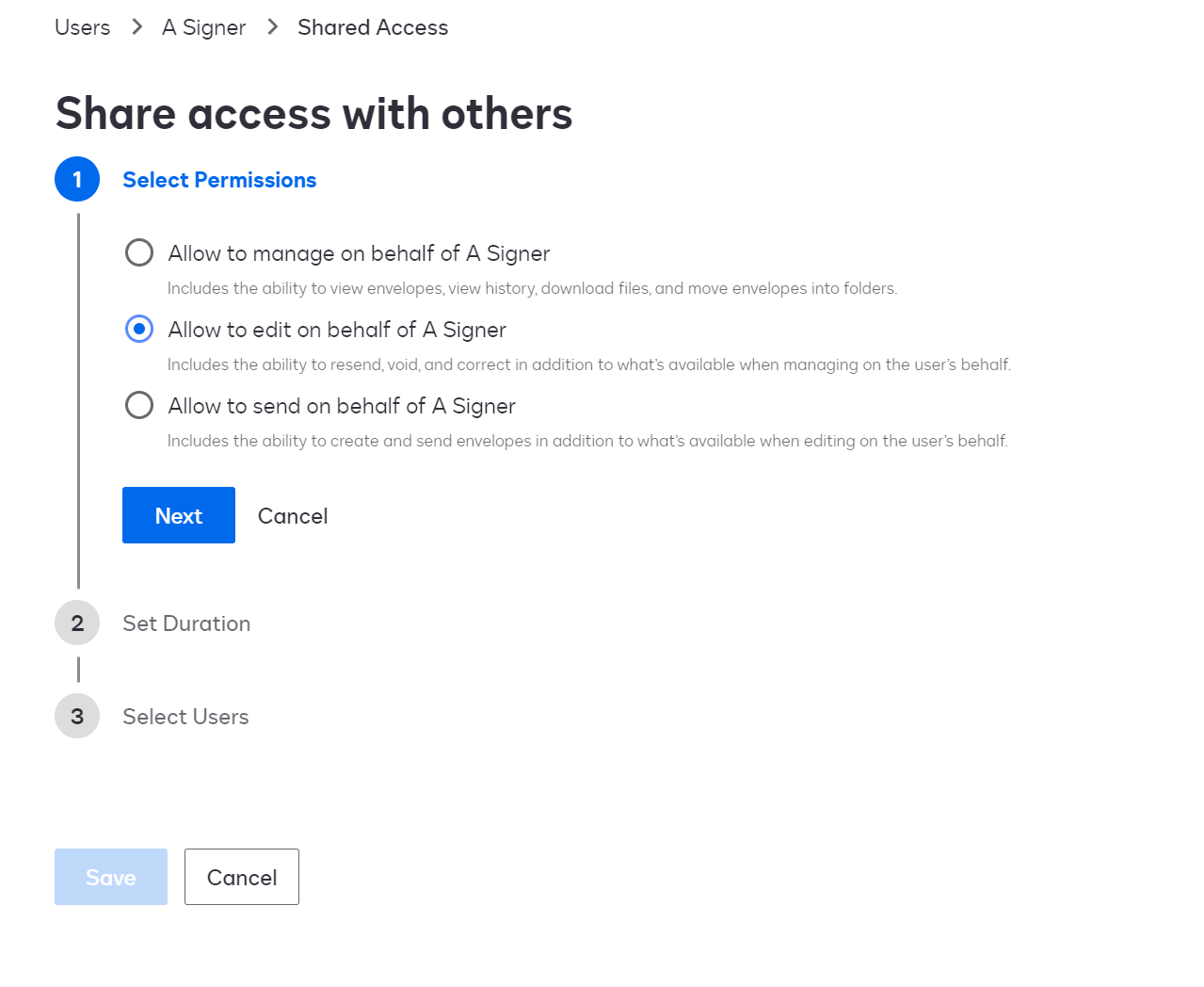
I thing you might create the shared access so that you can access their templates. you route to eSignature settings and the user. Refer the ss below:

This link will help:
https://support.docusign.com/s/document-item?language=en_US&bundleId=pik1583277475390&topicId=ddd1660785625415.html&_LANG=enus

Thanks!

3 replies

Pawan Gangwani
Hero
Hero
July 15, 2024

Hello @AmJackson 

I thing you might create the shared access so that you can access their templates. you route to eSignature settings and the user. Refer the ss below:

This link will help:
https://support.docusign.com/s/document-item?language=en_US&bundleId=pik1583277475390&topicId=ddd1660785625415.html&_LANG=enus

Thanks!

Way to Learn | I'd love your feedback | Hit Like | Mark it Best🌈
JohnSantos
Guru
Guru
July 15, 2024

@AmJackson 

For the second part of your question, you can use the Envelope Transfer if you have Org Admin access to the user's accounts.  This will allow you to transfer envelopes between users on any organization account.

Welcome to the DocuSign Community! Your feedback is highly valued. If you find my response helpful, please give it a "Like" and consider marking it as the "Best Answer" to assist others with similar issues.
Docusign Employee
July 30, 2024

Hi @AmJackson,


I hope you are doing well.


I would like to confirm if you were able to solve your issue by utilizing the solution that was suggested? 


If so, please mark it as the best answer by clicking “Select as Best” to make it easier for other users to find.


Otherwise, feel free to let me know and I will gladly help you address the situation as soon as possible.


Best regards,   

Alejandro R. | Docusign Community Moderator   

"Select as Best" below if you find the answer a valid solution to your issue!

