 Back to Docusign.com



Are you a Workflow Builder (formerly Maestro) workflow preparer who starts instances but can’t view the audit log for the instances you triggered? You may have the correct Workflow Builder (formerly Maestro) and Activity Log permissions in your account’s permission profile, but due to recent changes in AuthZ and the addition of the new “Manage” permission, the authorization relationships Workflow Builder (formerly Maestro) relies on can be inconsistent for older instances. This can prevent preparers from seeing the Activity Log for their own instances.
Who might be affected
You may be affected if:
- You are a preparer on a Workflow Builder (formerly Maestro) workflow but you do not own the workflow definition.
- You successfully trigger a Workflow Builder (formerly Maestro) workflow instance.
- Either:
- You see the “View Activity Log” option but clicking it fails to load the audit log for that instance, or
- You do not see Activity / Audit Logs for the instance you started.
Why this happens
Workflow Builder (formerly Maestro) uses Docusign permission profiles combined with the AuthZ implementation to determine who can view audit logs for instances. A recent change added an additional “Manage” permission into Workflow Builder (formerly Maestro) Permission Profiles. Because of this AuthZ change, some older workflow instances may not include the updated authorization relationships that link a preparer (who triggered an instance) to that instance for audit-log access. As a result, even when a user’s current permission profile appears correct, Workflow Builder (formerly Maestro) may not grant the preparer access to the audit log for previously created instances.
Quick fix
The straightforward fix is to ensure affected preparers are assigned the Prepare permission via a permission profile that includes the new Workflow Builder (formerly Maestro) permissions under AuthZ. After the permission profile is updated, the preparer must trigger the workflow instance again to create an instance that contains the correct authorization relationships. Once re-triggered, the preparer will be able to view that instance’s audit log.
Step-by-step: What the DS Admin should do
- Sign in to Docusign Admin.
- Navigate to Users > Permission Profiles
- Edit the permission profile assigned to the affected preparer(s).
- Ensure the profile includes:
- Workflow Builder (formerly Maestro) access (Prepare permission), and
- Audit Log / Activity Log permissions required to view instance logs.
- Save the profile and confirm the preparer is assigned to that profile.
- Ask the preparer to trigger a new instance of the workflow (they must start a fresh instance for the updated AuthZ relationships to be applied).
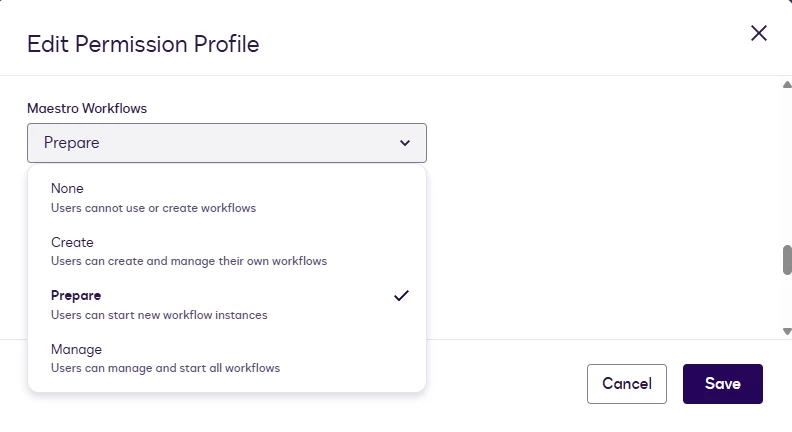
Reassign “Prepare” permission
What the preparer should do
- After your admin confirms your permission profile was updated, trigger a new instance of the Workflow Builder (formerly Maestro) workflow.
- Open the instance and select View Activity Log. The log should load correctly for the newly created instance.
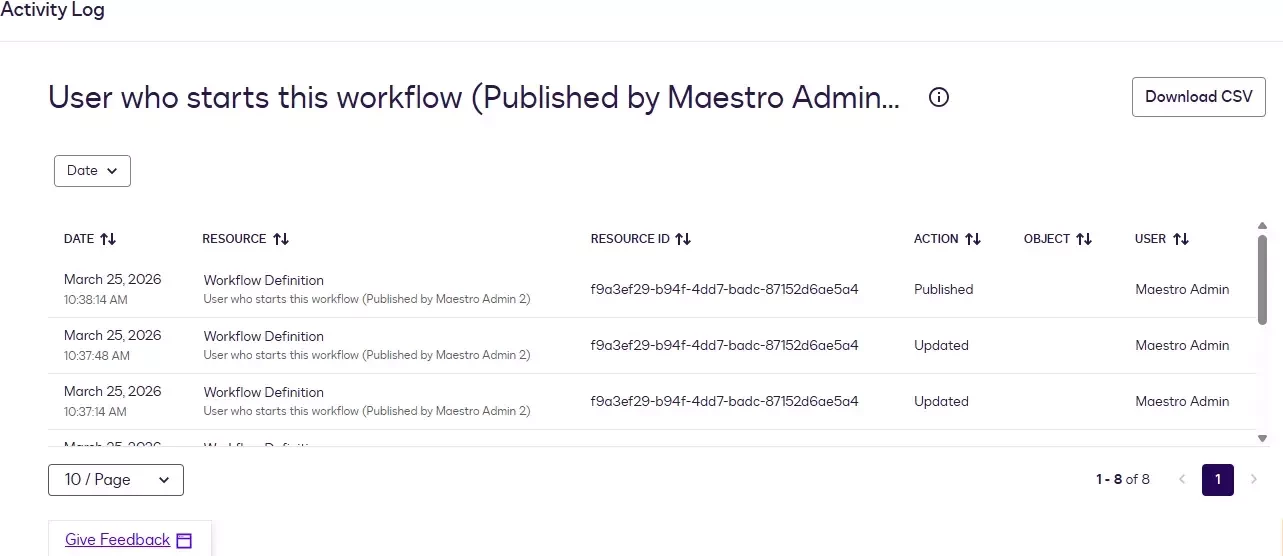
Additional Resources: - Documentation detailing the Workflow Builder (formerly Maestro) Permissions
- Documentation for the Workflow Builder (formerly Maestro) Activity Logs
Join the conversation
Have you run into this exact issue or used a different remediation approach? Share your experience or questions in the comments — we’ll help troubleshoot and collect feedback to improve our guidance.