Question

Where do I change the button colors?

  • March 26, 2026
  • 6 replies
  • 41 views

Forum|alt.badge.img+2

Hi,

I've noticed that in the preferences I can set the color of the buttons that appear in emails.
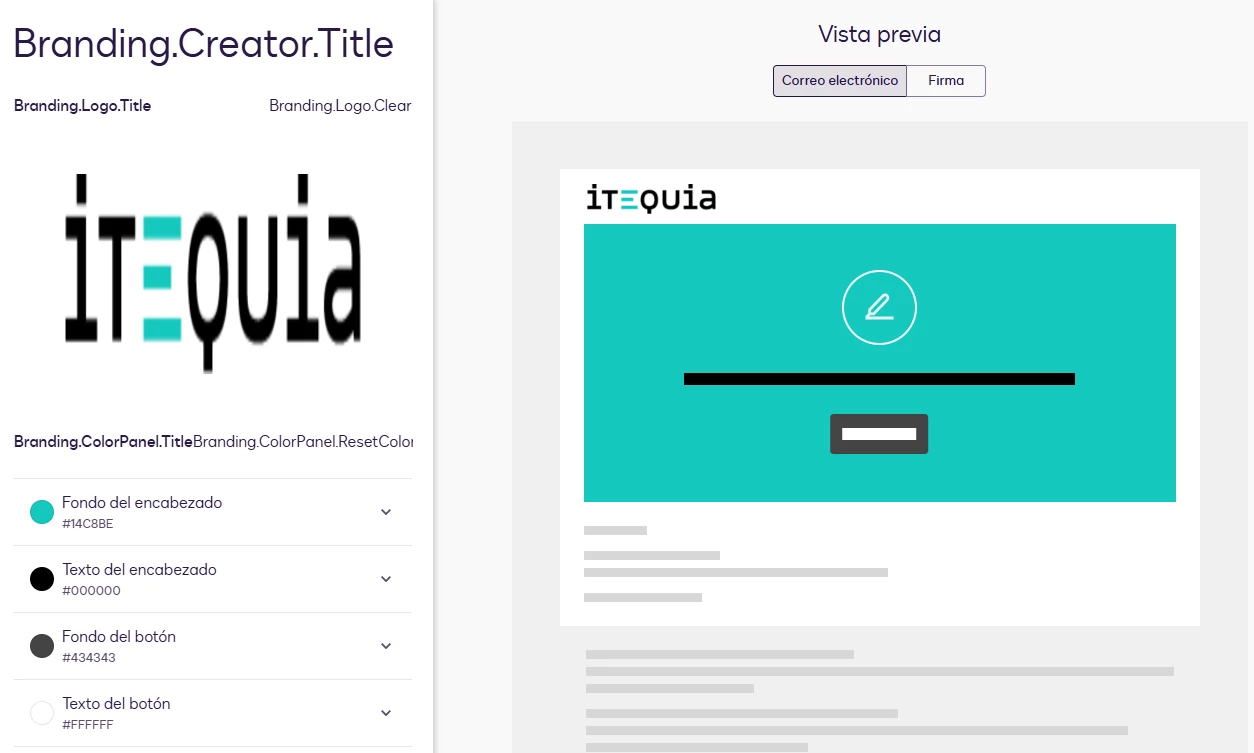


But then there are the buttons that appear to the client on the DocuSign website when they go to sign.
The buttons have a dark gray background and black text, making them unreadable.
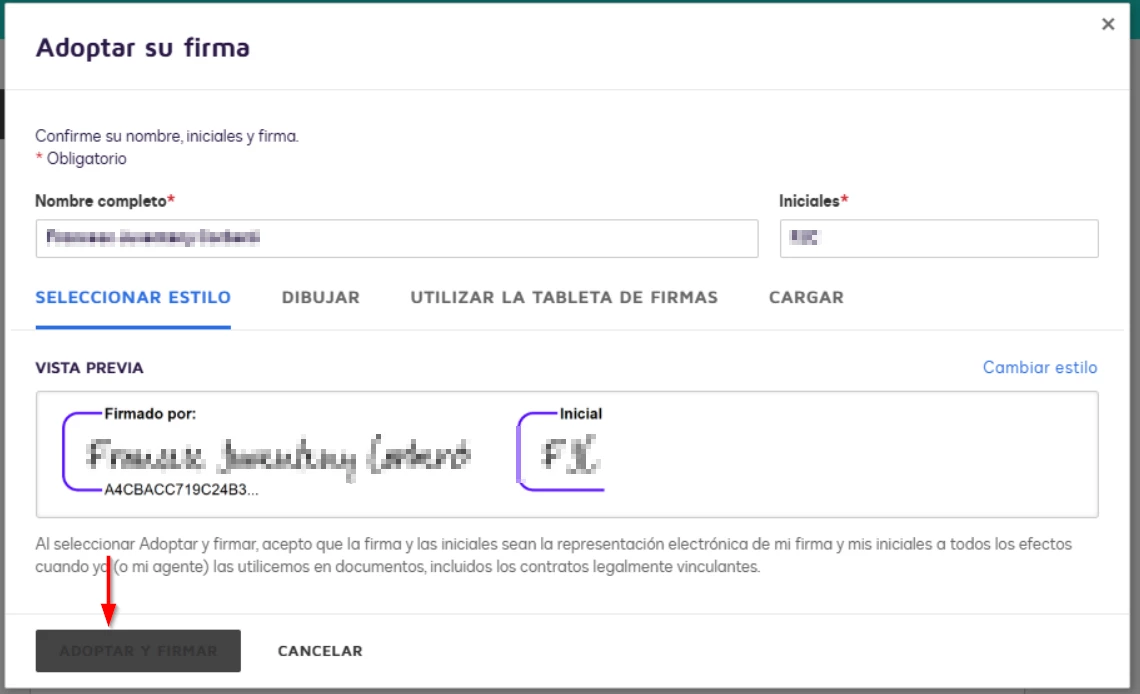
 

Where do I change this color?


Thanks!

Francesc

6 replies

JohnSantos
Guru
Forum|alt.badge.img+21
  • Guru
  • March 27, 2026

@Itequia 

You need to change either one of these colors so there is contrast. They are both dark.  If you make one of the lighter, you will be able to see it.


Forum|alt.badge.img+2
  • Author
  • New Voice
  • March 30, 2026

Hi ​@JohnSantos 

Yes, that's what I have set up.


However, this configuration only modifies the email buttons, not the form buttons. I've tried other combinations and they've always appeared this way...


Thanks!


Forum|alt.badge.img+2
  • Author
  • New Voice
  • March 30, 2026

@JohnSantos 

I just received a response from Support...

The gray “Adopt and Sign” button you’re seeing on the signing page is part of Docusign’s standard signing UI in the web app. Its colors are not controlled by account branding, so there isn't a setting where you can change that button's background or text color.


Forum|alt.badge.img+14
  • Community Moderator
  • April 7, 2026

Hello ​@Itequia 

How are you? I'm just checking in to see if you still need help. If yes, please reply here with more context, or confirm if the issue has been resolved. 

If you run into any problems, we're happy to help with those here. Wishing you a smooth rest of your day!

If you found the response to be a valuable solution to your question, please “like” and mark it as the best answer by clicking “Select as Best” to make it easier for other users to find. Thank you!


Sincerely,

 Ma. Cassandra | Docusign Community Moderator
If this helped. Feel free to Like👍and click "Best Answer."


Forum|alt.badge.img+2
  • Author
  • New Voice
  • April 8, 2026

Hi ​@Ma.Cubio 

The problem resolved itself.
When I created a new signature the next day, the buttons appeared in the correct colors.

Thanks!

Francesc


Forum|alt.badge.img+14
  • Community Moderator
  • April 8, 2026

Hi again, ​@Itequia!

That’s great to hear—glad things are working now. If anything else comes up or you hit another roadblock, don’t hesitate to reach out here in the Community.

Wishing you a smooth rest of your day!


Ma. Cassandra | Docusign Community Moderator


