I need to find a way to force the signature to be bold as is too thin and when we print out the documents it can barely be found i know if they draw the signature this could help i also now if they upload their own signature this would work out i i don't know how to force the fonts to only be the boldest ones so once they are selected they could be more legible. all the suggestion to mitigate are much apreciatted.
Thanks for reaching out and welcome to the Docusign Community!
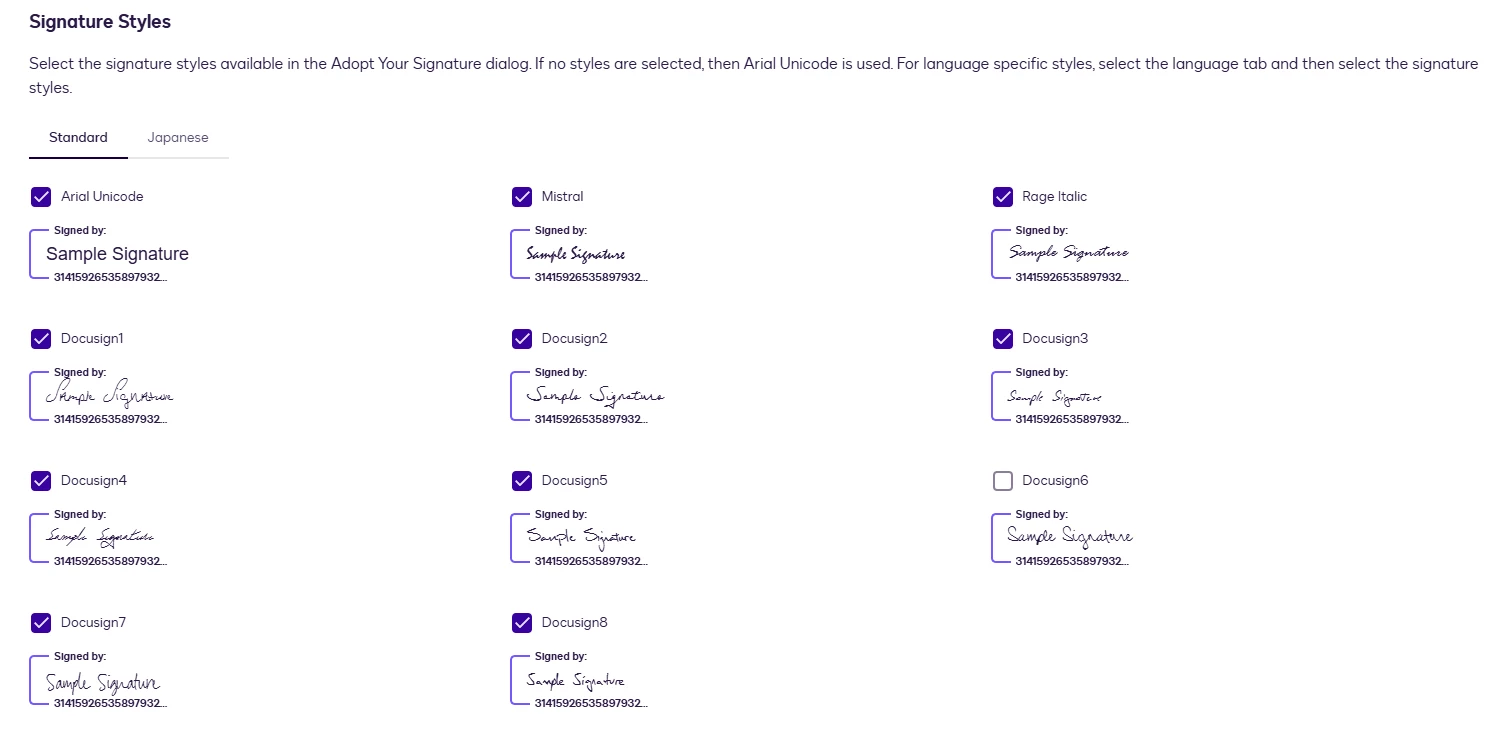
Curently, there is no way to force the signature to be bold, signers can only use the specific styles available. However, you can restrict which signature styles your recipients are allowed to use during the signature adoption step. You can do this by going to Signing Settings → Signature Adoption Configuration and unchecking the signature styles you don’t want your recipients to use.
Please note that you can force the style that your signer can choose during the signature adoption step, based on the available styles you allow. However, if the signer already has a saved signature on their account, that saved signature will automatically be applied unless they choose to adopt a new one
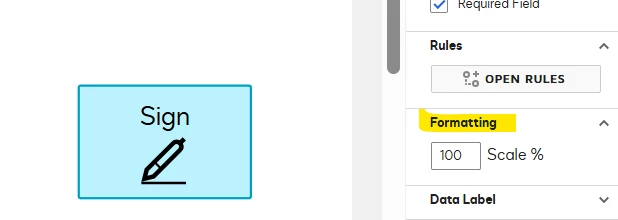
As an additional workaround, you can increase the size of the signature field on the document by adjusting the scale percentage. While this won’t make the signature bold, enlarging the field causes to scale the signature accordingly, which can help the strokes appear slightly thicker and more readable when printed.
I hope this helps! If you found this response helpful, feel free to give it a like or mark it as the best answer. Let us know if you have any further questions
Thanks for reaching out and welcome to the Docusign Community!
Curently, there is no way to force the signature to be bold, signers can only use the specific styles available. However, you can restrict which signature styles your recipients are allowed to use during the signature adoption step. You can do this by going to Signing Settings → Signature Adoption Configuration and unchecking the signature styles you don’t want your recipients to use.
Please note that you can force the style that your signer can choose during the signature adoption step, based on the available styles you allow. However, if the signer already has a saved signature on their account, that saved signature will automatically be applied unless they choose to adopt a new one
As an additional workaround, you can increase the size of the signature field on the document by adjusting the scale percentage. While this won’t make the signature bold, enlarging the field causes to scale the signature accordingly, which can help the strokes appear slightly thicker and more readable when printed.
I hope this helps! If you found this response helpful, feel free to give it a like or mark it as the best answer. Let us know if you have any further questions
How are you? I'm just checking in to see if you still need help. If yes, please reply here with more context, or confirm if the issue has been resolved.
If you run into any problems, we're happy to help with those here. Wishing you a smooth rest of your day!
If you found the response to be a valuable solution to your question, please “like” and mark it as the best answer by clicking “Select as Best” to make it easier for other users to find. Thank you!
Sincerely,
Ma. Cassandra | Docusign Community Moderator If this helped. Feel free to Like👍and click "Best Answer."
You can login or register as either a Docusign customer or developer. If you don’t already have a Docusign customer or developer account, you can create one for free when registering.
You can login or register as either a Docusign customer or developer. If you don’t already have a Docusign customer or developer account, you can create one for free when registering.
 Back to Docusign.com