Thanks for reaching out and welcome to the Docusign Community!
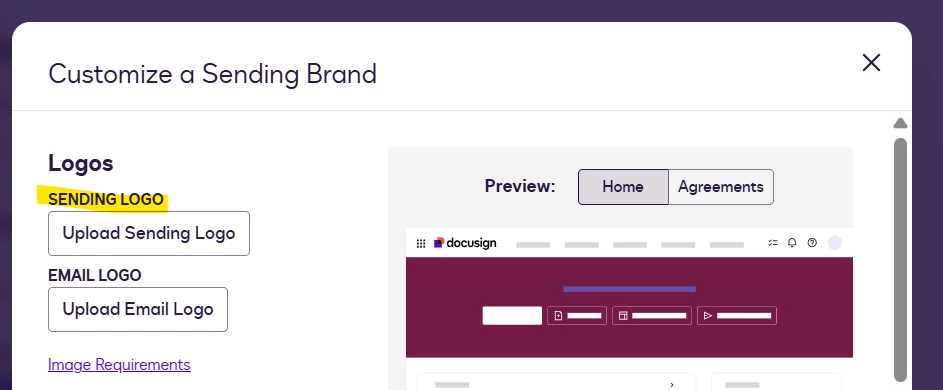
That photo comes from the Sending brand. To replace it, navigate to Admin > Brand, switch to the Sending tab, then click Edit your Theme and upload your new image on the Sending logo.
I hope you find this helpful. If you believe this response effectively addresses your question, please click “Best Answer” to help other users with similar questions, locate it more easily.
Should you require any additional assistance, feel free to reach out. Thank you!
Best regards,
Jenny | Docusign Community Moderator
"Select as Best" below if you find the answer a valid solution to your issue.
Thanks for reaching out and welcome to the Docusign Community!
That photo comes from the Sending brand. To replace it, navigate to Admin > Brand, switch to the Sending tab, then click Edit your Theme and upload your new image on the Sending logo.
I hope you find this helpful. If you believe this response effectively addresses your question, please click “Best Answer” to help other users with similar questions, locate it more easily.
Should you require any additional assistance, feel free to reach out. Thank you!
Best regards,
Jenny | Docusign Community Moderator
"Select as Best" below if you find the answer a valid solution to your issue.
I hope you're doing well. I'm following up on the above solution provided. Could you please confirm whether it addressed your question? If it did, can you please mark it as Best Answer ✅" to assist other users with similar inquiries and improve its visibility. Let us know if we can help with anything else. Wishing you a smooth rest of your day!
You can login or register as either a Docusign customer or developer. If you don’t already have a Docusign customer or developer account, you can create one for free when registering.
You can login or register as either a Docusign customer or developer. If you don’t already have a Docusign customer or developer account, you can create one for free when registering.
 Back to Docusign.com