why am i not able to change the order of the documents in my docusign envelope by clicking on the thumbnail image and dragging it. This worked 2 days ago, but no longer works. 7/17/26 Thank you
Thank you for your prompt response and for providing additional information.
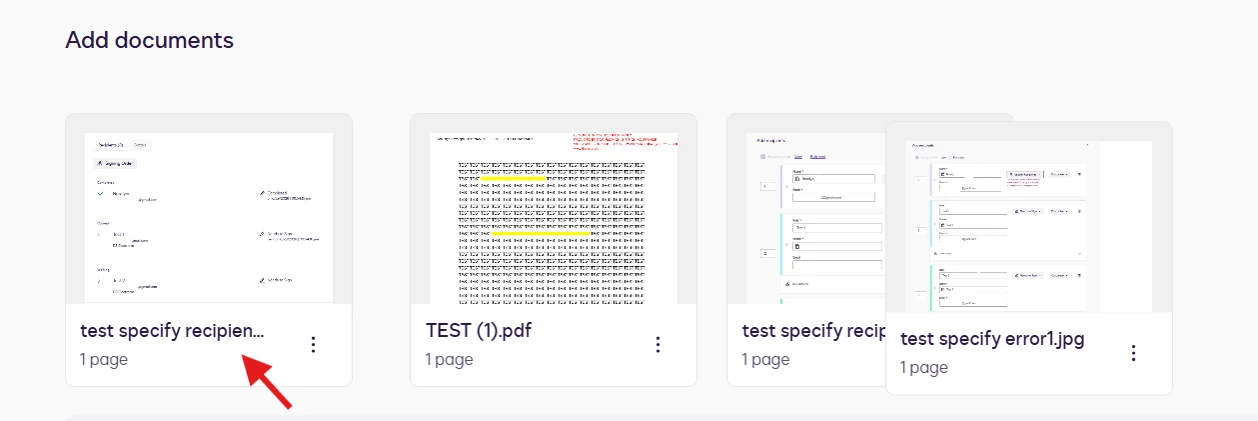
I have replicated the issue on my end, and I have not encountered the same behavior. The drag-and-drop is working as expected. Please refer to the image below for reference.
Initially, I hover and click the mouse in the middle, where the document is visible. I wasn’t able to drag, but I tried clicking the space where the document filename is, and I was able to move and reorder the document.
Could you please help me check whether it’ll work on your end by following the same steps?
We actually have two ways on how to reorder documents.
From the Prepare view - In the Add documents section, click anywhere on the thumbnail image of the document you want to move, and drag the file into the desired position.
From the Add Fields view - Select ACTIONS > Edit Documents, and then drag and reorder the files
If the issue has not been resolved with the information provided, your best next step is to open a Support case so our tech team can take a closer look. 👉 Open a support case
I look forward to hearing back from you.
Best regards,
Noralynn | Docusign Community Moderator
If this helped. Feel free to Like👍and click "Best Answer."
You can login or register as either a Docusign customer or developer. If you don’t already have a Docusign customer or developer account, you can create one for free when registering.
You can login or register as either a Docusign customer or developer. If you don’t already have a Docusign customer or developer account, you can create one for free when registering.
 Back to Docusign.com