When clicking the Sign box in document, it does not adopt my name to a signature but instead puts in Docu Sign. There is no option to change this entry. Please advise.
Let me ask, do you have a DocuSign eSignature account associated to the email used for signing?
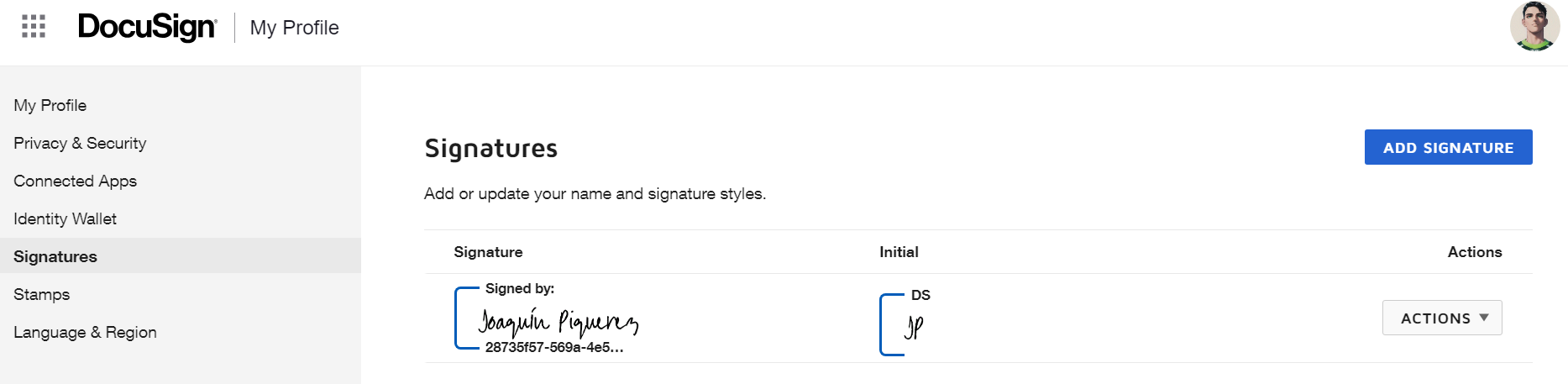
If so, you need login to your account, click in your initial in the top right corner, select Manage Profile and on the panel in the left, select signatures, change or add a new one.
Your feedback is very appreciated! You can give a Like and mark this answer as the "Best Answer" for your issue. DocuSign University http://dsucustomers.docusign.com
Could you send a screenshot when that happens? Showing the field where you clicks and the value shown. You can edit the screenshot to blur any information you don’t want to be viewed here.
Thanks,
Alexandre
Translate
Your feedback is very appreciated! You can give a Like and mark this answer as the "Best Answer" for your issue. DocuSign University http://dsucustomers.docusign.com
Could you send a screenshot when that happens? Showing the field where you clicks and the value shown. You can edit the screenshot to blur any information you don’t want to be viewed here.
Thanks,
Alexandre
Hi Alexandre:
I’m also having the same issue. I hope this screenshot helps.
Let me ask, do you have a DocuSign eSignature account associated to the email used for signing?
If so, you need login to your account, click in your initial in the top right corner, select Manage Profile and on the panel in the left, select signatures, change or add a new one.
Your feedback is very appreciated! You can give a Like and mark this answer as the "Best Answer" for your issue. DocuSign University http://dsucustomers.docusign.com
Also, can you check with the Sender of the Envelope what is the name for your recipient, sometimes a Sender can type “DocuSign” or any other text in the field for the Full name then add your email address.
Translate
Your feedback is very appreciated! You can give a Like and mark this answer as the "Best Answer" for your issue. DocuSign University http://dsucustomers.docusign.com
I would like to confirm if you were able to solve your issue by utilizing the solution that was suggested or if the information that was provided was useful.
If so, please mark it as the best answer by clicking “Select as Best” to make it easier for other users to find.
Otherwise, feel free to let me know and I will gladly help you address the situation as soon as possible.
Best regards,
Christopher | Docusign Community Moderator
"Select as Best" below if you find the answer a valid solution to your issue.
how can I add a new signature in my company profile? Basically, I need to have one signature in case I need to sign a personal document and a new one that has the company signature, like a stamp
If I try to add a second signature the system asked me if I want substitute it with the one already presents. How can I add a new one without substitute and having double choise?
You can login or register as either a Docusign customer or developer. If you don’t already have a Docusign customer or developer account, you can create one for free when registering.
You can login or register as either a Docusign customer or developer. If you don’t already have a Docusign customer or developer account, you can create one for free when registering.
 Back to Docusign.com