Legacy User
Jul 15, 2020 3:12 AM UTC
Solved

How do I change my signature's initials?

How do I change my signature's initials?
Docusign Employee
Jul 17, 2020 8:14 AM UTC

When you adopt your signature, you can edit how your Full Name and Initials will appear in this dialog:
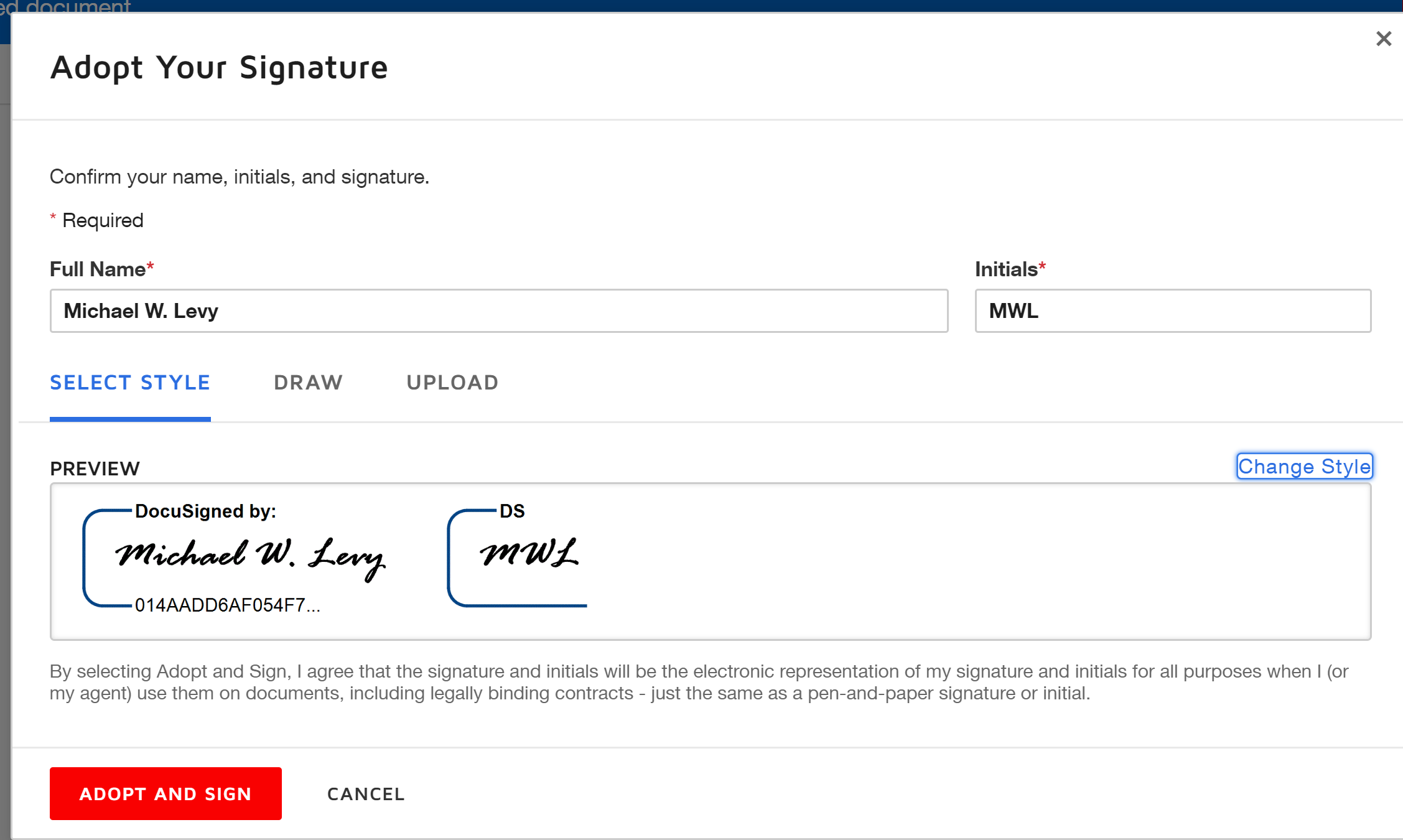
Adopt Signature While Signing

If you have a DocuSign account and already have saved a signature, you can edit it or create a new one.

  1. Click the profile menu at the top right
  2. Select My Preferences in that menu
  3. Select Signatures in the left side navigation

From there edit an existing signature or create a new one and specify the name and initials as you'd like them.

Regards,

Michael

3 replies

Docusign Employee
Jul 17, 2020 8:14 AM UTC

When you adopt your signature, you can edit how your Full Name and Initials will appear in this dialog:

Adopt Signature While Signing

If you have a DocuSign account and already have saved a signature, you can edit it or create a new one.

  1. Click the profile menu at the top right
  2. Select My Preferences in that menu
  3. Select Signatures in the left side navigation

From there edit an existing signature or create a new one and specify the name and initials as you'd like them.

Regards,

Michael

Translate
Legacy User
Sep 7, 2020 6:22 AM UTC

@Michael Levy​ Is there a way for me to display those initials as the signature and not the Full Name?

Translate
Legacy User
May 21, 2021 9:32 AM UTC

I just need to sign my initials​

Translate


