Newcomer
Mar 27, 2024 8:36 AM UTC
Solved

How to upload documents / attachments from SharePoint

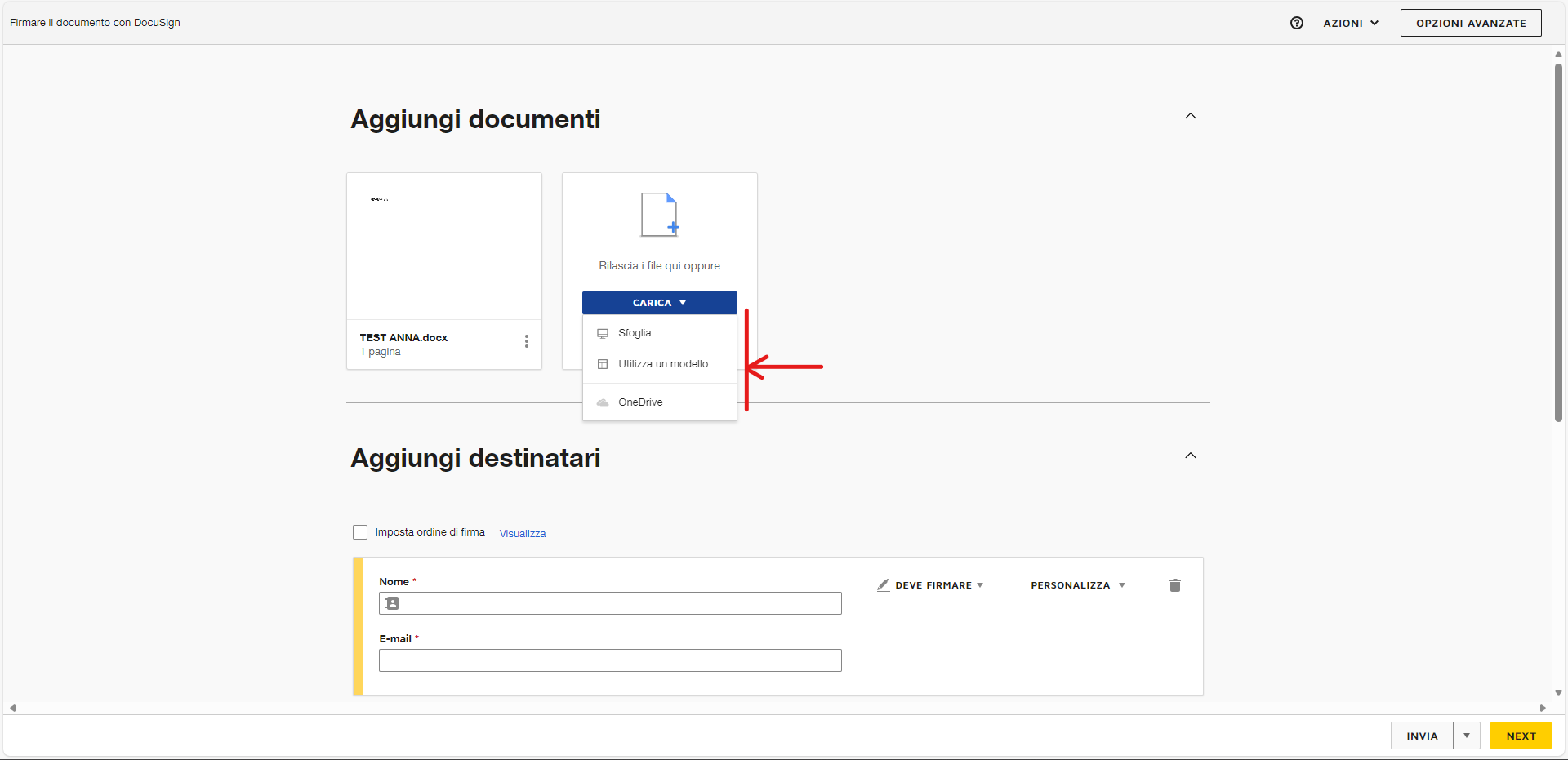
Hi, we have adopted DocuSign by integrating it into our SharePoint document management system. By starting the signing of a document (for example a transmission note) I need to attach the accompanying documentation. How do I upload documents from SharePoint? It seems that it is only possible to draw from the computer's local resources or from OneDrive. It would be crazy if you had to download documents locally from SharePoint and then upload them to DocuSign. Right?

 

Michael.Rave
Docusign Employee
Mar 27, 2024 3:03 PM UTC

@Andrea_d 

You need to start the process from SharePoint and send the files to DocuSign eSignature.

The screenshot you are showing is related to Document Sources that can be connected.

Currently document sources support only Box, Dropbox, Google Drive and OneDrive.

"Select as Best" below if you find my answer is a valid solution to your issue and mark it as resolved.

2 replies

Michael.Rave
Docusign Employee
Docusign Employee
Mar 27, 2024 3:03 PM UTC

@Andrea_d 

You need to start the process from SharePoint and send the files to DocuSign eSignature.

The screenshot you are showing is related to Document Sources that can be connected.

Currently document sources support only Box, Dropbox, Google Drive and OneDrive.

Translate
"Select as Best" below if you find my answer is a valid solution to your issue and mark it as resolved.
Docusign Employee
Apr 12, 2024 12:11 PM UTC

Hello @Andrea_d ,


If you found the provided response to be a useful solution to your question, please mark it as the best answer by clicking “Select as Best” to make it easier for other users to find.


Best regards,

Nathaly | DocuSign Community Moderator
"Select as Best" below if you find the answer a valid solution to your issue!

Translate

