Back to Docusign.com



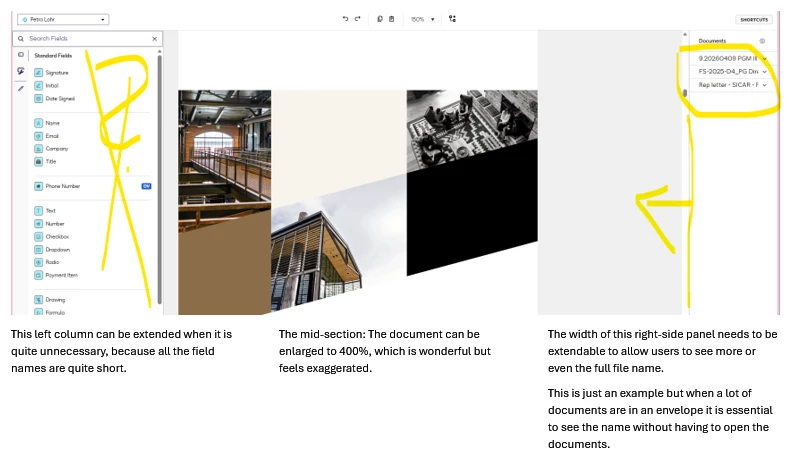
The width of the right side panel needs to be adjustable to allow viewing of file names
A typical DocuSign envelop (ie.: AGM processing) can contain quite large amount of documents, not just one or a few.
In order to allow the user to review & self-check that all documents that have been included in an envelop actually have a signature pad positioned, the user needs to be able to identify and click through the file names successively as they appear in the right side panel.
Currently, it is impossible to see more that 20-some caracters as the right side panel is very narrow and the width cannot be adjusted.
This prevents the creator and reviewer from effectively and securely working through the list of files successively to ..
- position (copy/paste) the required signature pads in multipage documents. (Long contracts, financial statement, long minutes, etc..)
- review+check if all files have the “signature” pads correctly positioned before sending the envelope
- slow down the reviewer as it is impossible to see more of the file names.
The width of the right side panel should be adjustable to at least triple of what it is today.
Only showing the first 20-some caracters of file names is very insufficient to correctly identify which file precisely has been processed and/or reviewed.
This negatively impacts the efficienty of the creator of the envelop and the reviewer.
Thanks for considering an update to the right side panel and making it’s width adjustable.
Krgds,
Petra LAHR