New Voice
Jun 27, 2024 1:45 AM UTC
Question

Document Generation fields setting question

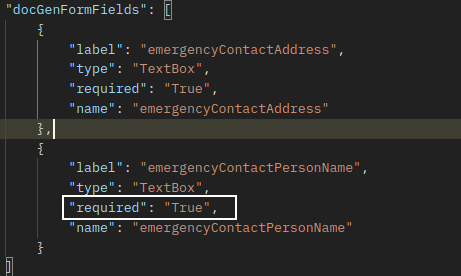
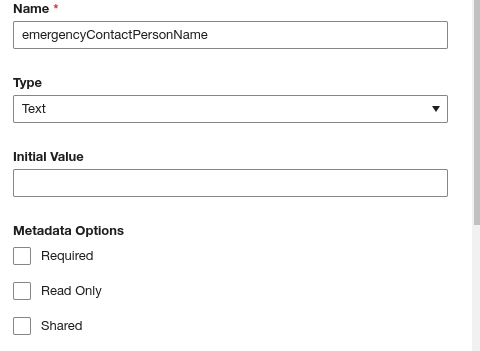
By using document generation, I added custom fields into document, set a field without required option and saved, then I requested the `https://{{docusignHost}}/restapi/v2.1/accounts/{{accountId}}/templates/{{templateId}}` but the response of request shows that field is `"required": "True"` 

I don’t know whether it is right
 

4 replies

Docusign Employee
Jul 2, 2024 5:44 PM UTC

Hello!

Thank you for reaching out here in the DocuSign Community.

I have completed the same test that you did and I had the same result, let me ask the development team to understand this behavior, maybe it is normal or we are facing a bug.

Thank you very much for sharing this concern.

Eric | Docusign

Translate
baostarNew VoiceAuthor
New Voice
Jul 16, 2024 2:18 AM UTC

Pls let me know whether it is normal or a bug, thank you very much!

Translate
Docusign Employee
Jul 16, 2024 3:54 PM UTC

Hi @baostar,

This is normal behavior, as all fields set in the document as Doc Gen will default to "required": "true".

This means that when you get the information from the template you will always see the Doc Gen fields as required.

It is also important to mention that if you insert tabs in the document, these will not come as "docGenFormFields", but as boxes that you insert, for example in the custom fields they will come with the "customFields" property, Example:


Translate
baostarNew VoiceAuthor
New Voice
Jul 17, 2024 12:01 AM UTC

I‘ll try , thank you for sharing this

Translate