Legacy User
Sep 24, 2021 1:49 PM UTC
Solved

Repeatable attributes and how to add an attribute via a workflow

Hey all,

How do I add an additional value to a repeatable attribute?

Situation

We have the case that a one contract can belong to multiple cost centers. I can catch them via the expression function and store them in a variable. However, I have no idea how I should communicate with the attribute field. Currently, the workflow overwrites always the first position.

Simplified example

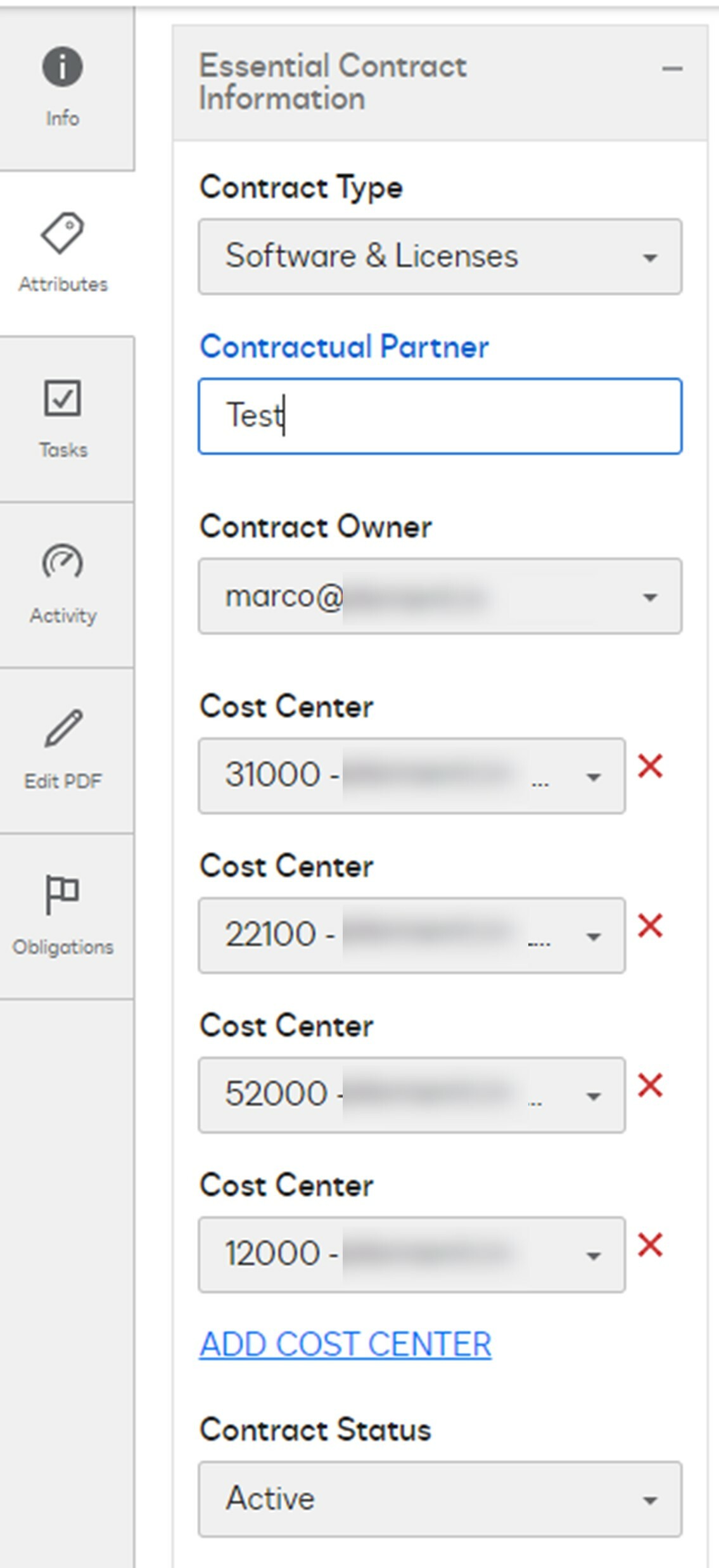
  • Picture 1 (original value): The contract has 4 cost centers (31000; 221000; 52000; 12000) and needs a 5th valueOriginal values
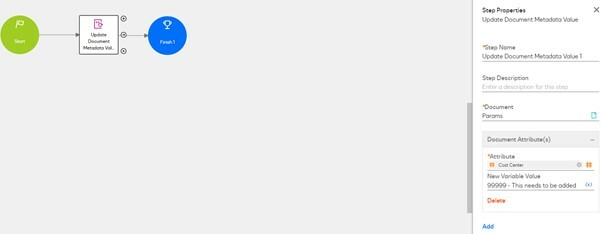
  • Picture 2 (Workflow with value): A workflow updates the attribute field (Cost Center) with the valiue "99999 - This needs to be added". In the example it is hard coded. For me the problem remains still even if I use a variable with the name "CostCenter"Workflow with value
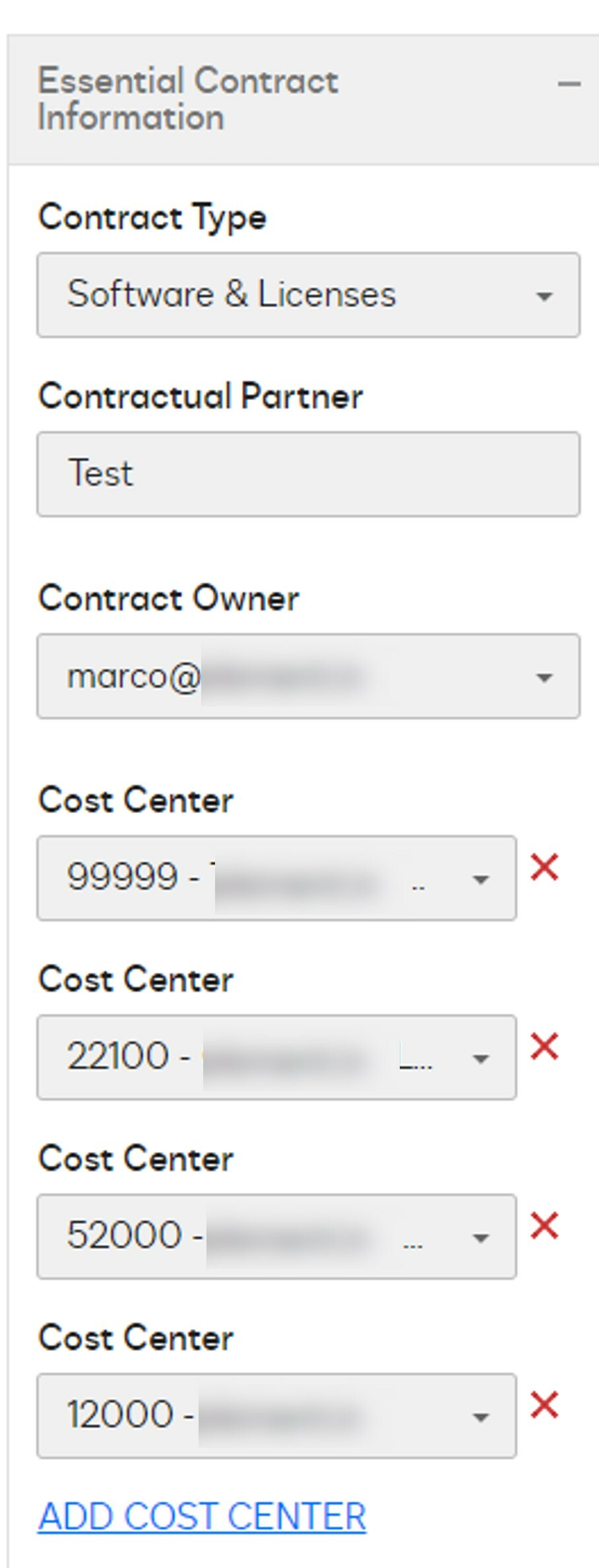
  • Picture 3 (updated value): 99999 shows up on the first place and replaced the value 31000Updated Value

Thank you for your help in advance and best regards,

Marco

Docusign Employee
Sep 24, 2021 3:50 PM UTC

for the attribute update step, rather than selecting Attribute Cost Center from the # sign, type in

Cost Center[-1]

6 replies

Docusign Employee
Sep 24, 2021 3:50 PM UTC

for the attribute update step, rather than selecting Attribute Cost Center from the # sign, type in

Cost Center[-1]

Translate
Legacy User
Oct 12, 2021 11:07 AM UTC

Hey @Rose Ella Winterbauer​,

sorry for the late reply. After a little bit tweaking here and there, I was able to make it work.

Thank you for your help.

Best regards,

Marco

Translate
Legacy User
Dec 9, 2021 10:33 PM UTC

@Marco Wickert​ how did you end up implementing this? I'm trying to update a repeatable attributes as well via wf but with text data types

Translate
Legacy User
Dec 27, 2021 11:44 PM UTC

What is the name of the attribute group and attribute field you need to update?

Translate
Legacy User
Jan 2, 2022 10:57 PM UTC

@Cristina Ferrara​ and @Rose Ella Winterbauer​ happy new year.

imageI was able to add attribute information for a document the following way:

  • go to the documents attribute on the right side
  • click on "Attributes" but do not click on "#"
    • instead write down the needed attribute group
    • sperate the attribute group from the attribute field by a dot
    • add a "[-1] as explained by Rose in order to add a new information to the attribute field

Example:

  • attribute group: "Essential Contract Information
  • attribute field: Cost Center
  • Result: "Essential Contract Information.Cost Center[-1]"

Summary:

Do not click on "#" and type the entire path incl. the name of the attribute group.

In my screenshot above I catch the cost center from another area and store it in the variable "Single Cost Center".

Translate
Justin Jiang
Established Contributor
Apr 25, 2024 5:07 PM UTC

Cool!

Translate
Welcome to the DocuSign Community and University! Your feedback is immensely appreciated. If this answer resolves your issue, please feel free to give it a Like and mark it as the "Best Answer". This helps others in the community find the information they need. Visit us at http://dsucustomers.docusign.com for more resources and support.