New Voice
Aug 23, 2024 1:44 AM UTC
Solved

Docusign CLM - eForms / Attribute Fields - Wrap Text

Is there a way to make the inputs to string attribute fields on eForms wrap? I’m able to expand the width and height of the input field, but the text will only stay on a single line and automatically scroll to the right.

<springcm:MetaFieldInput metadatafieldid="XXXXXXXX" min-width: 95%; />

Pawan Gangwani
Hero
Aug 28, 2024 10:17 AM UTC

Hey there,

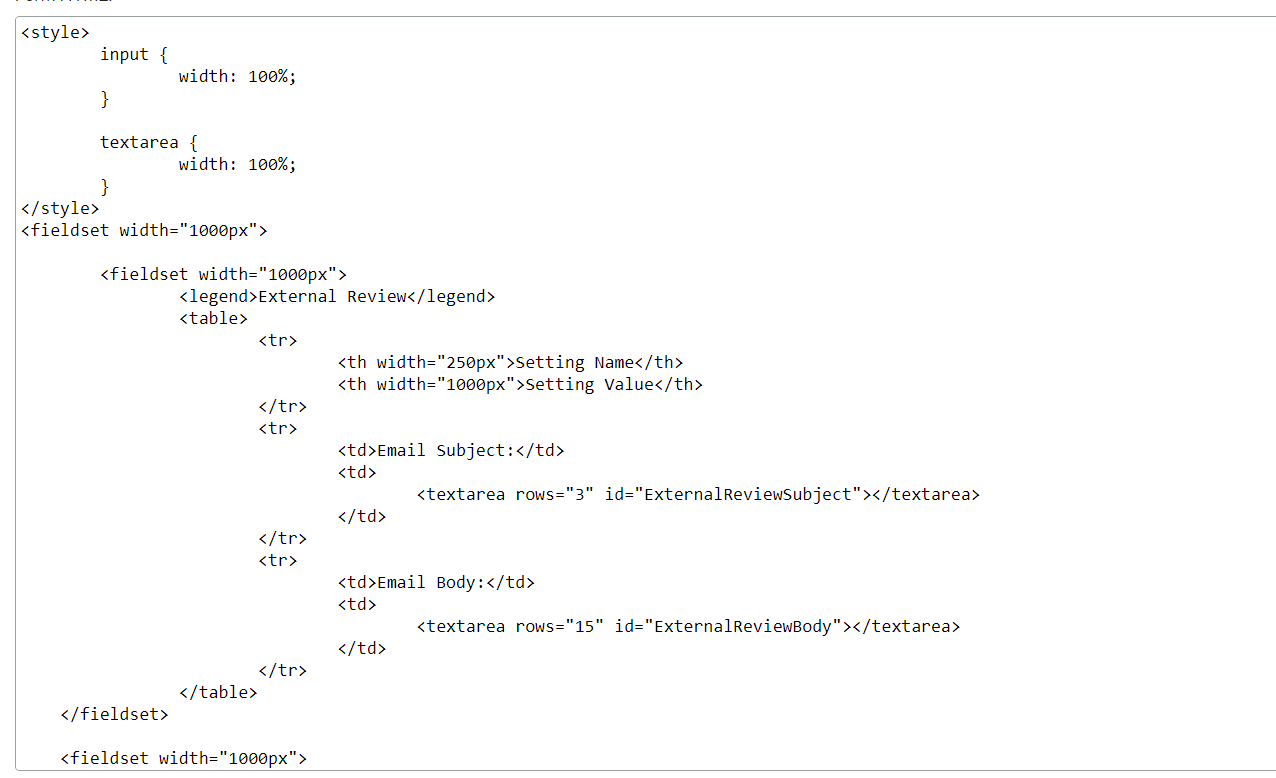
I also use HTML Code for eForm, see screenshots below,

This is the HTLM Code Structure

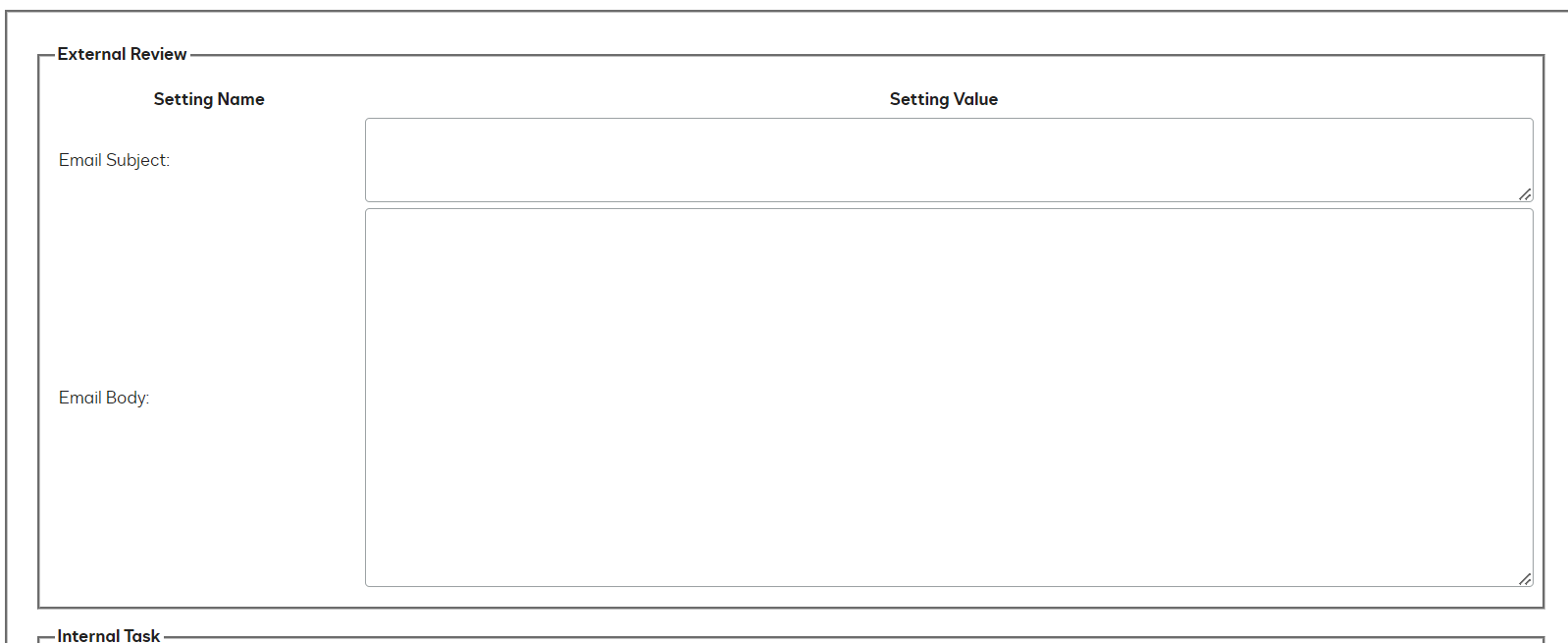
here is the result:

Result

And then I make eform “Allow Submission” and input all the variable that i wanted.

Thanks!

Way to Learn | I'd love your feedback | Hit Like | Mark it Best🌈

6 replies

Pawan Gangwani
Hero
Hero
Aug 23, 2024 9:54 AM UTC

Hello @Lee.Carver 

Welcome to the DocuSign Community!

I would say if you wanna any information or attribute in eForm then you the variable and put that variable in the eForm, It is gonna be very easy to implement.

thanks!

Translate
Way to Learn | I'd love your feedback | Hit Like | Mark it Best🌈
New Voice
Aug 23, 2024 12:55 PM UTC

Thanks for the response Pawan, but I think you misunderstand me. The field is already in the eForm and tied to the attribute. However, I am not certain if I am able (much less how) to customize the appearance of the object. I would like the string field to wrap text so that I can use space on the page more efficiently, but can find no way to do so.

Are you saying not to use the Docusign attribute fields but to create custom objects on the eForm?

Translate
Pawan Gangwani
Hero
Hero
Aug 23, 2024 6:21 PM UTC

Okay Wrap Text you mean something like this, refer the SS:

Like the “Task” in the picture?


Translate
Way to Learn | I'd love your feedback | Hit Like | Mark it Best🌈
New Voice
Aug 27, 2024 6:14 PM UTC

More like the example below. The intake field on the right is what I was encountered when using the metadata fields for the attributes.


I have since coded the form to use <textarea> to capture data for the fields (see example on left).

Translate
Pawan Gangwani
Hero
Hero
Aug 27, 2024 7:44 PM UTC

Oh When ever i create eForms, I use this HTML code. SS below
 

HTML Code

and the result came like this:
 

The Result

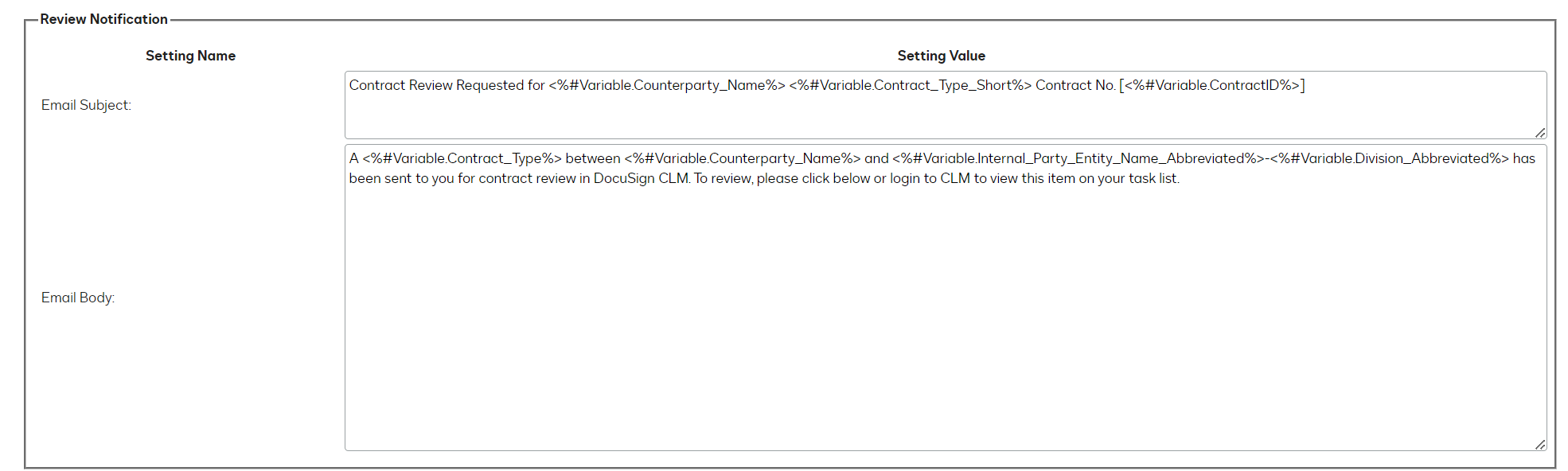
And I always pass the variables in the form:
 

Variable listed


Translate
Way to Learn | I'd love your feedback | Hit Like | Mark it Best🌈
Pawan Gangwani
Hero
Hero
Aug 28, 2024 10:17 AM UTC

Hey there,

I also use HTML Code for eForm, see screenshots below,

This is the HTLM Code Structure

here is the result:

Result

And then I make eform “Allow Submission” and input all the variable that i wanted.

Thanks!

Translate
Way to Learn | I'd love your feedback | Hit Like | Mark it Best🌈