extol7
Active Voice
Active Voice
Feb 17, 2025 7:58 PM UTC
Solved

Change Form used in Workflow

I am having difficulty figuring out how to Change the form used in my workflow.  I go to the Document Generation Configuration screen an see the below.  If I click on the link that says NDA / DNA MOU Configuration, it only shows options for the workflow and a template and few other settings, 

I don’t see the ability to change the Workflow to use a copy of the form such as below NDA MOU FORM_Copy.


What am I missing?


If I open up a form not attached, it will display 

This form is not being used by any configurations. Open Configurations to start using this form.,

I open up configurations and am in the same spot again...



Pawan Gangwani
Hero
Feb 19, 2025 6:44 AM UTC

Hello ​@extol7 

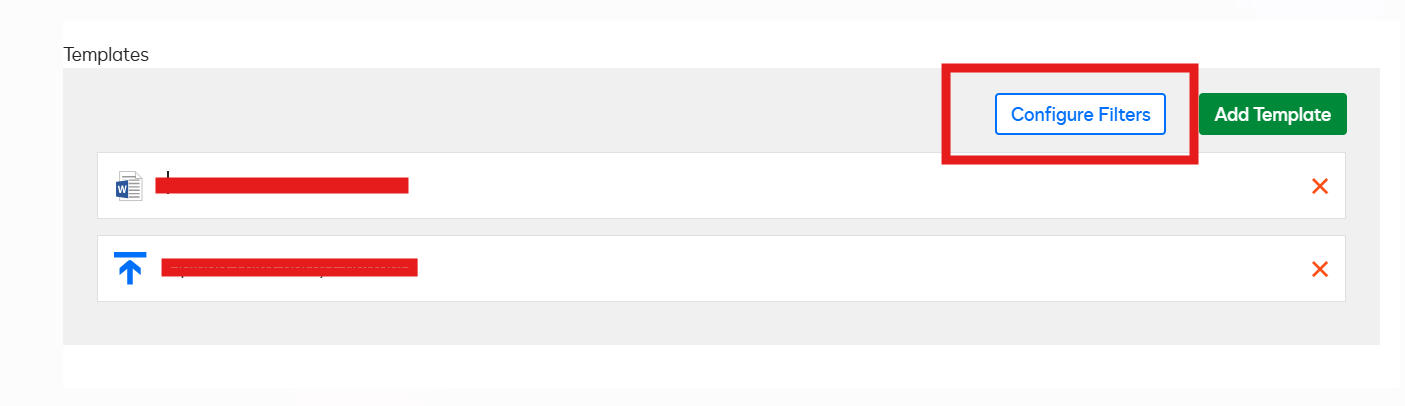
At the “Template” Place above you can see “NDA template” if you click on that you will be able to edit that and choose new form, see SS below:
 

and if want to another new form you see option in left:
 

Keep me on Radar, if any assistance required!

Way to Learn | I'd love your feedback | Hit Like | Mark it Best🌈

5 replies

Pawan Gangwani
Hero
Hero
Feb 18, 2025 5:38 AM UTC

Hello ​@extol7 

Welcome to the DocuSign Community!

If I am not wrong, you want to change the workflow for the Copy form or may be wanting to configure for copy form, right?

LMK!

Translate
Way to Learn | I'd love your feedback | Hit Like | Mark it Best🌈
extol7
Active Voice
extol7Active VoiceAuthor
Active Voice
Feb 18, 2025 6:46 PM UTC

Hello ​@Pawan Gangwani and Thanks!

I have the correct workflow configured in the Actions Menu, but want to change the form being used.  When I open the configuration, I don’t see a ‘Use this form’ section:

I only see the option to change workflow, template, and folder...


Translate
J Herschel
Pawan Gangwani
Hero
Hero
Feb 19, 2025 6:44 AM UTC

Hello ​@extol7 

At the “Template” Place above you can see “NDA template” if you click on that you will be able to edit that and choose new form, see SS below:
 

and if want to another new form you see option in left:
 

Keep me on Radar, if any assistance required!

Translate
Way to Learn | I'd love your feedback | Hit Like | Mark it Best🌈
extol7
Active Voice
extol7Active VoiceAuthor
Active Voice
Feb 19, 2025 5:07 PM UTC

AHA!

Thank you ​@Pawan Gangwani , I did not realize you could click on the Template itself to change, only the buttons.   I knew it would be right under my nose.


Translate
J Herschel
Pawan Gangwani
Hero
Hero
Feb 19, 2025 5:11 PM UTC

AHA!

Thank you ​@Pawan Gangwani , I did not realize you could click on the Template itself to change, only the buttons.   I knew it would be right under my nose.


No worries, it’s easy to miss sometimes!  Glad you found it, though – that’s the best feeling when something clicks right into place!😃

Translate
Way to Learn | I'd love your feedback | Hit Like | Mark it Best🌈